ENGINEERING PRO CES S BUS (SMV)
1VLG5 00007 E 47
Sampled Measured Value Control Block Attributes
– App ID – unique SvID in network
• It shall always be
0x4000
based on 9-2LE
• Reserved value range is from
0x4000
to
0x7FFF
(if no APPID is configured, the default
value shall be 0x4000 based on IEC 61850-9-2)
– MAC address
• Unique Multicast address per Control Block is recommended
• The allowed multicast address range is from
01-0C-CD-04-00-00
to
01-0C-CD-04-01-
FF
– VLAN ID
• The default value is 0x000, should be configured > 0
• Recommended value range (as per IEC 61850-90-4) is from
0xBB8 (3 000)
to
0xDB7
(3 511)
– VLAN priority
• The default value is 4 as per IEC 61850-9-2 (value range 0 …7)
– Config Revision
• It increases in case of modification of attributes
• Recommended value is 1
– Data Set Definition
– Control block name (Sampled value ID)
If configuration is updated in a manner that affects the
Config Revision
value of Sampled
Measured Value Control Block, update all SMV sender and receiver protection relays using the
PCM600 tool.
Configuration procedure in IET600
Step 1 / 5
After the common configuration items have been completed, the SCD file has been exported
from PCM600 and the SCD file has been imported to IET600, the SMV sender and receiver
connections can be handled using the IET600 tool.
Step 2 / 5
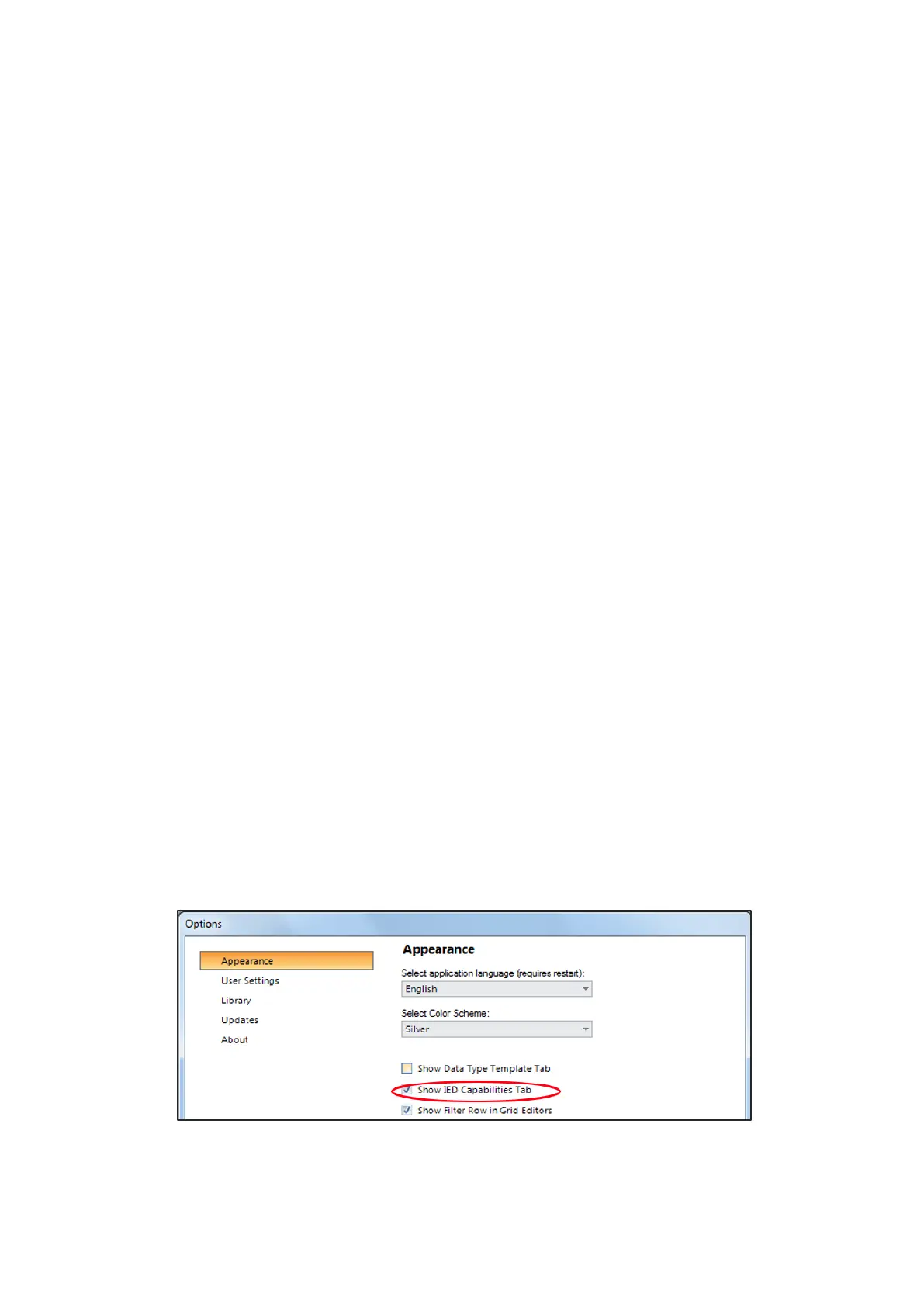
In the Options dialog box in IET600, click Show IED Capabilities Tab.
Figure 62: Selecting Show IED Capabilities Tab



 To Next Page