LIST O F FIGURE S
III
List of Figures
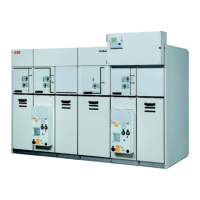
Figure 1: UniGear Digital and its key components ...................................................................................... 2
Figure 2: Current sensor KECA 80 C104 / KECA 80 C165.......................................................................... 4
Figure 3: Current sensor KECA 80 C184 / KECA 80 C216 .......................................................................... 5
Figure 4: Current sensor KECA 250 B1............................................................................................................. 6
Figure 5: Voltage sensor KEVA 17.5 B20 .......................................................................................................... 7
Figure 6: Voltage sensor KEVA 24 B20............................................................................................................. 8
Figure 7: Coupler adapter AR5 utilized with Relion
®
615, 620 and 640 series protection
relay ............................................................................................................................................................................. 9
Figure 8: Connector pins assignment of a current sensor plug ........................................................... 10
Figure 9: Connector pins assignment of a voltage sensor plug .......................................................... 10
Figure 10: Functionality overview of REF615 standard configuration G ........................................... 12
Figure 11: Functionality overview of REF615 standard configuration L............................................. 13
Figure 12: Functionality overview of REM615 standard configuration D .......................................... 14
Figure 13: Functionality overview of RED615 standard configuration E ........................................... 15
Figure 14: Functionality overview of REF620 standard configuration B ........................................... 16
Figure 15: Functionality overview of REM620 standard configuration B .......................................... 17
Figure 16: Protection and control REX640 ................................................................................................... 18
Figure 17: Overview of RIO600 connection.................................................................................................. 19
Figure 18: RIO600 communicating analog signals for the panel meters .......................................... 19
Figure 19: ESSAILEC
®
RJ45 test block ........................................................................................................... 20
Figure 20: Low Voltage Compartment door with ESSAILEC
®
RJ45 test blocks ............................ 20
Figure 21: The testing (only one phase is shown) .................................................................................... 20
Figure 22: Switchgear with sensor measurement..................................................................................... 21
Figure 23: Switchgear with sensor measurement and process bus application of voltage
sharing and synchrocheck................................................................................................................................ 22
Figure 24: UniGear ZS1 Digital (17.5 kV, 4 000 A, 50 kA) ......................................................................... 23
Figure 25: UniGear ZS1 Digital (24 kV, 3 150 A, 31.5 kA) .......................................................................... 24
Figure 26: UniGear 550 Digital (12 kV, 1 250 A, 31.5 kA) .......................................................................... 24
Figure 27: UniGear 500R Digital (17.5 kV, 2 000 A, 31.5 kA).................................................................... 25
Figure 28: UniGear MCC Digital (12 kV, 400 A, 50 kA) ............................................................................. 25
Figure 29: Example of a current sensor label ............................................................................................. 26
Figure 30: Example of setting the correction factors for current sensor in PCM600 ................. 26
Figure 31: Single line diagram ......................................................................................................................... 27
Figure 32: Example of setting values for current sensor in PCM600................................................. 28
Figure 33: Example of parameter setting for PHIPTOC1 Start value in PCM600........................... 28
Figure 34: Current sensor with unique physical polarity ....................................................................... 29
Figure 35: Polarity setting for current sensors in incoming feeder ................................................... 30
Figure 36: Example of polarity setting for current sensor in PCM600 ............................................. 30
Figure 37: Example of a voltage sensor label.............................................................................................. 31
Figure 38: Example of setting the correction factors for voltage sensor in PCM600 .................. 31
Figure 39: Single line diagram......................................................................................................................... 32
Figure 40: Example of setting values for Voltage sensor in PCM600 ............................................... 32
Figure 41: Example of a Network Overview Diagram.............................................................................. 33
Figure 42: Example of a logic diagram for interconnection between panels ................................. 33
Figure 43: Example of a Sampled measured value diagram................................................................. 34
Figure 44: Creating a new GOOSE data set and its entries .................................................................. 36
Figure 45: GOOSE control block properties ............................................................................................... 36
Figure 46: GOOSE control block editor (1- receiver #1, 2- receiver #2, 3 – sender)........................ 38
Figure 47: Selecting Show IED Capabilities Tab........................................................................................ 38
Figure 48: Editing 615 series capabilities ................................................................................................... 39



 To Next Page