CHAPTER 17. INSTRUMENT, DRUM AND EFFECT RACKS 241
Crossfading Preset Banks Using Fade Ranges
Crossfading Between
Effects Presets Using
Chain Select Zones.
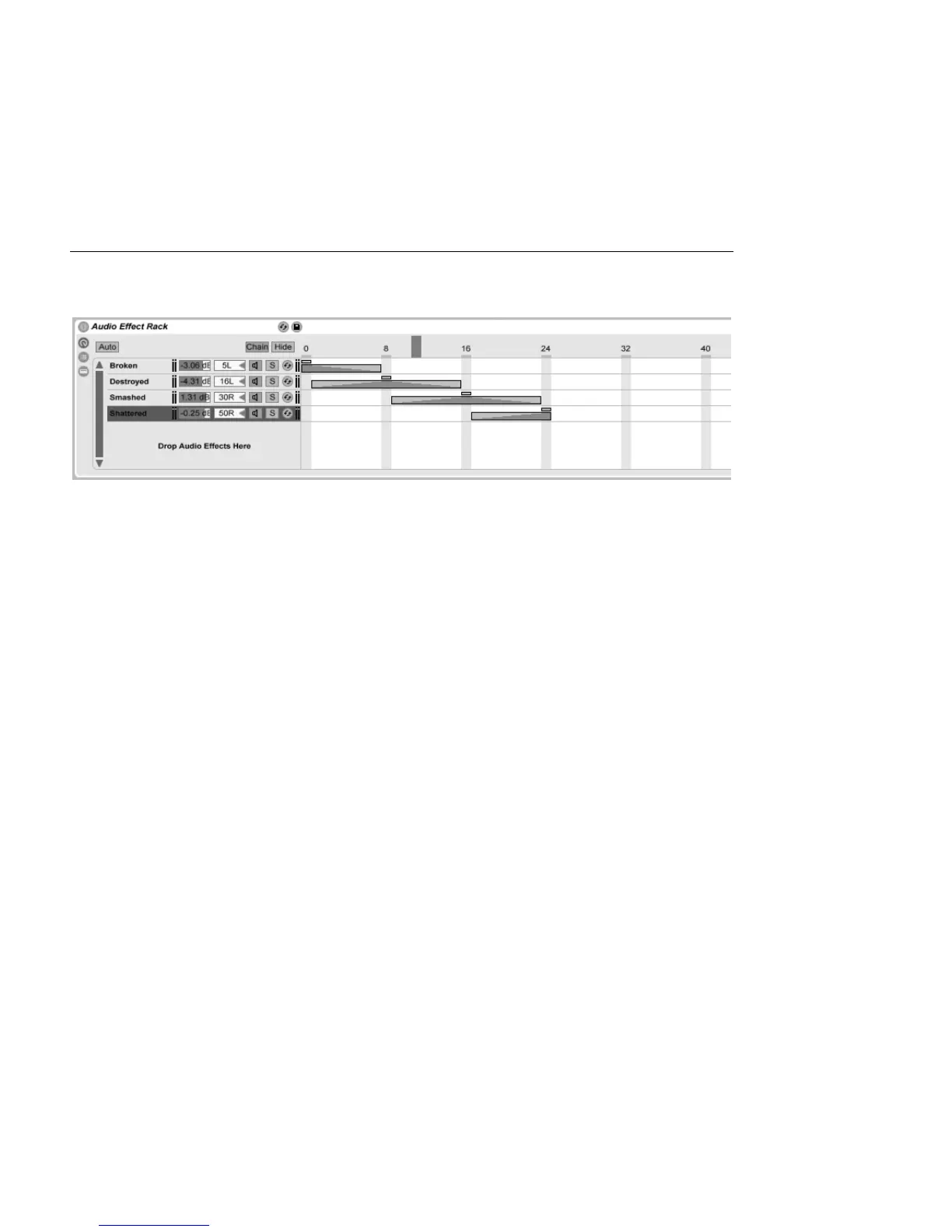
Taking the previous example one step further, we can tweak our chain select zones to
produce a smooth transition between our presets. To accomplish this, we will make use
of our zones' fade ranges.
To create some room for fading, let's extend the length of our zones a bit. Setting the zones
as shown maintains four exclusive values for our presets, so that each still has one point
where neither of the others are heard. We crossfade between the presets over eight steps.
If this is too rough a transition for your material, simply reposition the zones to maximize the
fade ranges.
17.6 Drum Racks
We've already talked a bit about Drum Racks, and most of their features are the same as
those found in Instrument and Effect Racks. But Drum Racks have a slightly different layout,
some unique controls and special behavior that is optimized for creating drum kits.



 To Next Page