CHAPTER 16. WORKING WITH INSTRUMENTS AND EFFECTS 219
Live is running, so that newly installed devices become immediately available in the Plug-In
Device Browser.
You can also rescan if you believe that your plug-in database has somehow become cor-
rupted. Holding down the
(Mac) modier while pressing Rescan will
delete your plug-in database altogether and run a clean scan of your plug-ins.
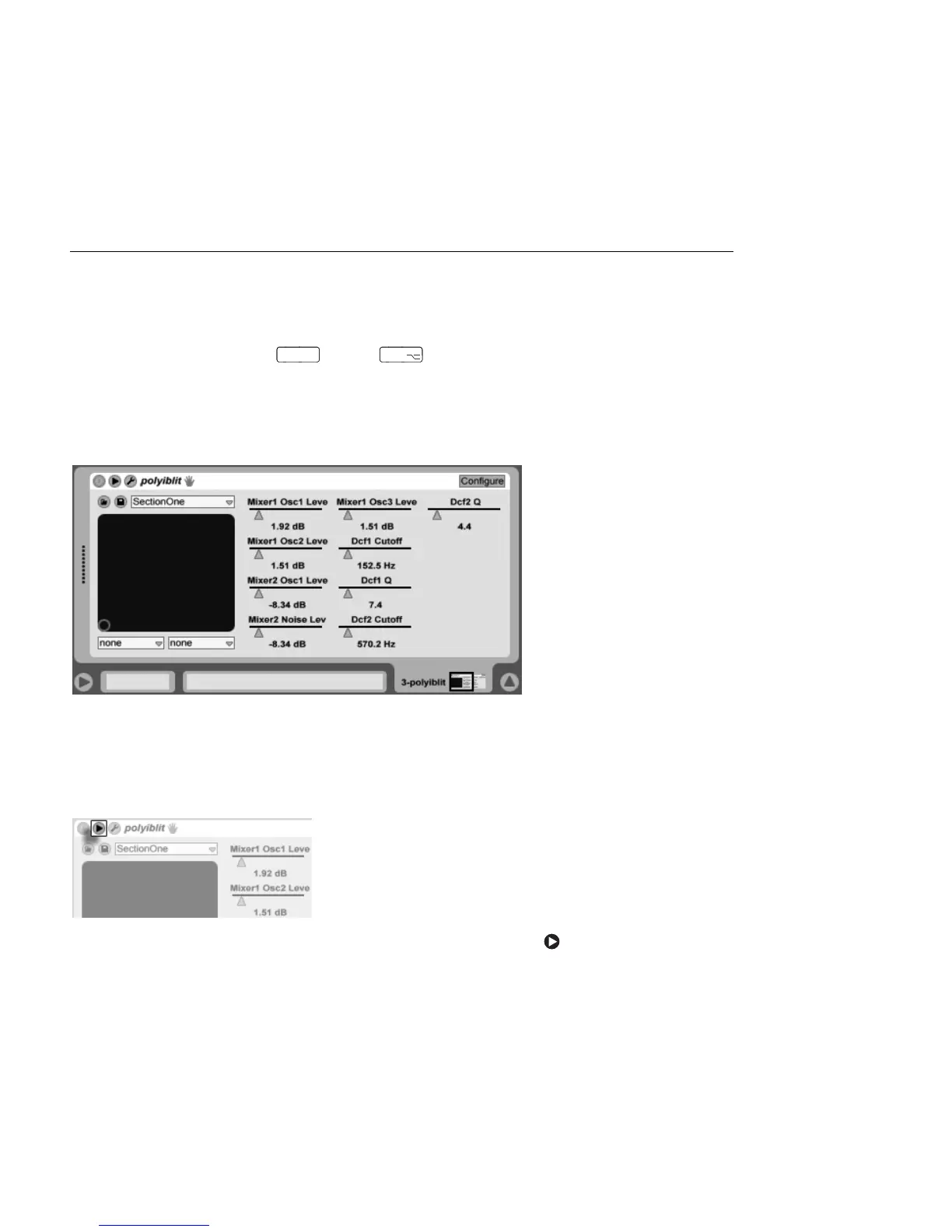
16.2.1 Plug-Ins in the Track View
A VST Plug-In in the
Track View.
Once a plug-in is dragged from the Browser into a track, it will show up in the Track View.
For plug-ins with fewer than 32 modiable parameters, a Live panel will represent all of the
parameters as horizontal sliders. Plug-ins that contain more than 32 parameters will open
with an empty panel, which you can then congure to show the parameters you want to
access. The plug-in's original interface can be opened in a separate window.
The Plug-In Unfold
Button.
You can view or hide the plug-in's parameters by toggling the button in the plug-in's
title bar.



 To Next Page