CHAPTER 18. AUTOMATION AND EDITING ENVELOPES 253
2. You can click on it to reactivate all automation and thereby return to the automa-
tion state as it is written on tape.
18.4 Drawing and Editing Automation
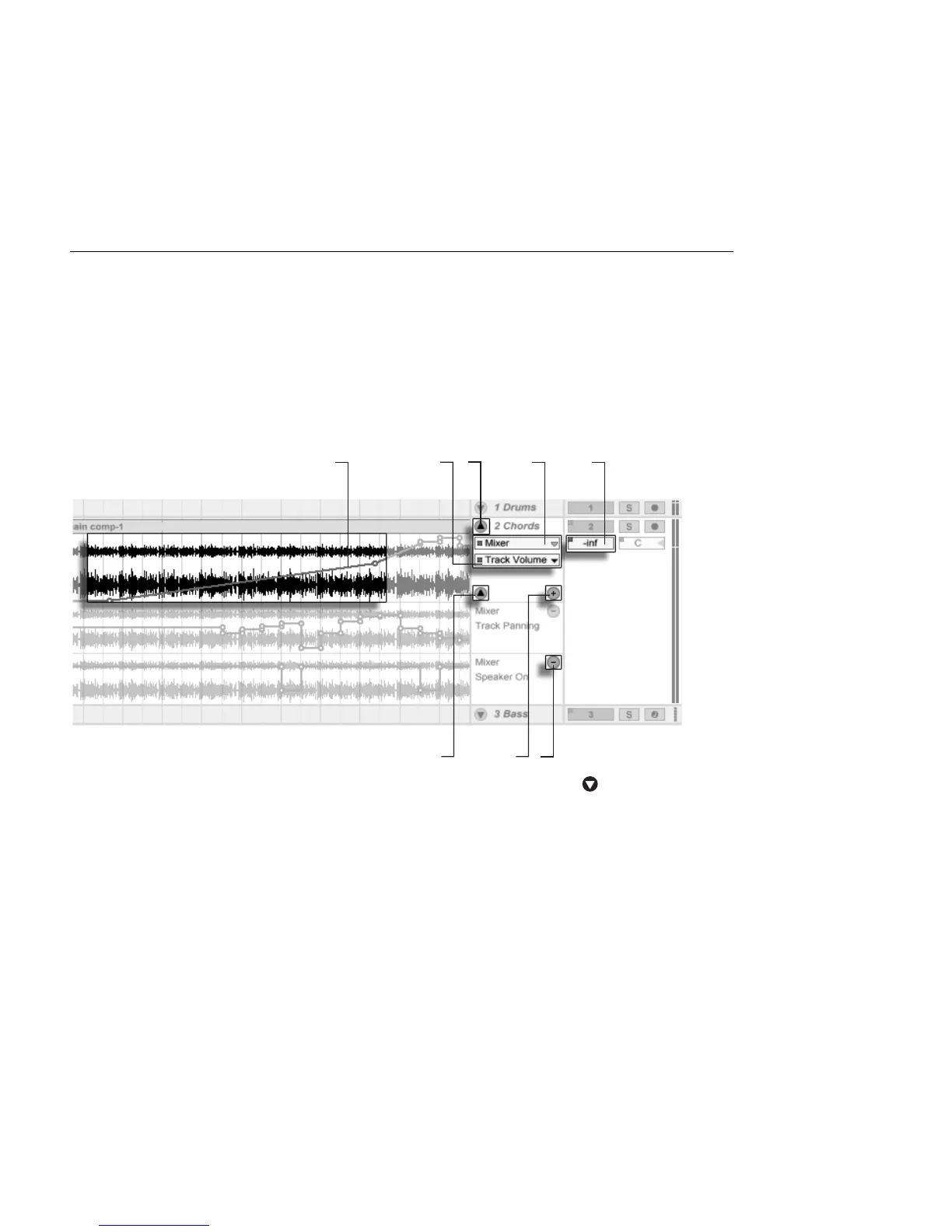
In the Arrangement View, automation curves can be viewed and edited as breakpoint
envelopes.
Automation Envelopes
in the Arrangement
View.
1. To show a track's envelopes, unfold the track by clicking the button next
to the track name. (Note that, for Group Tracks, you may need to expand the
track's height in order to see its envelopes.)
2. Clicking on one of the track's mixer or device controls will display this control's
envelope on the clip track.
3. Envelopes appear on top of the audio waveform or MIDI display. An enve-
lope's vertical axis represents the control value and the horizontal axis represents
time. For switches and radio buttons, the value axis is discontinuous.
4. The Fades/Device chooser either selects audio clip fades, the track mixer, one



 To Next Page