CHAPTER 4. LIVE CONCEPTS 29
MIDI sequences with matching instruments and effects, e.g., a MIDI drum pattern with
the associated Impulse and effects settings;
Different regions or loops referencing the same source le;
Variations of a sample loop created by applying Warp Markers, clip envelopes and
effects;
Ideas that may not t your current project but could be useful in the future.
4.15 The Library
The Live Library acts as a repository of sounds that are available to all projects. In Live's
File Browsers, the Library is accessible through a bookmark. Bookmarks can be selected by
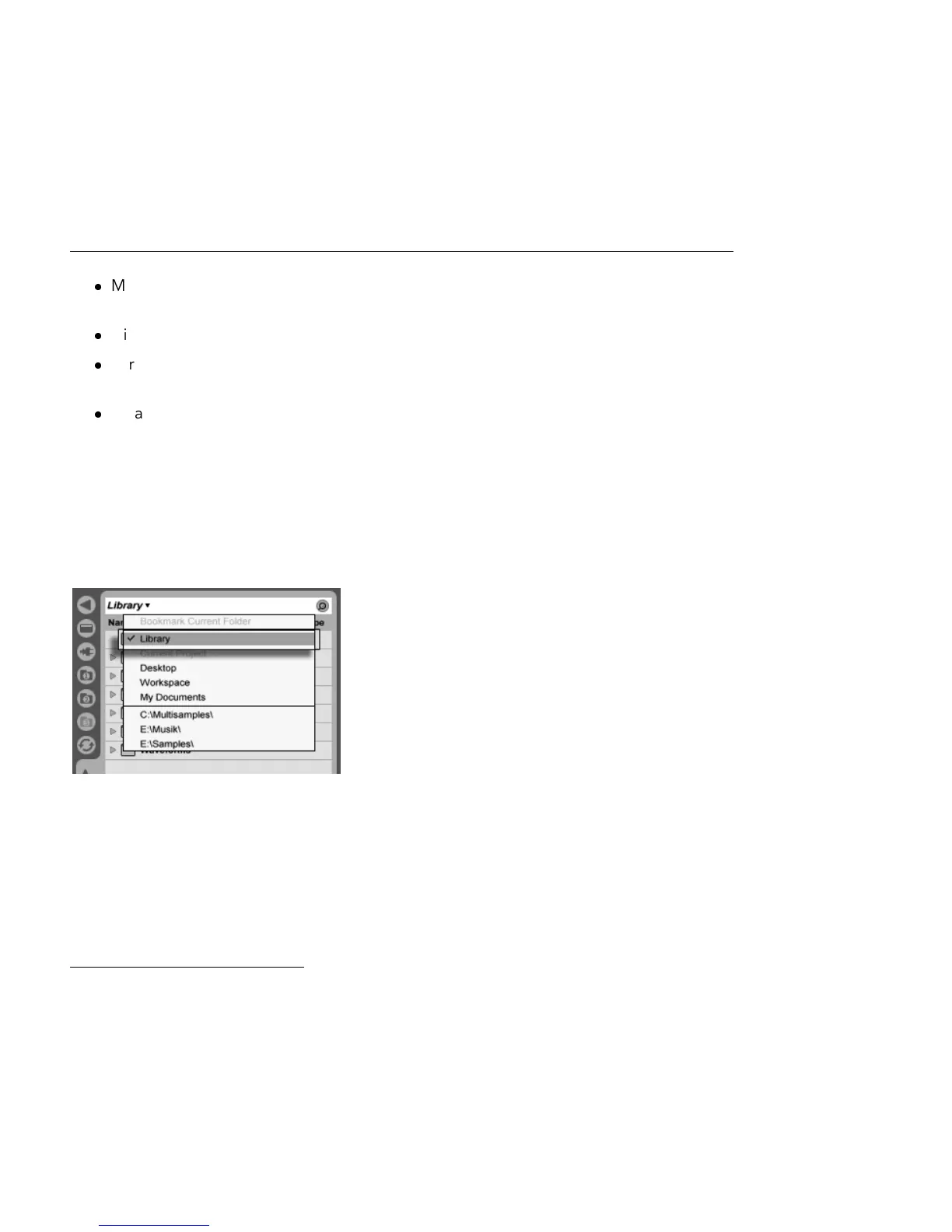
clicking the Browser's title bar to open the Bookmark menu:
Choosing the Library
Bookmark.
The rst time you run Live, it will automatically install its Library to your standard user folder.
You can, of course, move it to a new location. After installation the Library will already
contain a few sound ideas, courtesy of Ableton. We encourage you to experiment with this
material to get a sense of what the program can do, but we do not recommend removing
or changing the contents of the factory Library.
Ableton provides additional Library content in the form of Live Packs which are available
from installation CDs, DVDs or the Ableton website
2
. Owners of a boxed version of Live can
2
http://www.ableton.com/downloads



 To Next Page