CHAPTER 32. LIVE KEYBOARD SHORTCUTS 512
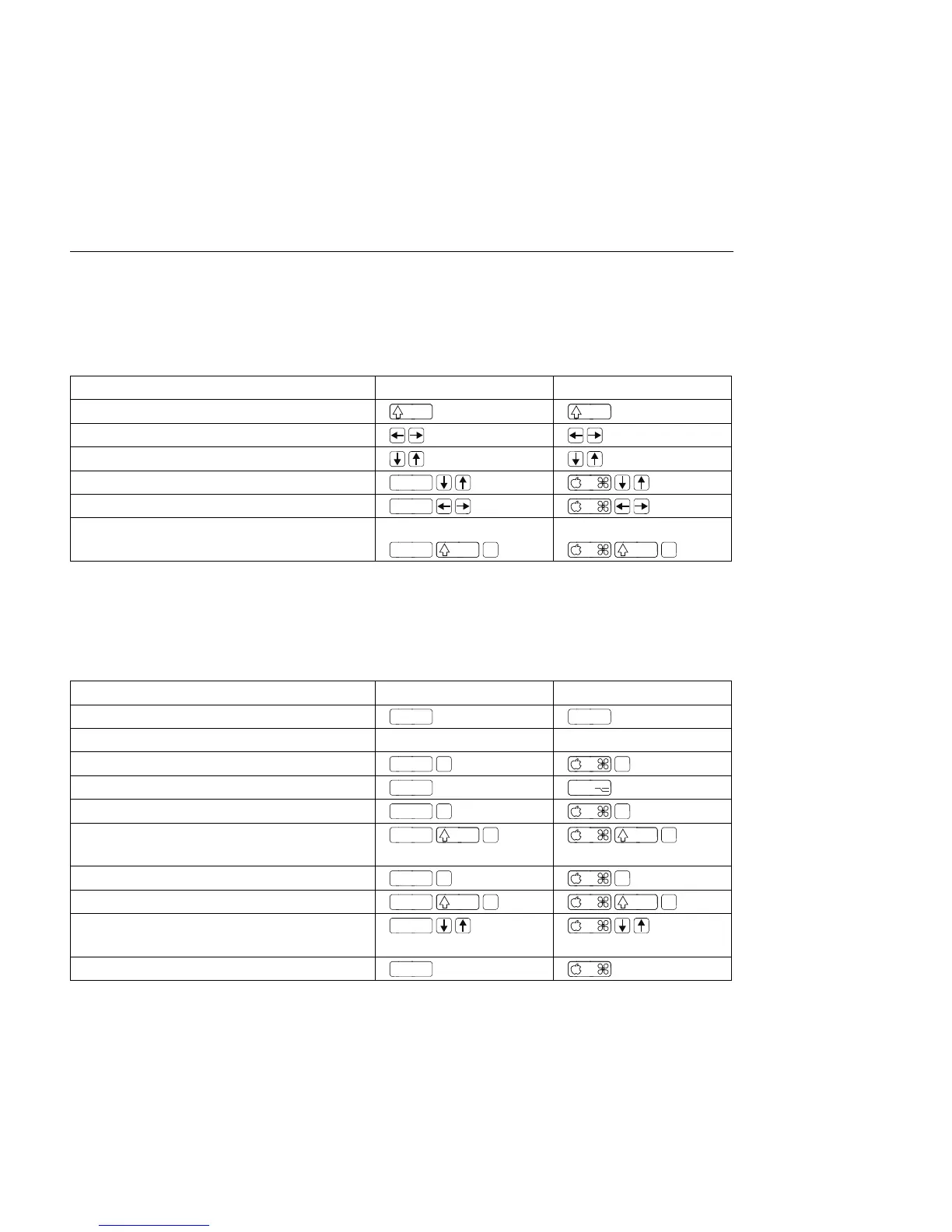
32.7 Loop Brace and Start/End Markers
The loop brace and start/end markers must rst be selected before any of the following
commands will apply to them.
Windows Macintosh
Move Start Marker to Position Click Click
Nudge Loop Left/Right
Move Loop By Loop Length
Double/Halve Loop Length
Select Material in Loop Click Loop Brace or
32.8 Session View Commands
See also the editing commands.
Windows Macintosh
Launch Selected Clip/Slot
Select Neighbouring Clip/Slot Arrow Keys Arrow Keys
Select all Clips/Slots
Drag
Add/Remove Stop Button
or
Double-Click Slot
Insert Scene
Move Nonadjacent Scenes Without
Collapsing
Drop Browser Clips as a Scene



 To Next Page