CHAPTER 21. LIVE AUDIO EFFECT REFERENCE 296
21.9 EQ Three
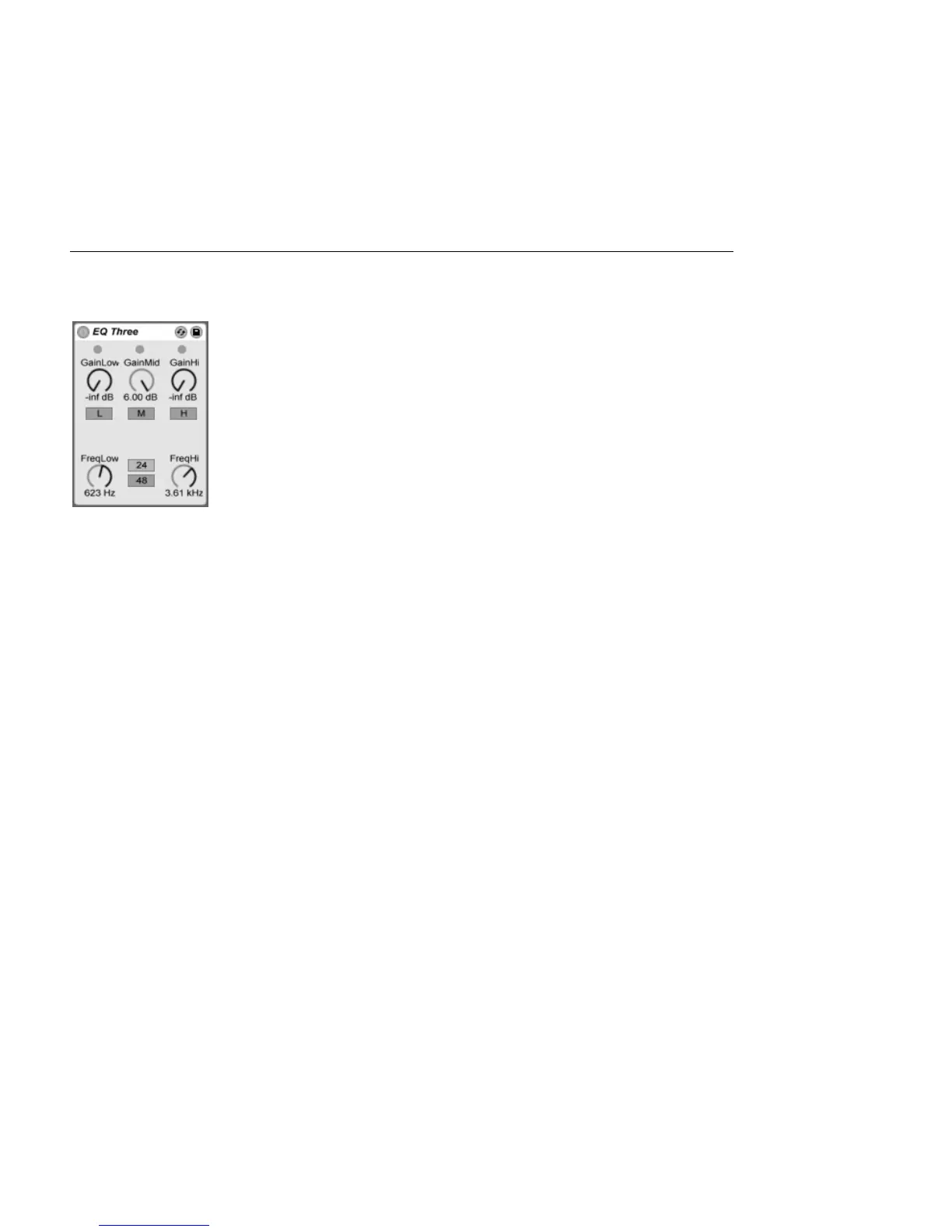
The EQ Three Effect.
If you have ever used a good DJ mixer you will know what this is: An EQ that allows you to
adjust the level of low, mid and high frequencies independently.
Each band can be adjusted from -innite dB to +6 dB using the gain controls. This means
that you can completely remove, for example, the bass drum or bassline of a track, while
leaving the other frequencies untouched.
You can also turn on or off each band using the On/Off buttons located under the gain
controls. These buttons are especially handy if assigned to computer keys.
EQ Three gives you visual conrmation of the presence of a signal in each frequency band
using three green LEDs. Even if a band is turned off, you can tell if there is something going
on in it. The internal threshold for the LEDs is set to -24 dB.
The frequency range of each band is dened via two crossover controls: FreqLo and FreqHi.
If FreqLo is set to 500 Hz and FreqHi to 2000 Hz, then the low band goes from 0 Hz to 500
Hz, the mid band from 500 Hz to 2000 Hz and the high band from 2000 Hz up to whatever
your soundcard or sample rate supports.
A very important control is the 24 dB/48 dB switch. It denes how sharp the lters are
cutting the signal at the crossover frequency. The higher setting results in more drastic
ltering, but needs more CPU.
Note: The lters in this device are optimized to sound more like a good, powerful analog
lter cascade than a clean digital lter. The 48 dB Mode especially does not provide a
perfect linear transfer quality, resulting in a slight coloration of the input signal even if all



 To Next Page