CHAPTER 28. SYNCHRONIZATION AND REWIRE 478
are explained later in this chapter. With respect to MIDI Timecode, Live can only act
as a MIDI sync slave, not a master.
28.1.1 Synchronizing External MIDI Devices to Live
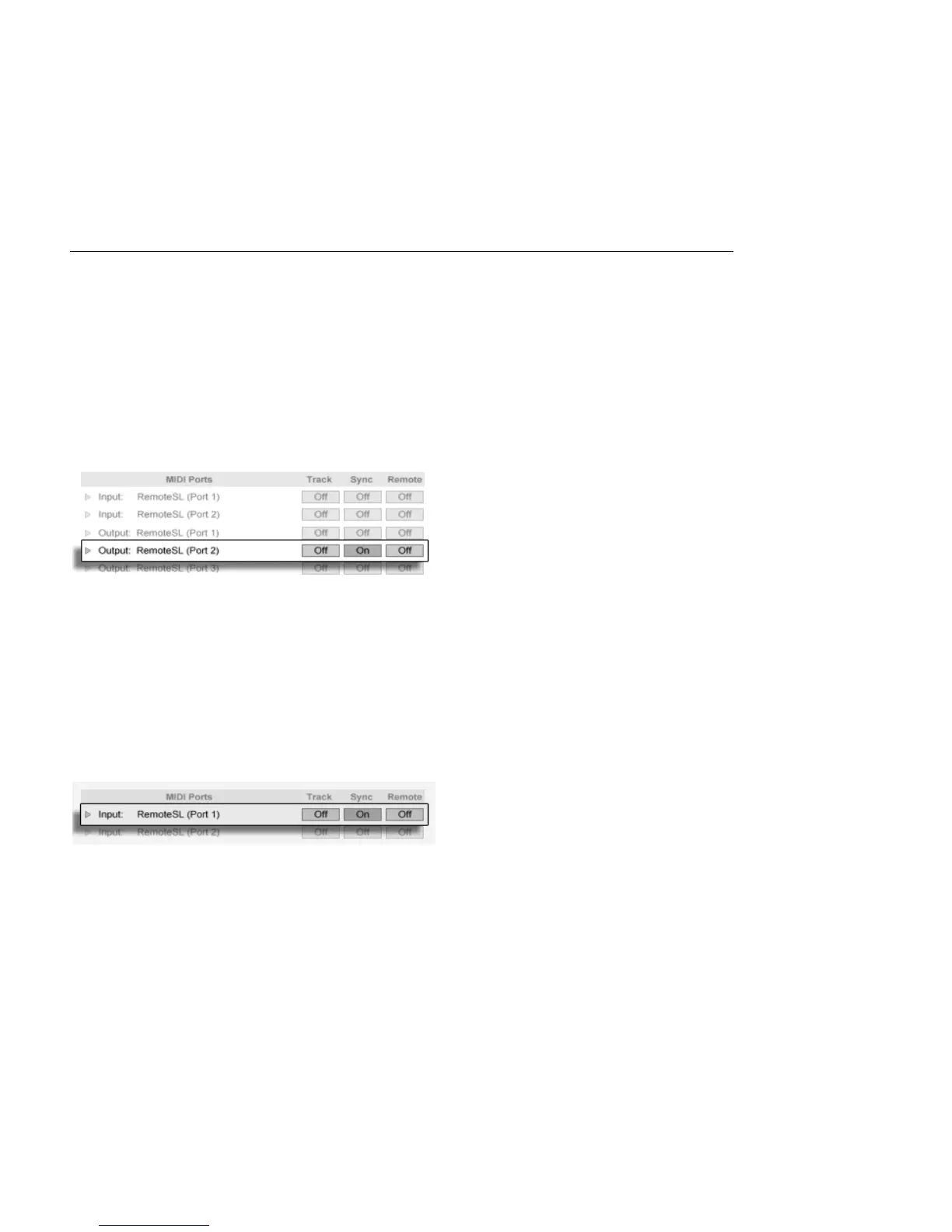
Live can send MIDI Clock messages to an external MIDI sequencer (or drum machine). After
connecting the sequencer to Live and setting it up to receive MIDI sync, turn the device on
as a sync destination in Live's MIDI/Sync Preferences.
Choosing a MIDI Slave
for Live.
The lower indicator LED next to the Control Bar's EXT button will ash when Live is sending
sync messages to external sequencers.
28.1.2 Synchronizing Live to External MIDI Devices
Live can be synchronized via MIDI to an external sequencer. After connecting the sequencer
to Live and setting it up to send sync, use Live's MIDI/Sync Preferences to tell Live about
the connection.
Setting up Live as a MIDI
Slave.
When an external sync source has been enabled, the EXT button appears in the Control
Bar. You can then activate external sync either by switching on this button or by using the
External Sync command in the Options menu. The upper indicator LED next to the EXT
button will ash if Live receives useable sync messages.



 To Next Page