12
Calibrating for conductivity:
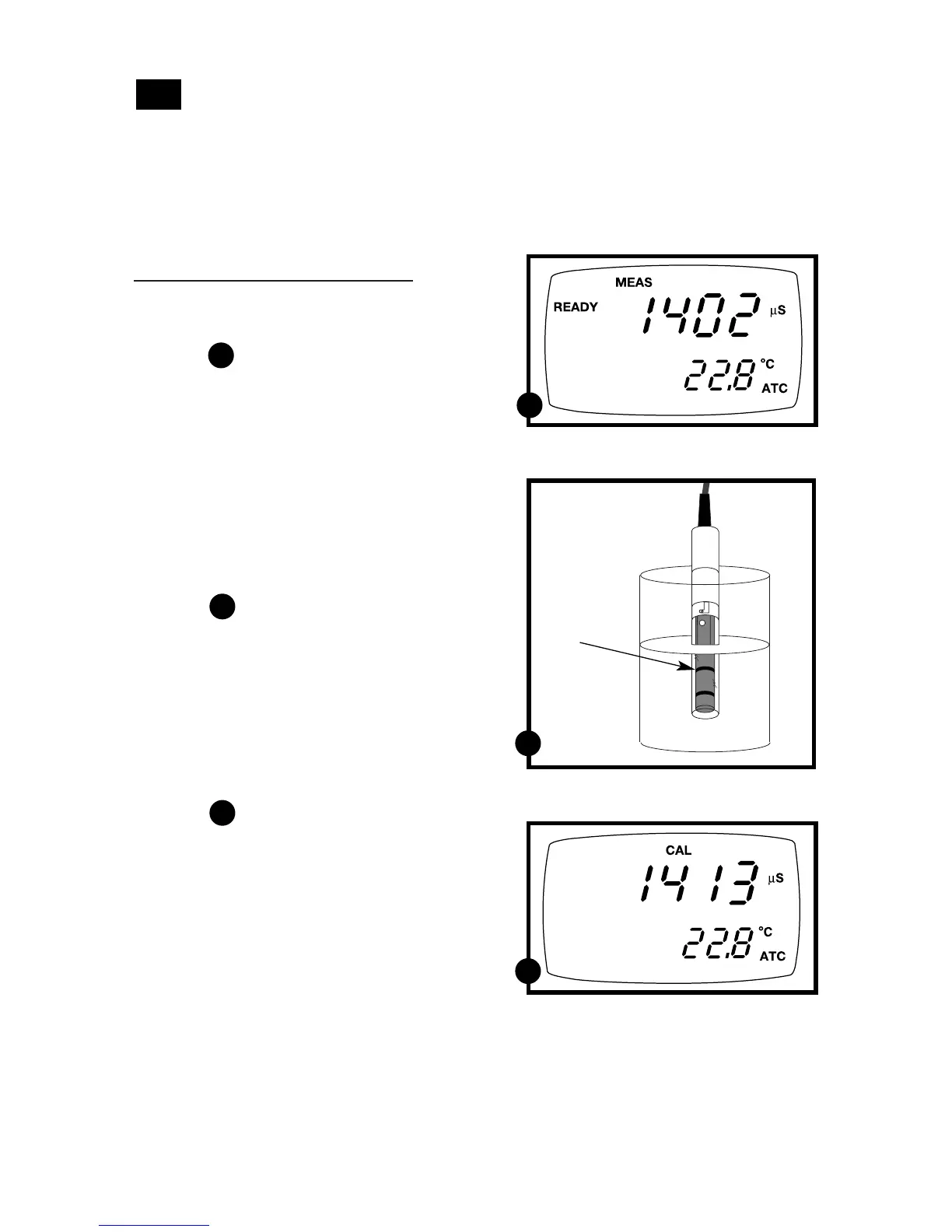
1. If necessary, press the MODE key to
select conductivity mode.
See figure
2. Rinse the probe thoroughly with
de-ionized water or a rinse solution,
then rinse with a small amount of
calibration standard.
3. Dip the probe into the calibration
standard. Immerse the probe tip beyond
the upper steel band. Stir the probe gently
to create a homogeneous sample. Allow
time for the reading to stabilize.
See figure
4. Press CAL/MEAS to enter conductivity
calibration mode. The CAL indicator
will appear in the upper right corner of
the display.
5. Press the MI/▲ or MR/▼ to change the
value on the primary display to match
the value of the calibration standard.
See figure
6. Press ENTER to confirm the calibration
value. The meter returns to the MEAS
(measurement) mode.
7. Repeat steps 1-6 for other measuring
ranges.
Conductivity calibration
This meter is capable of up to 5-point conductivity calibration at one point per con-
ductivity range (0.00-19.99 µS; 0.0-199.9 µS; 0-1999 µS; 0.00-19.99 mS; 0.0-199.9 mS).
All new calibration data will over-ride existing stored calibration data for each
measuring range you calibrate.
4.3
C
C
A
A
B
B
Immerse
probe beyond
upper steel
band



 To Next Page