36
P5.2 Adjusting the normalization temperature
Your meter will normalize its conductivity measurements to a standard temperature
that you can select. You can adjust the normalization temperature from 15 to 30°C
(59 to 86°F). Meter default is 25°C (77°F).
From measurement mode
1. Press Setup key to enter Set Up mode.
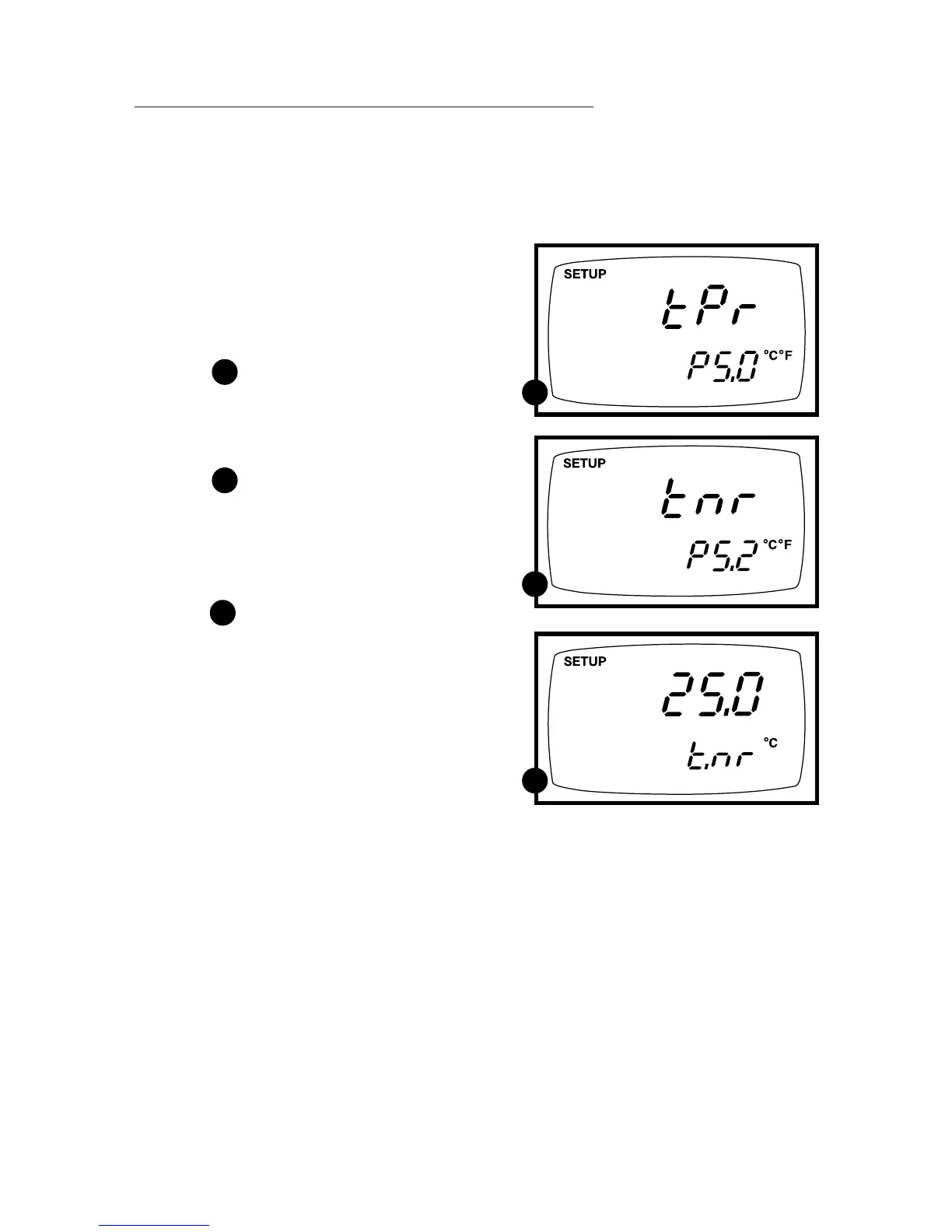
2. Press the ▲ and ▼ keys to scroll through
subgroups until you view parameter P5.0.
See figure
3. Press the ENTER key three times to
select parameter 5.2. The display shows
“t.nr” on the upper display.
See figure
4. Press the ENTER key again. The
upper display shows the normalization
temperature and the lower display
shows “t.nr”.
See figure
5. Press the ▲ and ▼ keys to select the
normalization temperature.
6. Press the ENTER key to confirm selec-
tion and to return to the subgroup menu.
Press the CAL/MEAS key to return to
measurement mode.
D
D
E
E
F
F



 To Next Page