14
Notes
To exit from TDS Calibration mode without confirming calibration, DO NOT press
ENTER in step 6. Press CAL/MEAS instead. This will retain the meter’s old calibration
data in the measuring range of the calibration.
You can offset the TDS reading up to ±20% from the default setting. If your meas-
ured value differs by more than ±20%, clean or replace probe as needed.
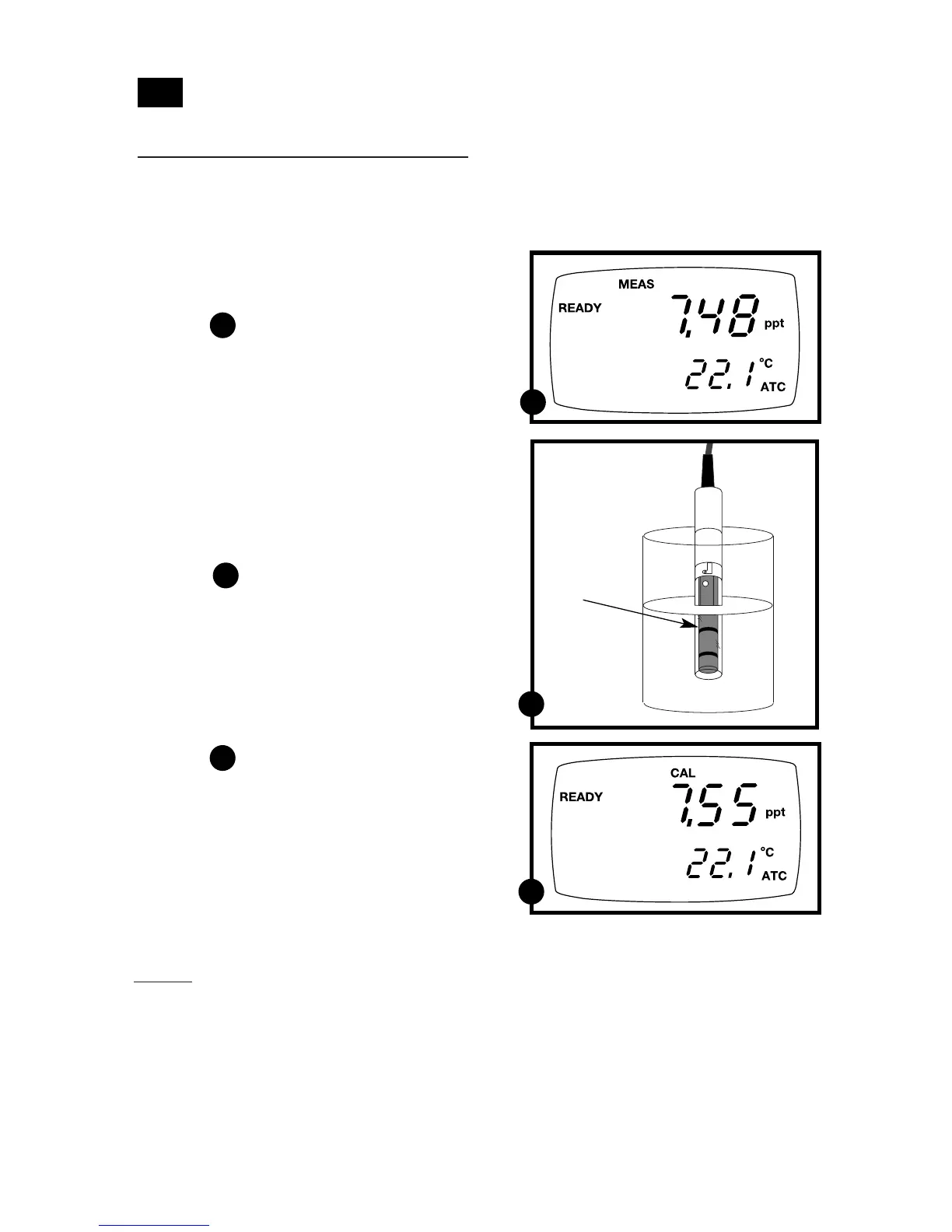
1. If necessary, press the MODE key to
select TDS mode.
See figure
2. Rinse the probe thoroughly with
de-ionized water or a rinse solution,
then rinse with a small amount of
calibration standard.
3. Dip the probe into the calibration
standard. Immerse the probe tip beyond
the upper steel band. Stir the probe gently
to create a homogeneous sample. Allow
time for the reading to stabilize.
See figure
4. Press CAL/MEAS to enter TDS calibration
mode. The CAL indicator will appear in
the upper right corner of the display.
5. Press the MI/▲ or MR/▼ to change the
value on the primary display to match
the value of the calibration standard.
See figure
6. Press ENTER to confirm the calibration
value. The meter returns to the MEAS
(measurement) mode.
7. Repeat steps 1-6 for other measuring
ranges.
TDS calibration
4.4.1 Calibrating for TDS directly:
The factory default setting for TDS conversion factor is 0.5. If your solution has a
different TDS factor, you can improve calibration accuracy by setting the TDS factor
prior to calibration. See page 34 for directions.
4.4
C
C
A
A
B
B
Immerse
probe beyond
upper steel
band



 To Next Page