21
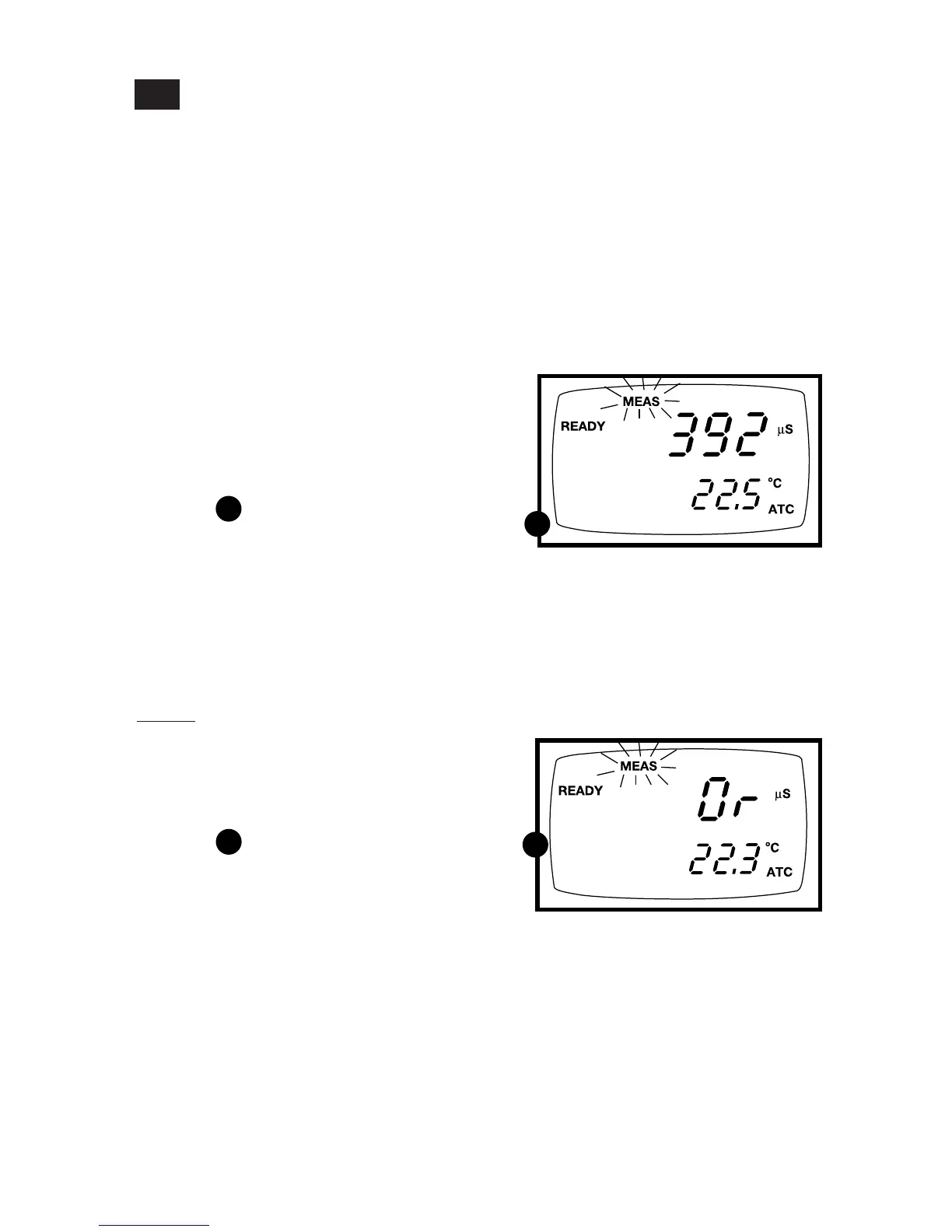
1. To select the desired measuring range,
press the RANGE key while in
Measurement mode. The first range
will appear on the display. The
“MEAS” indicator blinks.
See figure
2. Press the RANGE key again (if needed)
until desired range is selected.
3. To reselect the Auto-ranging function,
repeatedly press the RANGE key until
the “MEAS” indicator appears without
blinking.
Notes
If the value of the solution you are measur-
ing is higher than the range selected “Or”
will appear on the primary display. Press
RANGE until the correct range is selected.
See figure
The meter resets to the Auto-ranging
function once it is turned off. You will
have reset the manual ranging function
each time you turn the meter off.
Using Manual Ranging Function
When shipped from the factory, your meter automatically selects the range in which
your readings appear. The manual ranging function lets you select the specific range
you want to work in:
5.4
B
B
A
A
Conductivity range 3 (0 to 1999 µS)
displayed above
Conductivity
1. 0.00-19.99 µS;
2. 0.0-199.9 µS;
3. 0-1999 µS;
4. 0.00-19.99 mS;
5. 0.0-199.9 mS.
TDS
1. 0.00-9.99 ppm;
2. 10.0-99.9 ppm;
3. 100-999 ppm;
4. 1.00-9.99 ppt;
5. 10.0-200 ppt.



 To Next Page