38
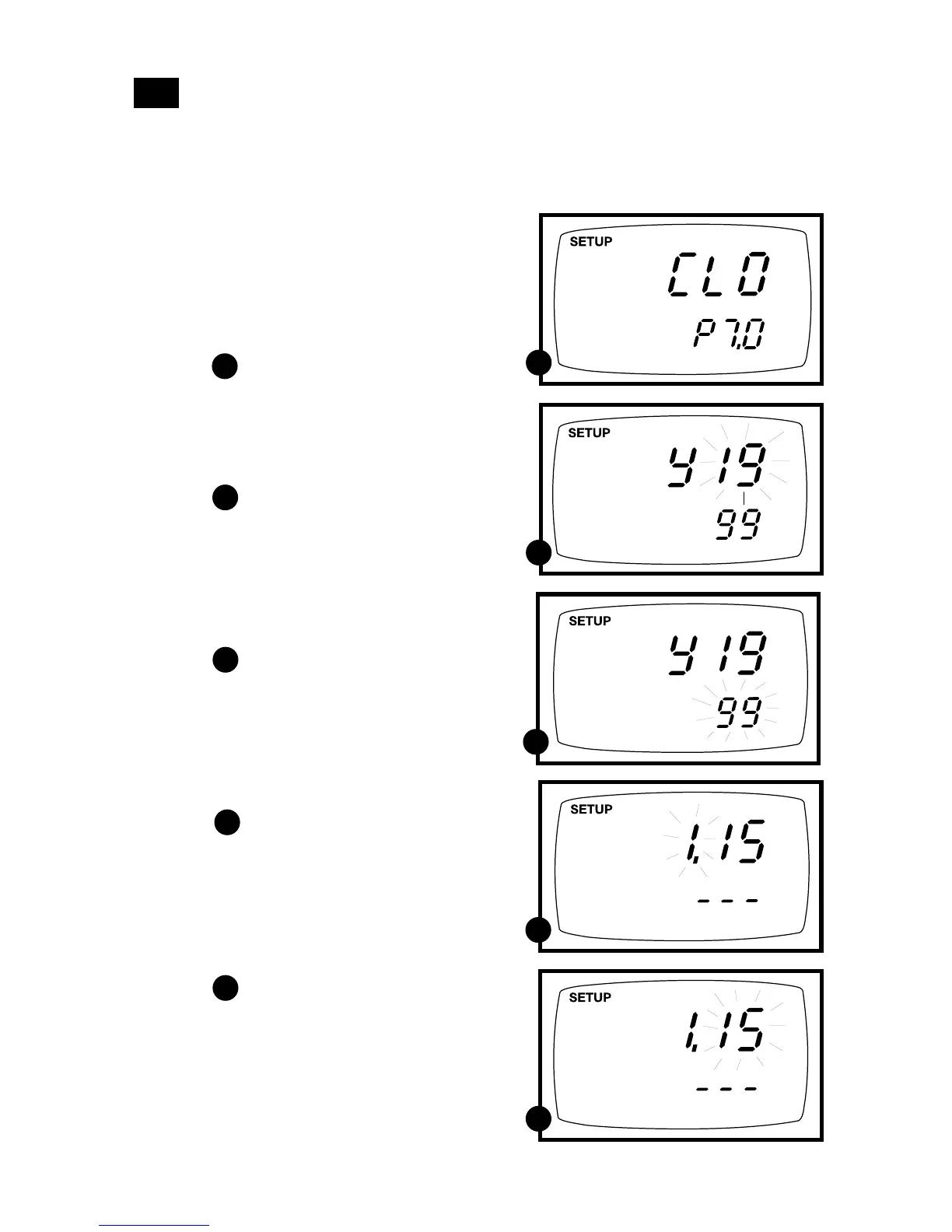
P7.0: Setting the clock
Your meter features a real-time calendar and clock. This helps you meet GLP (Good
Laboratory Practice) standards.
7.8
A
B
From measurement mode
1. Press Setup key to enter Set Up mode.
2. Press the ▲ and ▼ keys to scroll through
subgroups until you view parameter
P7.0.
See figure
3. Press the ENTER key to enter
parameter P7.0. The meter lets you
select the century: “19-” or “20-”.
The century digits will flash.
See figure
4. Press the ▲ and ▼ keys to toggle to the
correct century.
5. Press the ENTER key to confirm the
century and move to “year” selection.
The “year” digits will flash.
See figure
6. Press the ▲ and ▼ keys to toggle to the
correct year.
7. Press the ENTER key to confirm the
year and move to “month” selection.
The “month” digits will flash.
See figure
8. Press the ▲ and ▼ keys to toggle to the
correct month.
9. Press the ENTER key to confirm the
month and move to “date” selection.
The “date” digits will flash.
See figure
10. Press the ▲ and ▼ keys to toggle to
the correct date.
A
B
C
C
D
D
E
E
continued on next page



 To Next Page