16
Temperature calibration
1. Make sure the cell is attached to the 6-pin
connector. The ATC annunciator will
appear at the right-hand side of the LCD*.
2. Switch the meter on. Press the MODE
key to select conductivity mode.
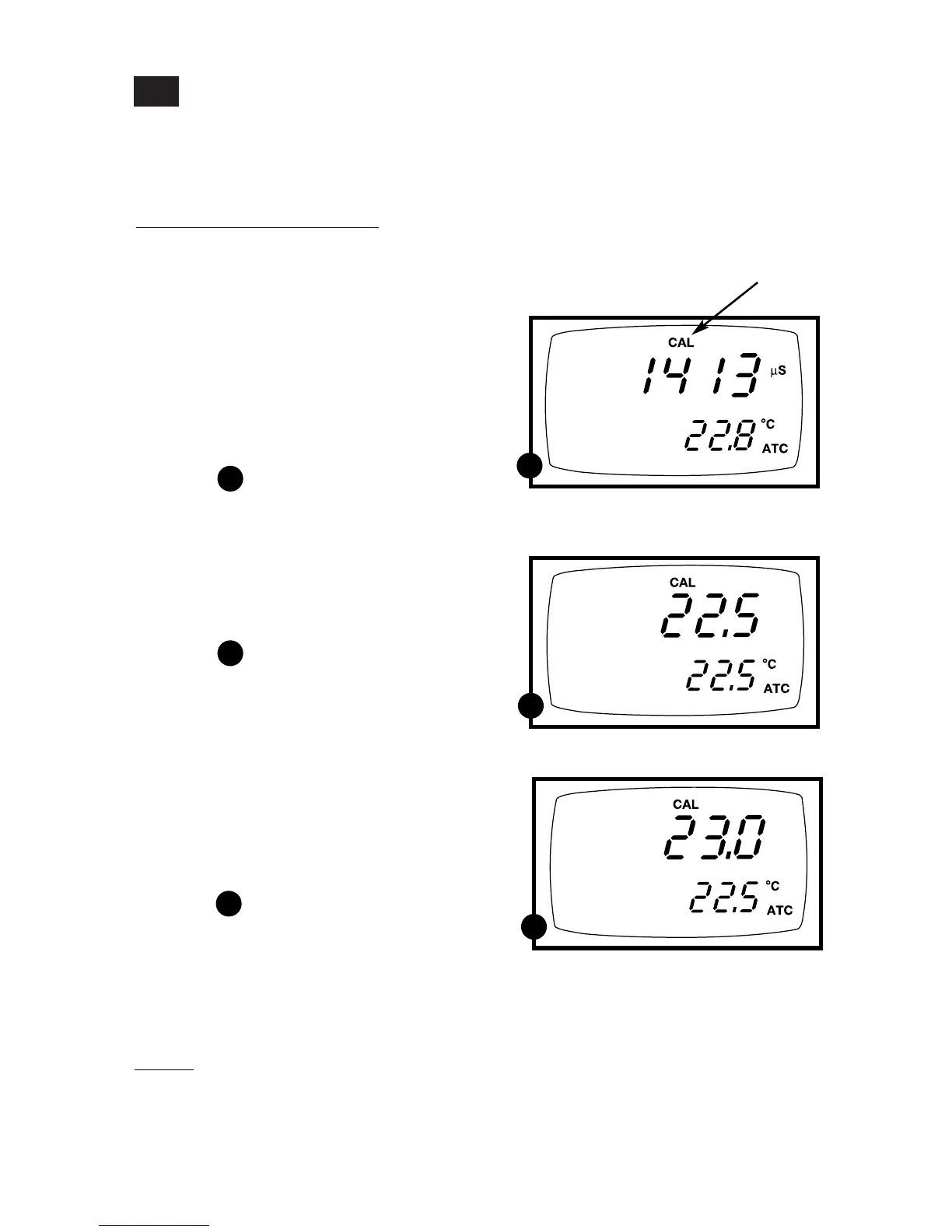
3. Press the CAL/MEAS key to enter con-
ductivity or TDS calibration mode. The
CAL indicator appears above the primary
display.
See figure
4. While in conductivity or TDS calibration
mode, press the MODE key to enter tem-
perature calibration mode. The primary
display shows the current temperature
reading and the secondary display shows
the factory default temperature value.
See figure
5. Dip the cell into a solution of known
temperature (i.e. a temperature bath).
Allow time for the built-in temperature
sensor to stabilize.
6. Scroll with the ▼ and ▲ keys to set
the correct temperature value (i.e. the
temperature of the temperature bath).
You can adjust the reading in increments
of 0.1°C.
See figure
7. Once you have selected the correct
temperature, press the ENTER key.
8. Press the CAL/MEAS key to return to
conductivity or TDS measurement mode.
Temperature Calibration
Your probe features a built-in temperature sensor. The temperature sensor is factory
calibrated. Calibrate your sensor only if you suspect temperature errors that may
have occurred over a long period of time or if you have a replacement probe.
4.5
B
B
A
A
Notes
• You can offset the temperature reading up to ±5°C from the original reading.
• To exit this program without confirming the temperature calibration value, DO NOT
press ENTER in step 7. Press CAL/MEAS instead.
*If the ATC indicator does not light, see Program P4.3, on page 33 to switch it on.
C
C



 To Next Page