35
P5.0: Temperature
P5.1 Adjusting the temperature coefficient
The temperature coefficient is the amount of change in conductivity per degree of
temperature; it is expressed in percent per °C or °F. Entering the exact temperature
coefficient of your solution lets you accurately compensate temperature for almost
any solution*. You can adjust 0.0 to 10.0% per °C or °F. Meter default is 2.1% per °C
or °F.
From measurement mode
1. Press Setup key to enter Set Up mode.
2. Press the ▲ and ▼ keys to scroll through
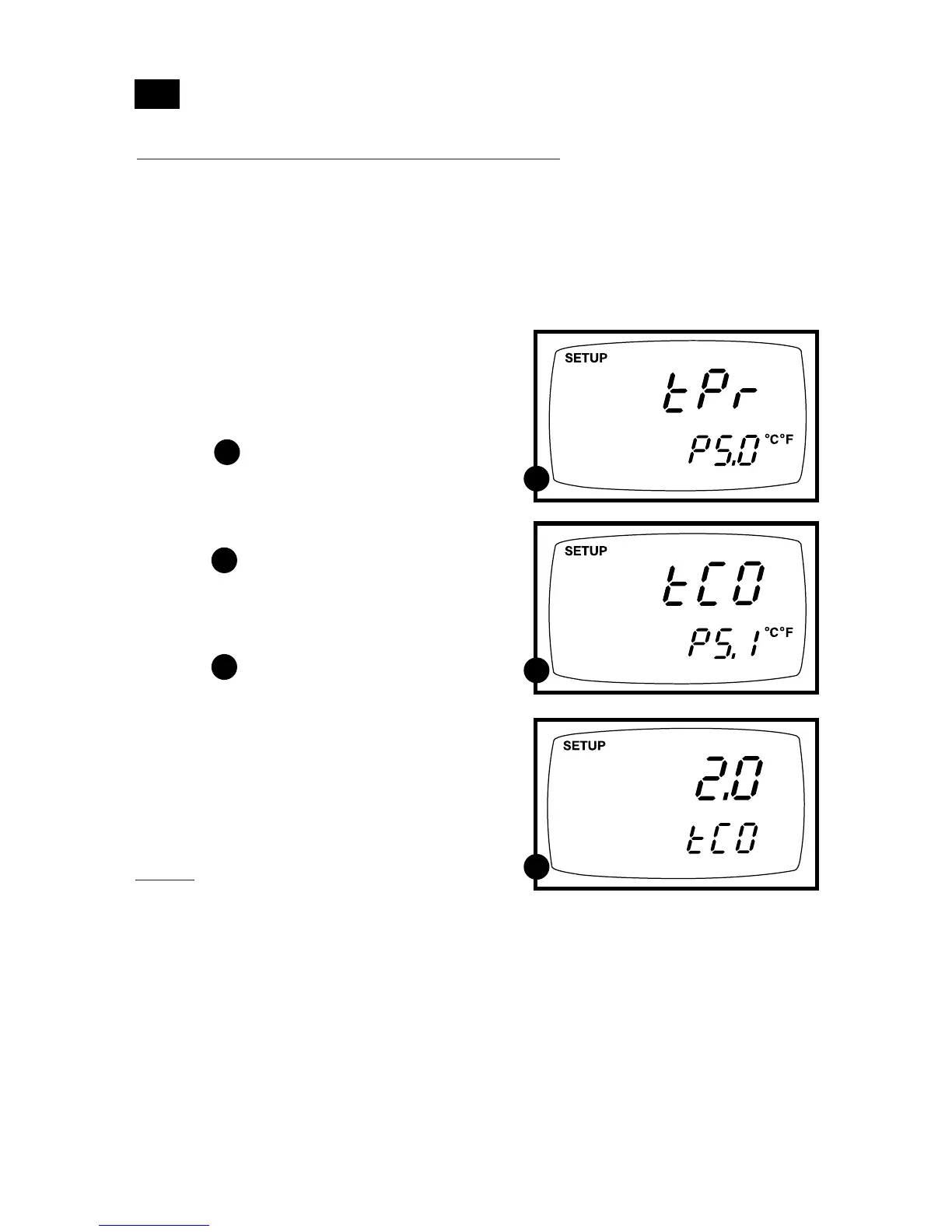
subgroups until you view parameter P5.0.
See figure
3. Press the ENTER key to select
parameter 5.1. The display shows
“T.CO” on the upper display.
See figure
4. Press the ENTER key again.. The upper
display shows the temperature coefficient
and the lower display shows “T.CO”.
See figure
5. Press the ▲ and ▼ keys to select the tem-
perature coefficient of your solution.
6. Press the ENTER key to confirm selec-
tion and to proceed to step 3 of P.5.2.
Press the CAL/MEAS key twice to return
to measurement mode.
Notes
* If you do not know the temperature coef-
ficient of your solution you can determine
the correct value using the formula in
Addendum 4
“Calculating Temperature
Coefficients” on page 48.
A
A
B
B
C
C
7.6



 To Next Page