26
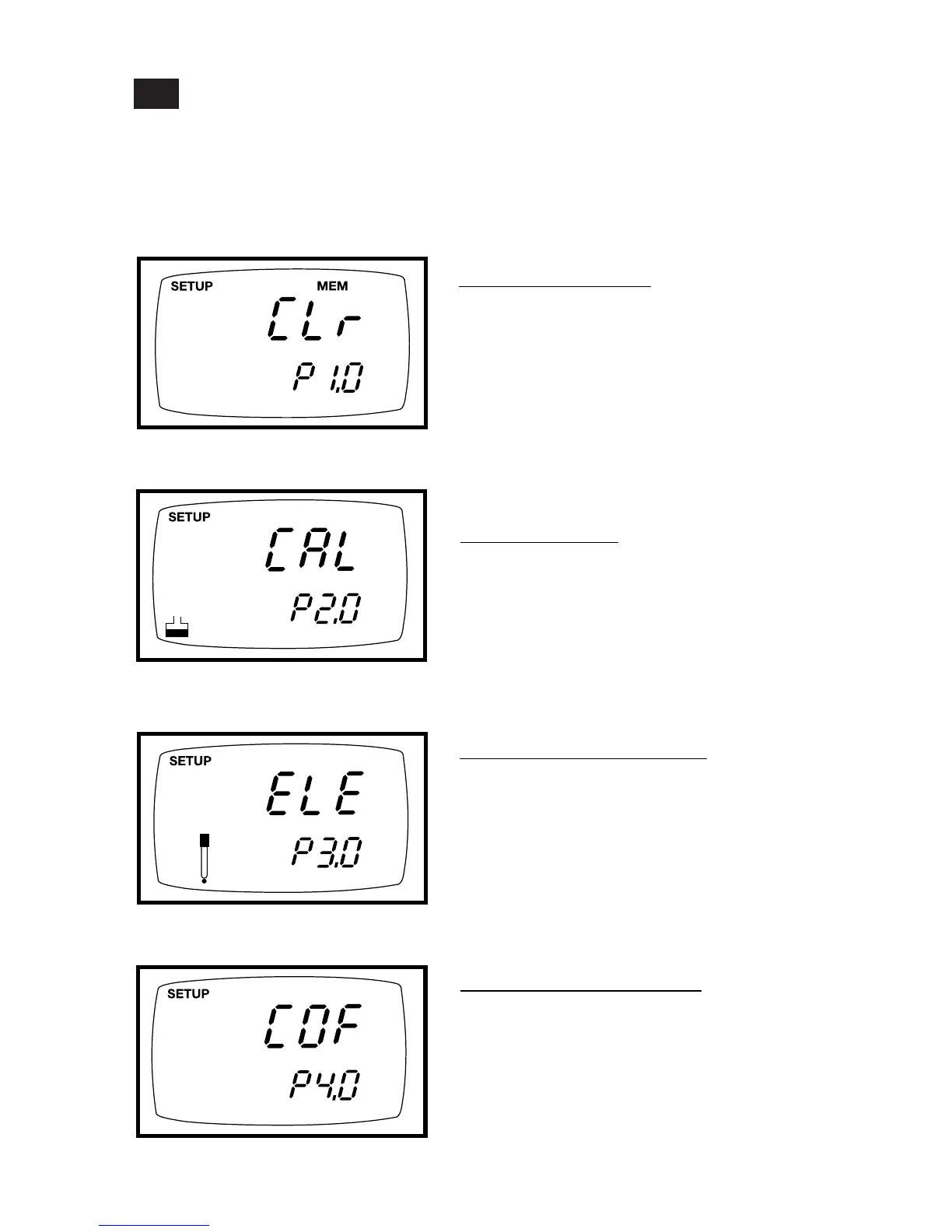
Set-up mode overview
7.1
Press the SETUP key to enter Set up mode.
Press the ▲ and ▼ keys to scroll between sub groups.
Press the ENTER key to enter a particular parameter.
See Addendum 5 on page 49 for a table of meter factory default settings.
P3.0: Viewing probe data
• P3.1: Effective cell constant for first range
• P3.2: Effective cell constant for second range
• P3.3: Effective cell constant for third range
• P3.4: Effective cell constant for fourth range
• P3.4: Effective cell constant for fifth range
P1.0: Memory clear
• P1.0 Clear all stored readings
P2.0: Viewing previous
calibration data
• P2.1: First range calibration point
• P2.2: Second range calibration point
• P2.3: Third range calibration point
• P2.4: Fourth range calibration point
• P2.5: Fifth range calibration point
Instructions on page 28
Instructions on page 29
Instructions on page 30
P4.0: Unit configuration
• P4.1: Ready indicator and auto endpoint
function—select on or off
• P4.2: Select °C or °F
• P4.3 Select Automatic or Manual
Temperature Compensation
• P4.4 Setting TDS conversion factor
Instructions on page 31-34



 To Next Page