39
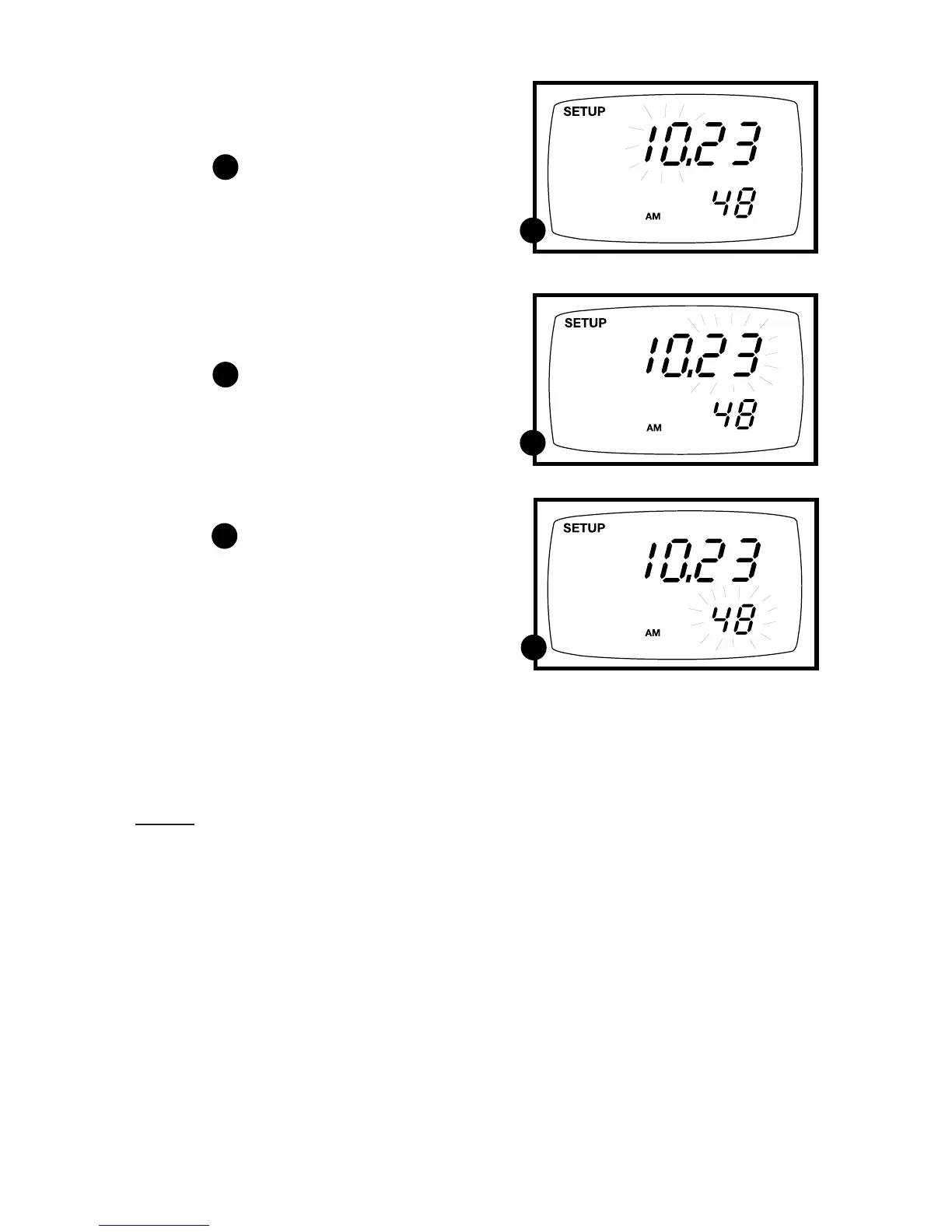
11. Press the ENTER key to confirm the
date and move to “hour” selection.
The “hour” digits will flash.
See figure
12. Press the ▲ and ▼ keys to toggle to
the correct hour. Note the “AM” and
“PM” indicator on the lower portion
of the display.
13. Press the ENTER key to confirm the
hour and move to “minute” selection.
The “minute” digits will flash.
See figure
14. Press the ▲ and ▼ keys to toggle to
the correct minutes.
15. Press the ENTER key to confirm the
minutes and move to “second” selec-
tion. The “second” digits will flash.
See figure
16. Press the ▲ and ▼ keys to toggle to
the correct seconds.
17. Press the ENTER key to confirm
the seconds and return to “century”
selection.
18. Press the CAL/MEAS key to return
to the subgroup menu. Press the
CAL/MEAS key again to return to
measurement mode.
Notes
Press the CAL/MEAS key at any point
while setting the time to return to the
subgroup menu.
F
F
G
G
H
H



 To Next Page