7-16 – Fan Balance 7
7.1.10.9. Use the keypad to enter a name in the “Desc” field. The name should reflect the
source, location, or other common attribute of this sensor input. Some suggestions
are FRONT, REAR, VERT, HORIZ, or FFV, FFH. Use the [⇓] key to move to the
next field.
7.1.10.10. In the “Pos” field, use the [⇒] key to select the clock position of the sensor on the
engine as viewed from forward of the engine looking into the intake. Use the [⇓]
key to move to the next field.
7.1.10.11. Use the keypad to enter a value in the “Targ” field. The value will define the point
where the analyzer provides a suggestion to terminate the balance job. When all
fields are complete, press ENTER to accept and continue.
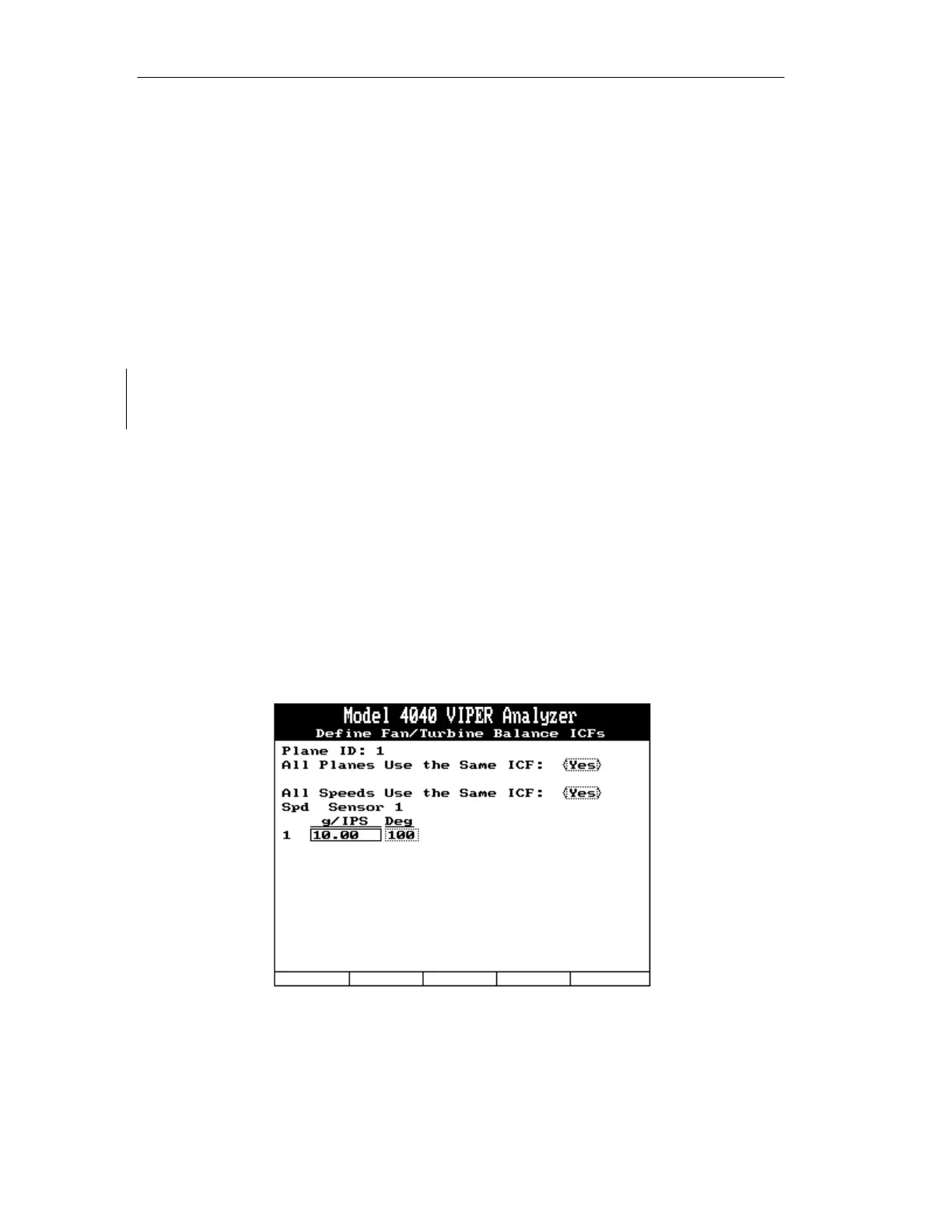
7.1.11. The “Define Fan/Turbine Balance ICFs” screen is shown below. This screen will
only appear if an Influence Coefficient has not already been defined in the setup or
if the setup is using “Select in Job” for the number of balance speeds. Use the [⇒]
to toggle the YES / NO answer field to indicate if you wish to use the same
influence coefficient for all planes. If using a single balance plane, this option will
not be presented. Use the [⇒] to toggle the YES / NO answer field to indicate if
you wish to use the same influence coefficient for all speeds. If using a single
speed balance, this option will not be presented. Use the [⇓] key to move to the
next field. Enter an established or calculated influence for this setup from the
keypad. In the “(Balance weight units)/(Vib units)” field, enter the units of weight,
grams or ounces as designated in the setup, required to reduce one engineering unit
of vibration to the lowest possible level. In the “Deg” field, enter the phase
correction in degrees. If you have selected multiple planes or sensors, repeat these
steps for the next screens. When all fields are complete per your requirements,
press [ENTER] to accept and continue.
7.1.12. Job Identification Screen. The Job Identification screen will be displayed where
you may enter the optional information of Name, A/C Registration and AC/Total
Time. Complete each field as necessary using the analyzer keypad. If Names have
previously been entered in this analyzer, you may optionally press the [F1]



 To Next Page