Viper 4040 User Manual
Revision 3, Oct 2012 5 Main Rotor Track & Balance – 5-23
If the analyzer has been used previously, a list of customer names will have been stored and
are accessed by pressing the [F1] “Names” key. A name can then be selected from this list for
use with this job.
When finished, press [ENTER].
5.3.4. – Tracking Selections
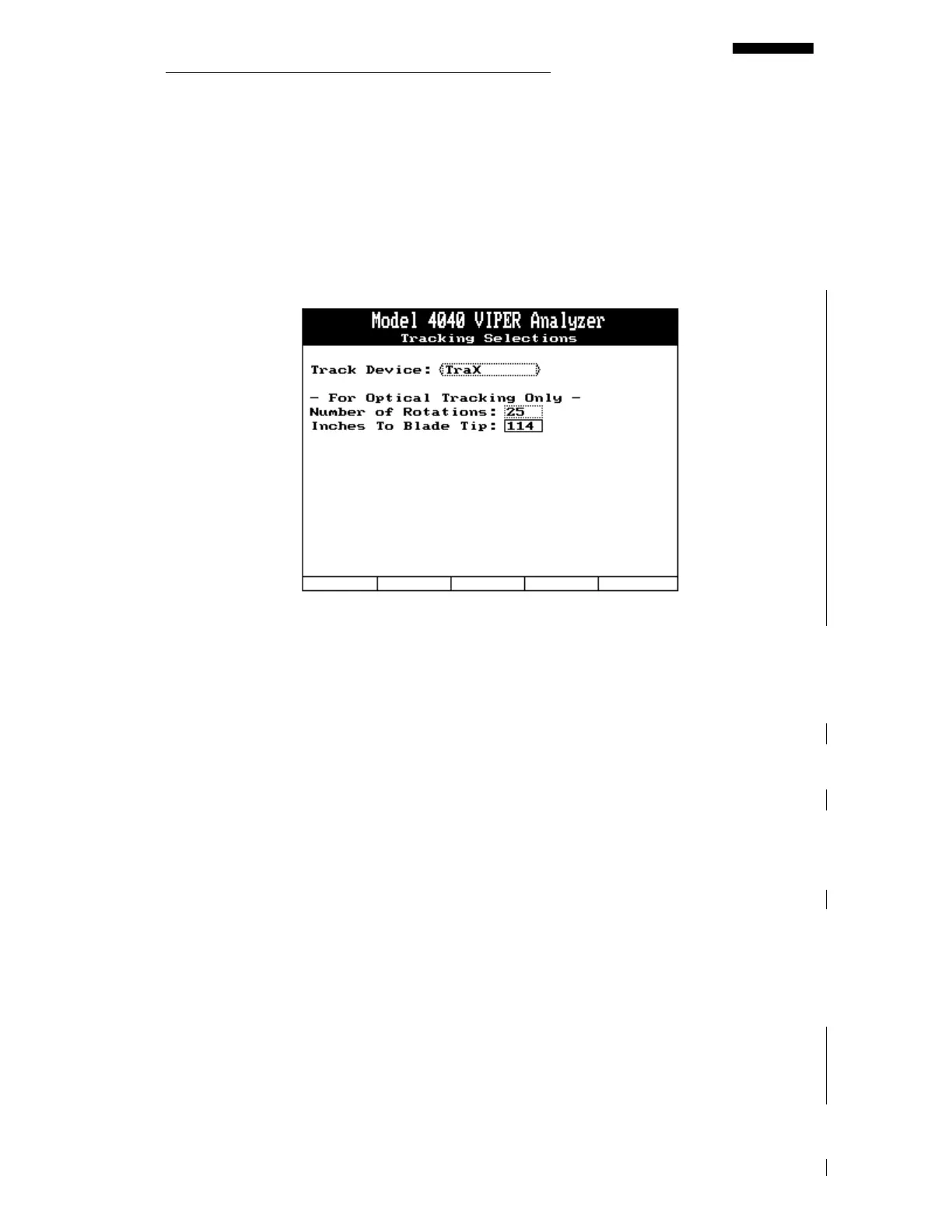
The “Tracking Selections” screen is displayed, allowing you to choose a tracking device for
use with the job. This screen will always be presented at the start of a new job to allow
selection of a tracking device or when resuming a job to ensure the device has not been
changed.
• The tracking device field is a toggle selection of either “TraX”, “Tracker” or “Strobe.”
Use the [⇒] or [⇐] keys to select the tracking device being used.
If you select “TraX” or “Tracker,” press the [⇓] key and move to the lower portion of the
screen to input the following:
• Using the keypad, enter the number of revolutions for which you will acquire track data.
The minimum entry is 20 and the maximum is 99, however, it is highly suggested that
you use no less than 30 for the number of rotations to measure track. This will result in
greater accuracy from the tracker.
• Using the keypad, enter the distance, in inches, from the tracker’s location (usually the
cockpit) to the blade tips at 12:00 with the interrupter over the magnetic pickup, or
reflective tape in front of the Phototach.
Additional, device specific, instructions can be found in either the Model 550 TraX
TM
Operational Supplement (ACES P/N 75-900-4043) or the Model 540/540-2 Operational
Supplement (ACES P/N 75-900-2021).



 To Next Page