5-34 – Main Rotor Track & Balance 5 Revision 3, Oct 2012
The last correction given for our sample job is for the lateral ground measurement. The
solution type for this adjustment is grams of weight or points of blade sweep. The solution
presented for this screen is to add 200.00 grams to the target blade.
NOTE
The analyzer will attempt to give solutions that “resolve to zero” in all cases. This may
nullify the ability to make some adjustments with any degree of accuracy. If this
occurs, it is the user’s responsibility to adjust the amount either up or down to achieve
a quantifiable adjustment. Remember that the analyzer will update the influence co-
efficient between every run based on the vibration results from the previous
adjustment.
When the last solution screen has been updated, pressing [ENTER] will take you to the “Start
Aircraft” screen for the next run.
5.4. – Main Rotor Manage Data Functions
The main rotor “Review Job” function presents chart information, correction history, and
influence co-efficient for the job. The following paragraphs will describe these new screens
and how to navigate through them to review this information.
5.4.1. – Main Rotor Review Job
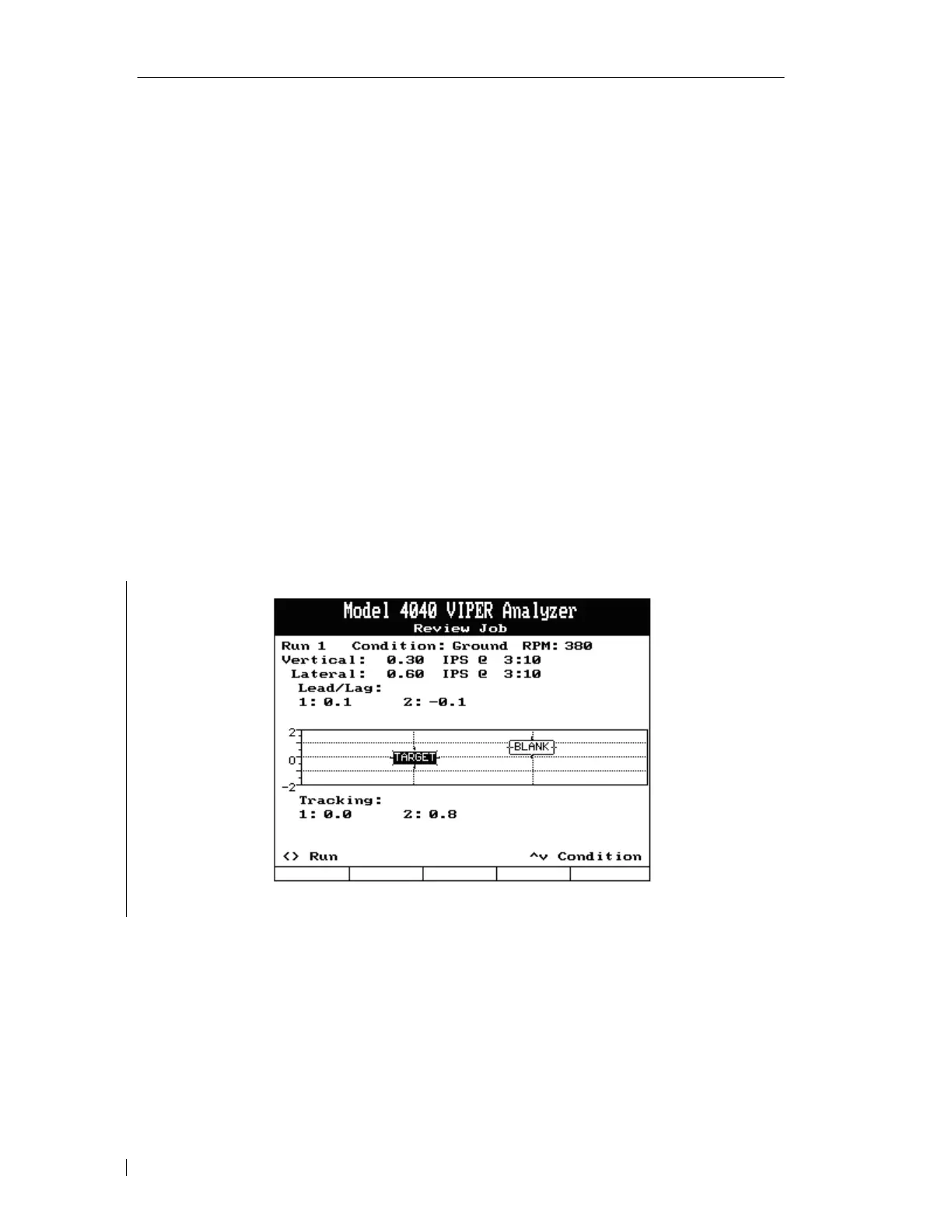
Upon selecting to review a job, the “Review Job” screen will appear as shown above. The run
number and condition name are displayed at the top of the screen along with the vibration and
track measurements acquired for the current run and condition listed.
• To review different conditions within the same run, press either the [⇑] or [⇓] key.
• To review data for a different run, press either the [⇐] or [⇒] key.
• To view adjustments made for the current run, press the [F1] “ViewAdj” key. See
paragraph 5.4.2.



 To Next Page