― 24 ―
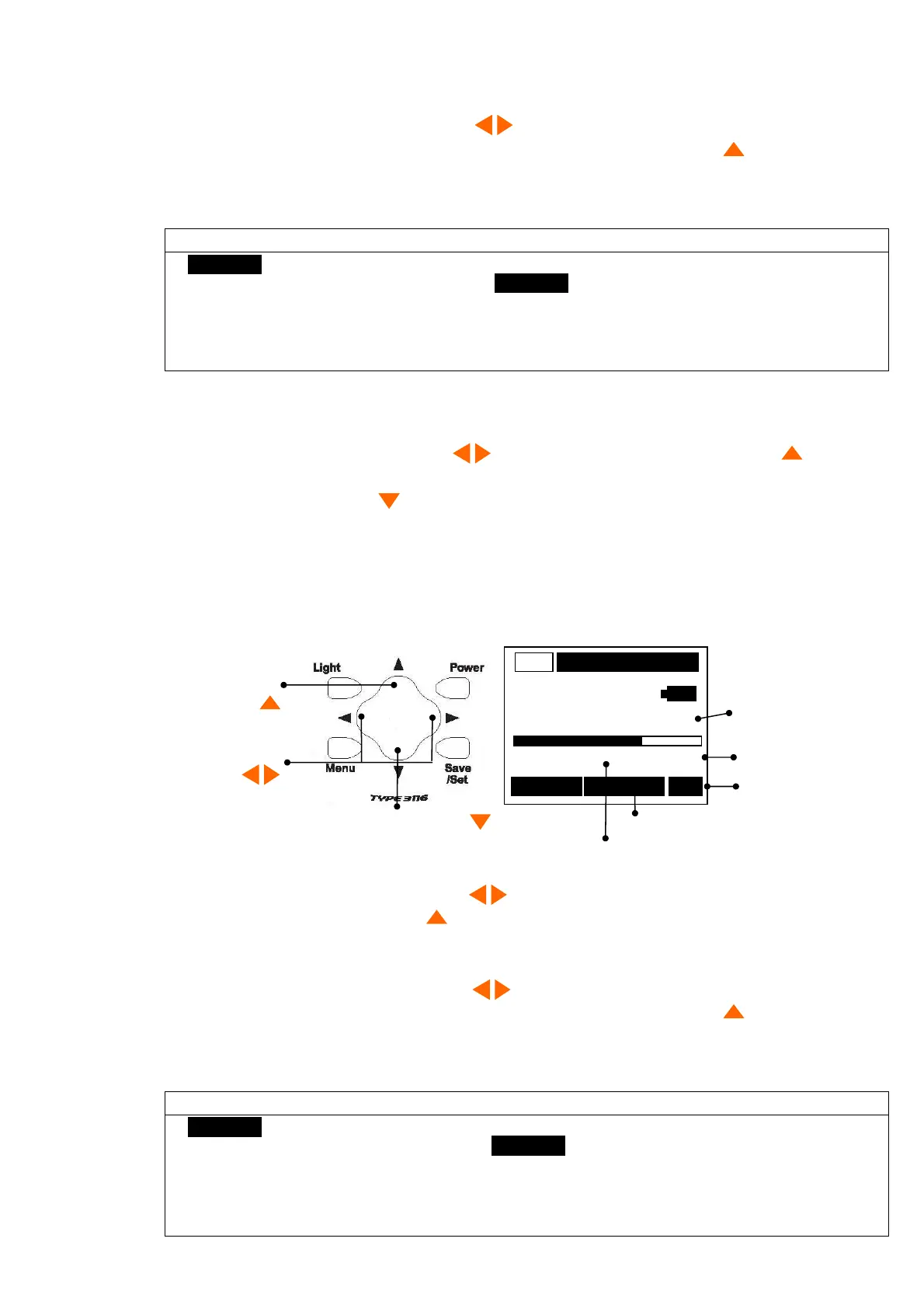
Change the mode
and the value
Select
The command
Measurement value Mode
Measurement Range
Detector characteristics
Display of command
Display of a state
Display of command
Measurement
< Change of the Measurement Range >
1)Select the command with cursor button again, the Range change to
Mode
.
2)Operated so that a level may become a legible value with cursor button .
(Number on the right of a bar It change with 200 → 20 → 200.)
Since
[OV]
(Overload) is displayed when a value is large, a range is adjusted.
Caution
(Overload) shall be checked and
the acceleration mode (ACC) and
at the display of mode of
Peak.
Even if
0v
(Overload) is not indicated at the
velocity (VEL) mode, there can be cases where the value exceeds the measurement range.
When the acceleration (ACC) is at 20 m/s
2
range, set velocity (VEL) to 20 mm/s range, and
when the acceleration (ACC) is at 200 m/s
2
range, set velocity (VEL) to 200 mm/s.
(See page 40)
< Change of the Detector >
1)When you want to change the mode and measure,(
RMS/PEAK
)、display the "
Peak/RMS
" by
the command selection cursor button , and changes by the cursor button .
Whenever it pushes, the mode changes with
RMS
→
Peak
→
EQPeak
→
RMS
.
2)It is pressing cursor button and display can be Hold(ed) to fix a display value.
A key is pressed again to acquire the value again.
Measurement the Displacement(DISP)
The current value is displayed in digital form at an interval of 1 sec and a bar at an interval of 0.1
seconds.
000/000 RMS
< Change of the Measurement mode >
1)Select the command with cursor button , the Range change to
Mode
.
2)Mode is
[m/s
2
]
with cursor button .
(It changes ;
m/s
2
→
mm/s
→
μm
→
m/s
2
→
mm/s
)
< Change of the Measurement Range >
1)Select the command with cursor button again, the Range change to
Mode
.
2)Operated so that a level may become a legible value with cursor button .
(Number on the right of a bar It change with 200 → 20 → 200.)
Since
[OV]
(Overload) is displayed when a value is large, a range is adjusted.
Caution
(Overload) shall be checked and
the acceleration mode (ACC) and
at the display of mode of
Peak.
Even if
0v
(Overload) is not indicated at the
displacement (DISP) mode, there can be cases where the value exceeds the measurement
range. When the acceleration (ACC) is at 20 m/s
2
range, set displacement (DISP) to 200μ
m range, and when the acceleration (ACC) is at 200 m/s
2
range, set displacement (DISP) to
2000μm. (See page 40)
136.0
m/s
2
AC
000/000
RMS
0 Range 200



 To Next Page