― 20 ―
<Menu> 1/3
Meas :Manu
I/O :OFF
Date :00/00/00
Time :00:00:00
<Menu> 1/3
Meas :Manu
I/O :OFF
Date :00/00/00
Time :00:00:00
<Menu> 1/3
Meas :Manu
I/O :OFF
Date :00/00/00
Time :00:00:00
Setting
Setting mode
Whenever it pushes a
Menu
button, standard screen ( measurement screen ) →
MENU 1/3
→
MENU 2/3
→
MENU 3/3
→ standard screen ( measurement screen ) it changes.
Menu
Calendar adjustment
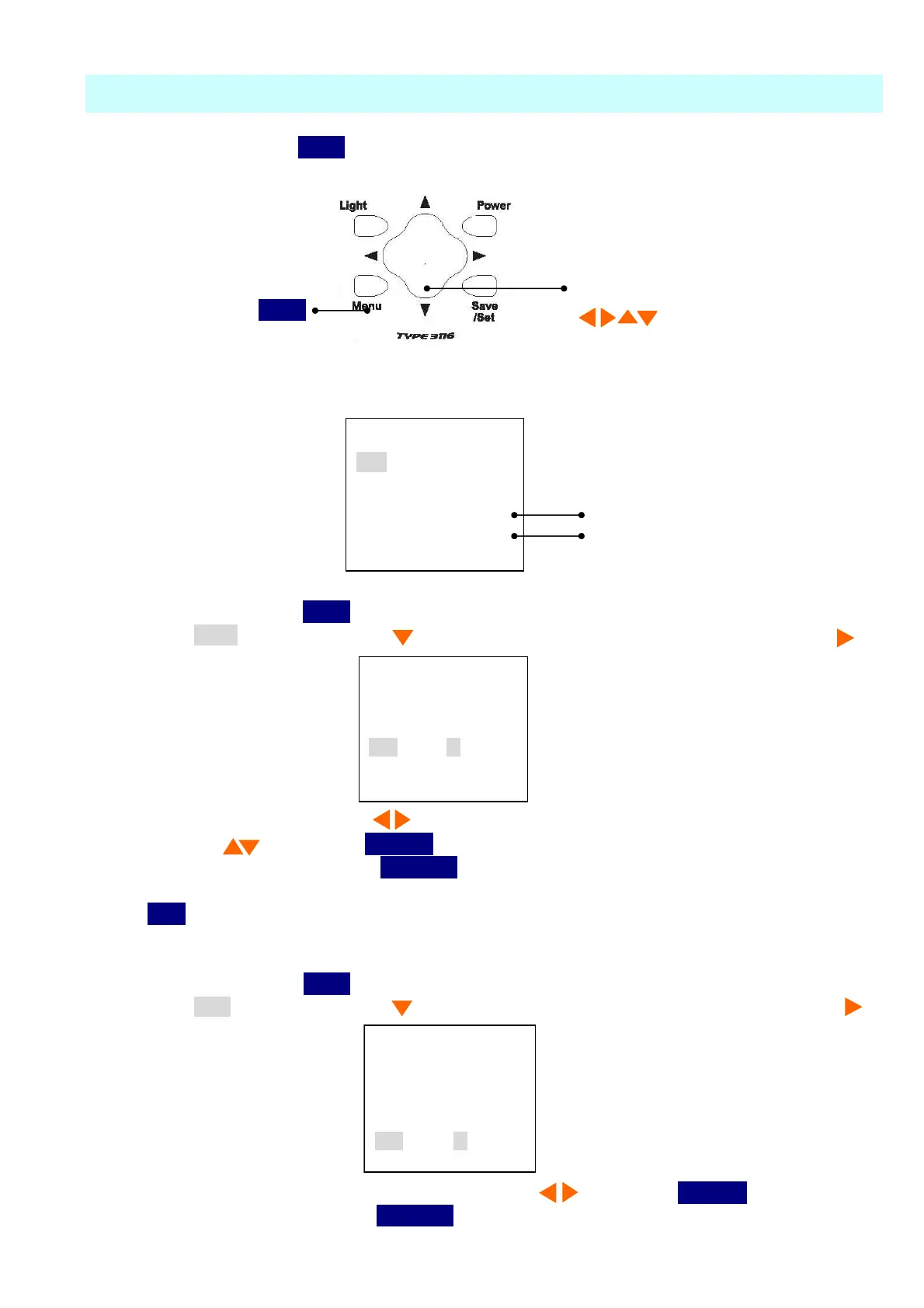
To adjust the calendar (time), operate as follows.
You can adjust calendar in the
[Menu]
mode in the same way as LCD adjustment.
【Calendar adjustment】
1) When you press the
Menu
button the following screen
<Menu 1/3>
appears.
2) Select
Date
with
Cursor
button , then move the cursor rightward with cursor button .
3) Set the year/month/day with cursor button and select numerical value with cursor
button , then press
Save/Set
button to save
the setting. After pressing
Save/Set
button, the cursor moves to leftward.
4) If you want to go back to the measurement mode, pressing it three times returns to the
Menu
button.
【Time adjustment】
1) When you press the
Menu
button the following screen appears.
2) Select
time
with
Cursor
button , then move the cursor rightward with cursor button .
3) Set the hour : minute : second with cursor button , then press
Save/Set
button to save
the setting. After pressing
Save/Set
button , the cursor moves leftward.
Date adjustment
Time adjustment
The four directions of cursor button



 To Next Page