Data management software
NA-0116
3.2 Apparatus registration
3.2.1 Apparatus registration
When used for the first time, or for setting-up new management items (a name, object
apparatus, etc.), the apparatus must be registered.
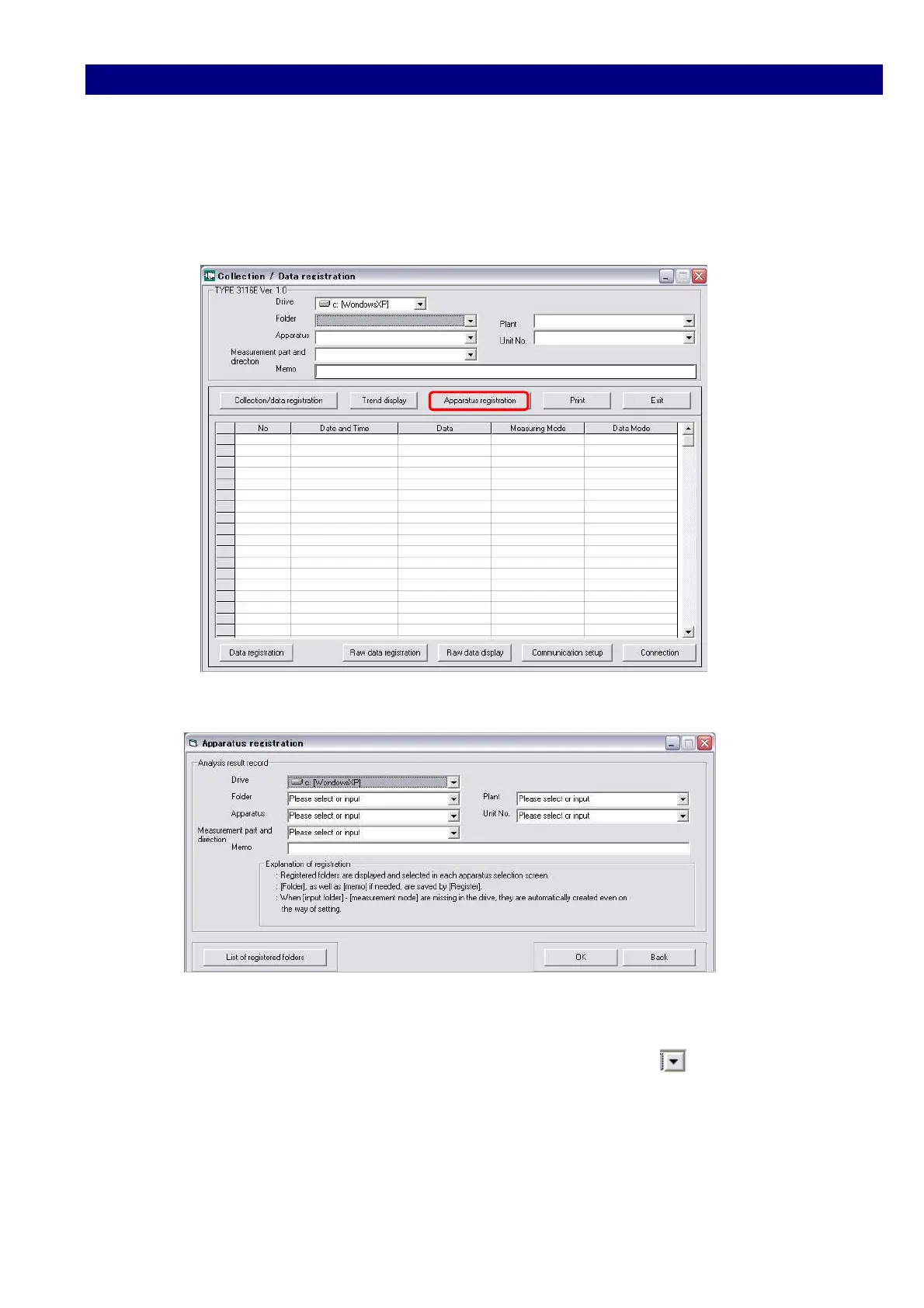
1) Click [Apparatus registration] button
2) The [Apparatus registration] window will show up as blows:
3) Select the drive.
4) When creating a new [folder], input the name directly, or click to select the right
one form the existing folders.
In the same way, input or select [Plant], [Apparatus], [Unit No.], [Measurement part and
direction], and [Memo].
* [Memo] is inputted only if needed.
The registration is completed by clicking [Register], returning to the starting window.
After the apparatus was newly registered, quit the software once by clicking [Exit] button
in the initial starting window.



 To Next Page