Data management software
NA-0116
3.4 Trend display
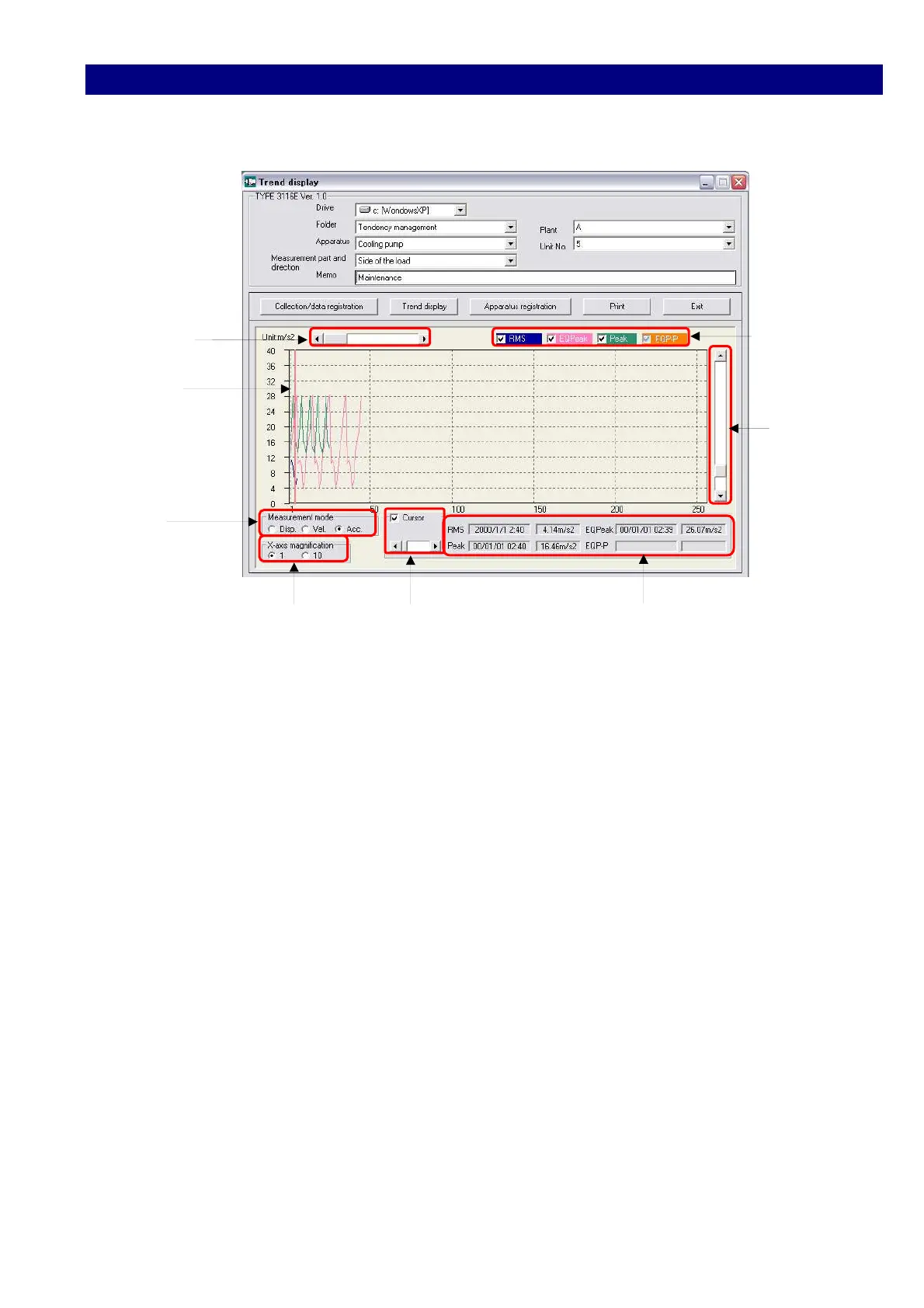
Click [Trend display] button to display the graphic data stored in the folder.
Change
Display
Position Display mode
Cursor
Y-axis
Multiplier
Measurement
mode
X-axis Multiplier Cursor move Bar Measurement value display
1) Change Display Position
Change the position to be displayed.
2) Measurement mode
Select the measurement mode, Displacement, Velocity and Acceleration.
3) X-axis Multiplier
Select display magnification for horizontal axis, x1 or x10.
4) Display mode selection
Select the display mode of RMS, EQPeak, Peak, EQp-p.
5) Y-axis Multiplier
Selects display magnification for vertical axis.
6) Measured value display
If the mark ☑ of cursor is turned on, the detailed measurement value at the cursor
position is displayed.
The position of the cursor can be moved by Cursor Position Bar.



 To Previous Page