Data management software
NA-0116
3.3.3 Communication setting
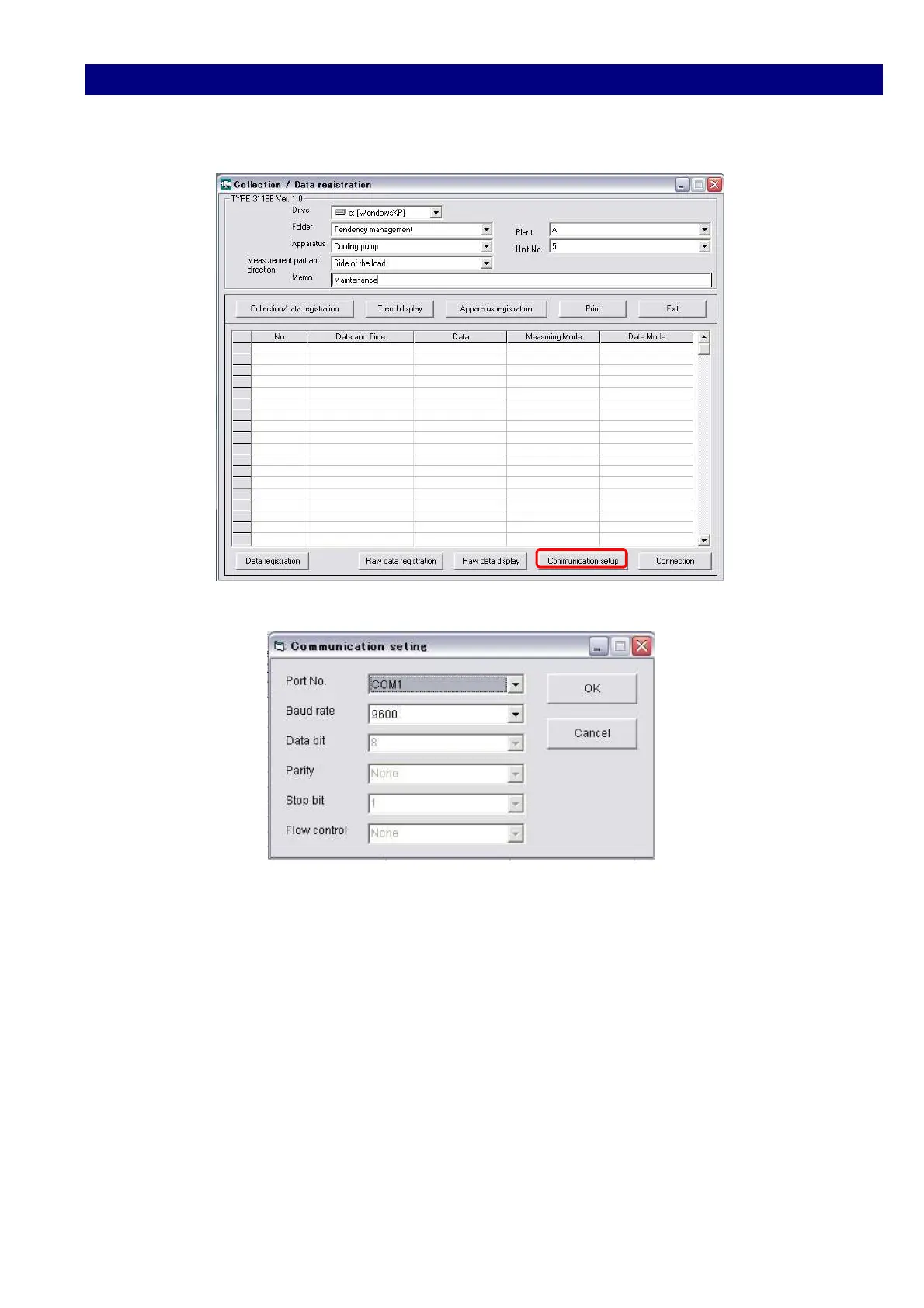
1) Click the [Communication setting] button.
2) Select each item so that all the conditions of your PC meets those of TYPE 3116.
In the case above:
Port No.:COM1, Baud rate:9600
3) Click [OK] button to finish the selection and to return to the starting window.
(Collection/data registration).



 To Next Page