― 28 ―
136.0
Measurement
Output signal
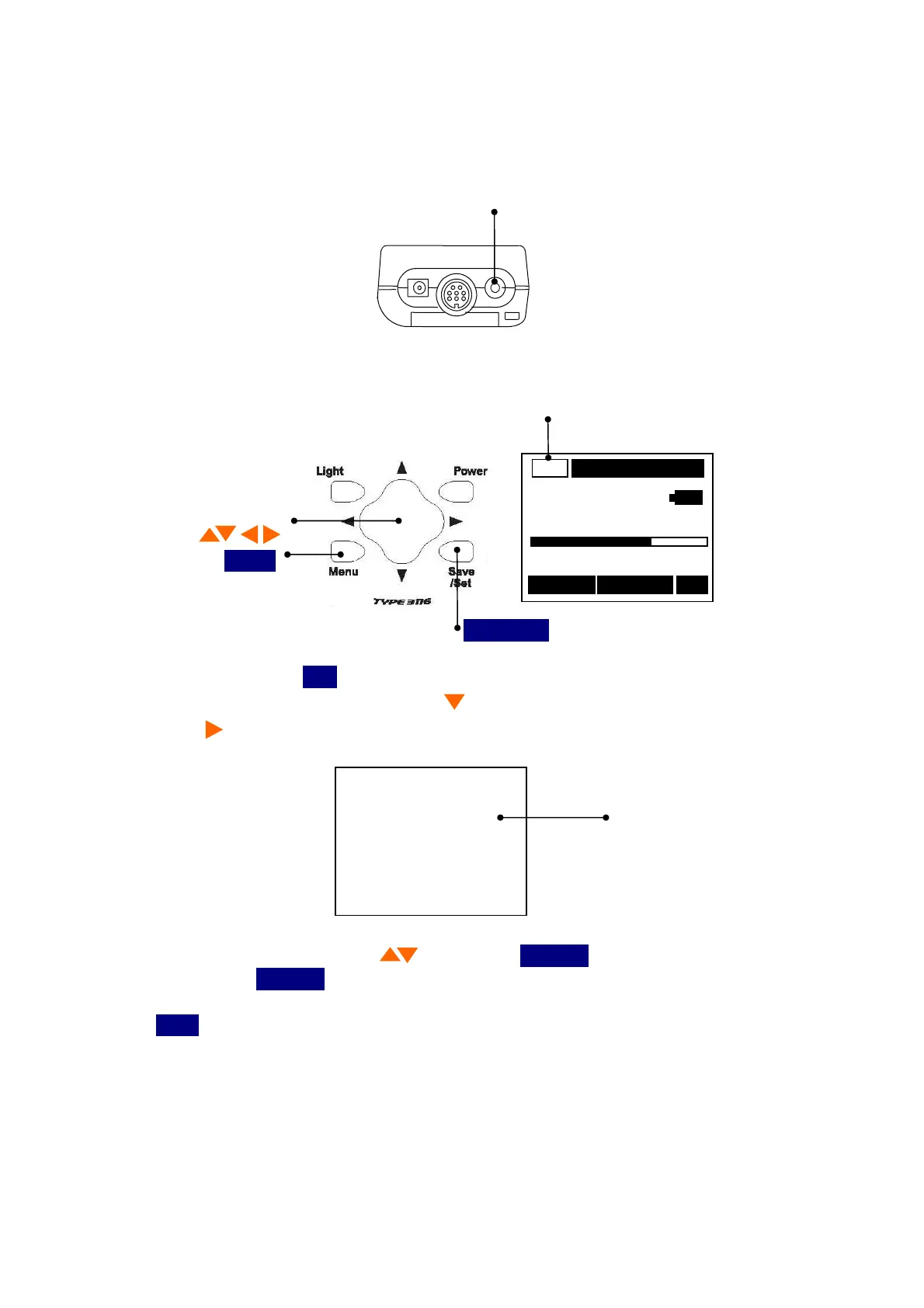
Using AC / Portable headphone output terminal which is the bottom of a main part can observation
and record output signal.
AC / Portable headphone output terminal
A waveform signal is output when
Menu 3/3
Moni/Level
is
AC
.
AC output mode
AC
Cursor button
m/s
2
Menu
0 Range 200
016/016 Save RMS
Save/Set
1) When you press the
Menu
button the following screen appears.
2) Select
Moni/Level
with Cursor button , then move the cursor rightward with cursor
button .
<Menu> 3/3
Moni/Level :AC
Output selection
AutoPwrOff :OFF
LCD cont :*
Baud rate :9600
3) Set the
AC
with cursor button , then press
Save/Set
button to save the setting.
After pressing
Save/Set
button , the cursor moves leftward.
4) If you want to go back to the measurement mode, pressing it a time returns to the
Menu
button.



 To Next Page