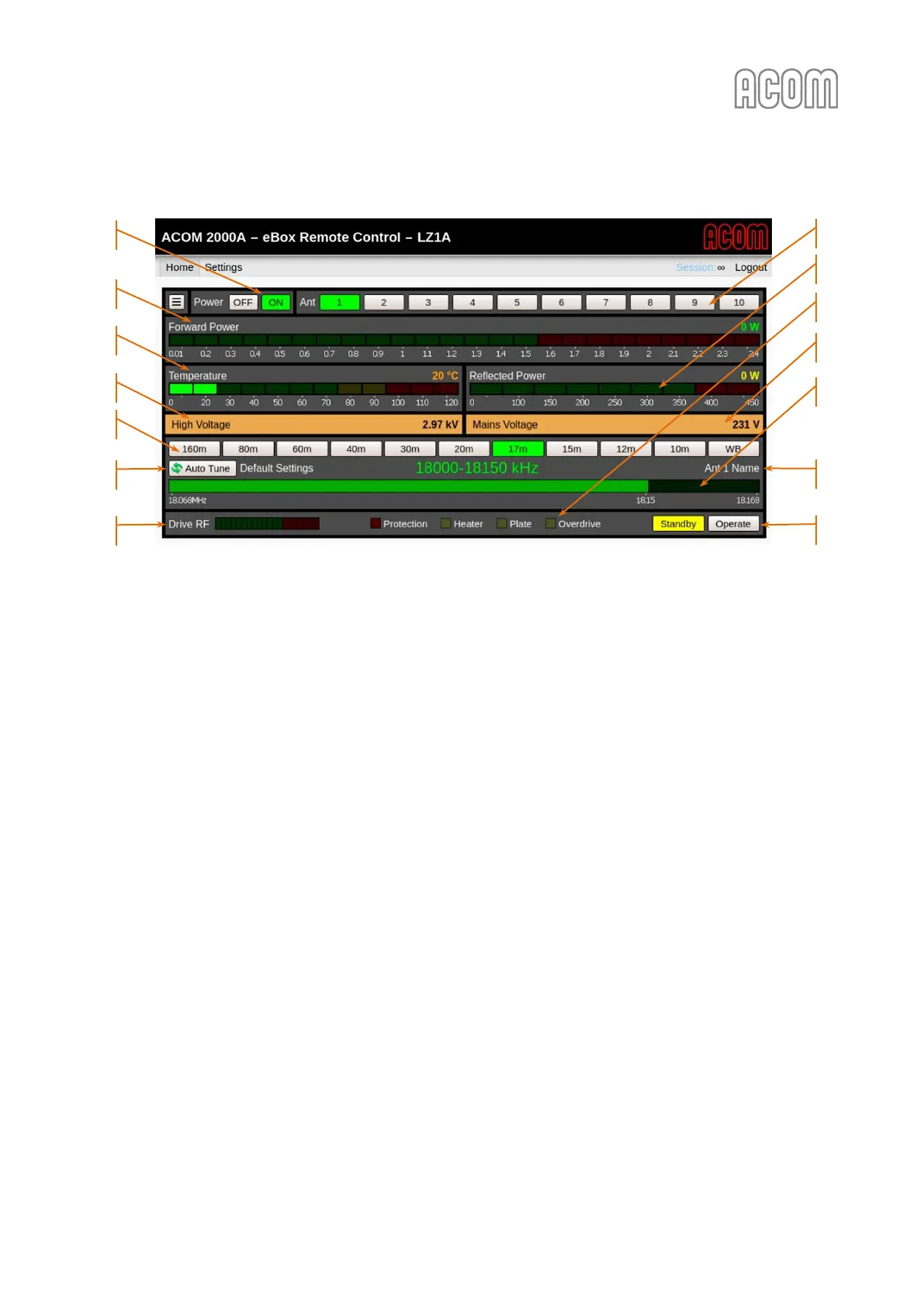
Figure 6-2 Operating of eBox with ACOM 2000A
Figure 6-2 Operating of eBox with ACOM 2000A
The control and monitoring features of the ACOM 2000A amplifier include the following functions:
a) Power OFF and ON
Please, see Figure 6-2 Operating of eBox with ACOM 2000A, Pos. (a).
b) Ant 1 … 10
Please, see Figure 6-2 Operating of eBox with ACOM 2000A, Pos. (b).
Buttons from 1 to 10 for direct antenna selection (used together with an automatic antenna selector
ACOM 2000S and remote antenna switch ACOM 2000SW).
c) Forward Power
Please, see Figure 6-2 Operating of eBox with ACOM 2000A, Pos. (c).
Forward Power: Digital value in [W] and bargraph, displayed in [kW].
d) Temperature
Please, see Figure 6-2 Operating of eBox with ACOM 2000A, Pos. (d).
This is the tubes exhaust air temperature in
o
C (degrees Celsius).
e) Reflected Power
Please, see Figure 6-2 Operating of eBox with ACOM 2000A, Pos. (e).
Reflected Power: Digital value and bargraph, displayed in [W].
f) Parameter 1 of 2
Please, see Figure 6-2 Operating of eBox with ACOM 2000A, Pos. (f).
The panel displays any one of the following parameters on your choice and their value:



 To Next Page