6. OPERATION
When you finish the installation and setup of your eBox, we highly recommend to
log-out and log-in in the device again, with User access level.
To operate with eBox and your amplifier, you must have in mind that ACOM 2000A is а tube-based
amplifier, but ACOM 600S, 700S, and 1200S are transistor-based (solid-state type) amplifiers. Due to the
technical differences between these amplifiers, the operation with them will be considered separately for
both types amplifiers.
The amplifier's visualization through eBox web-interface is almost identical to
amplifier's "standard" user interface when operated locally.
6.1. Operating with ACOM 2000A amplifier
After successful log-in (as User, see Section 4.2 Login and Authentication), the first step is to turn on the
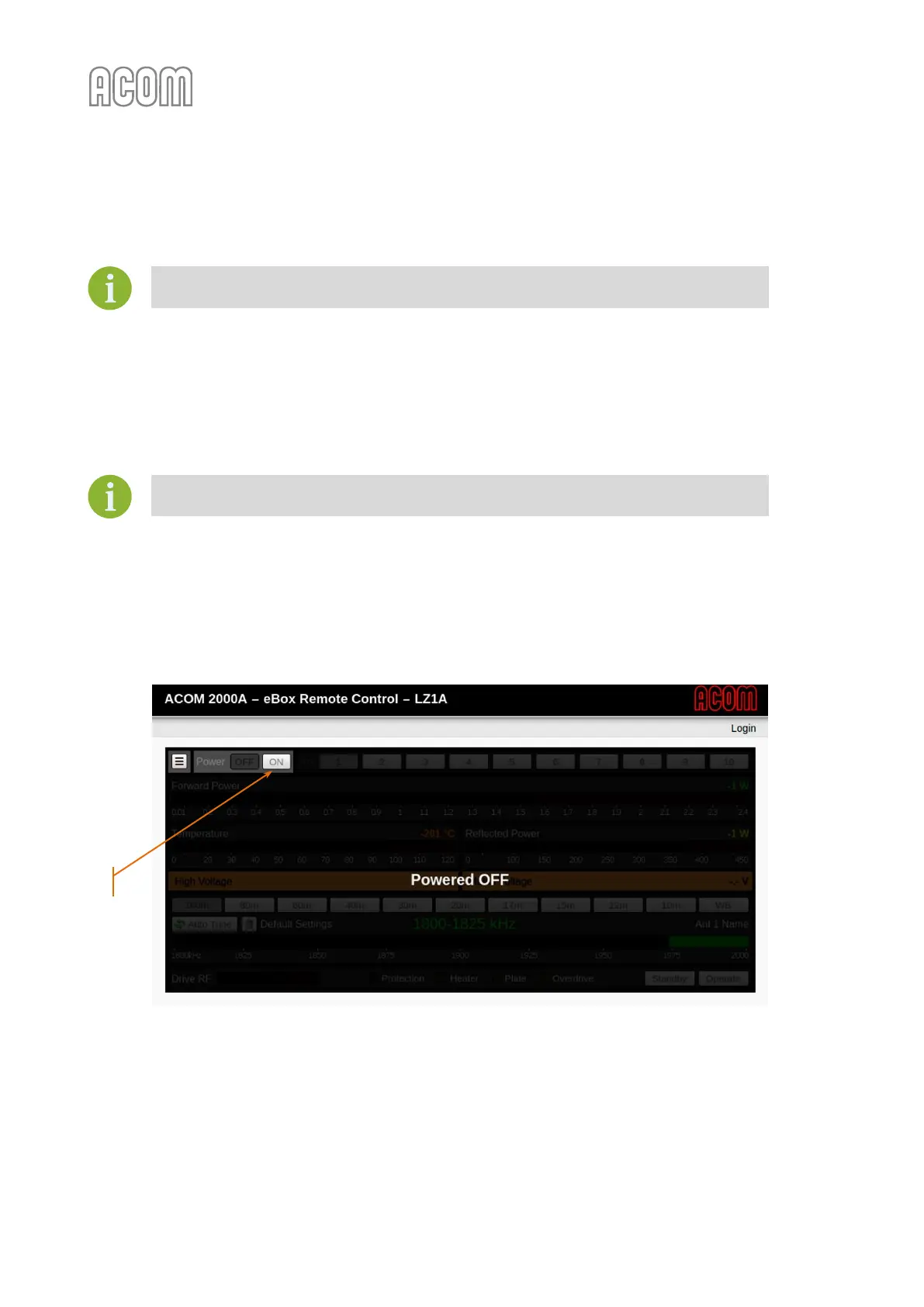
power supply of the amplifier using Power ON button (see Figure 6-1 Power On the ACOM 2000A, Pos. (1)).
Figure 6-1 Power On the ACOM 2000A
Figure 6-1 Power On the ACOM 2000A
A screen will appear, counting the warm-up sequence of the tubes. The warm-up period lasts 150 seconds,
followed by the amplifier initialization and starting procedures. The initialization and starting lasts a few
seconds and after that a main screen will appear (see Figure 6-2 Operating of eBox with ACOM 2000A).



 To Next Page