3. POWER ON AND INDICATORS
NOTICE
Do not turn the eBox on for at least 30 minutes after unpacking it in the room where it
will be used. Pay particular attention when you move it from a very cold into a warm
place - condensation is likely and this could result in damage to the device.
NOTICE
In order to avoid any damage (not covered by the warranty), check carefully to be
certain that the voltage and power input plug of the eBox corresponds to your mains.
After following all instructions in Section 2 INSTALLATION you can insert the power supply adapter's mains
plug to the wall outlet prepared for it.
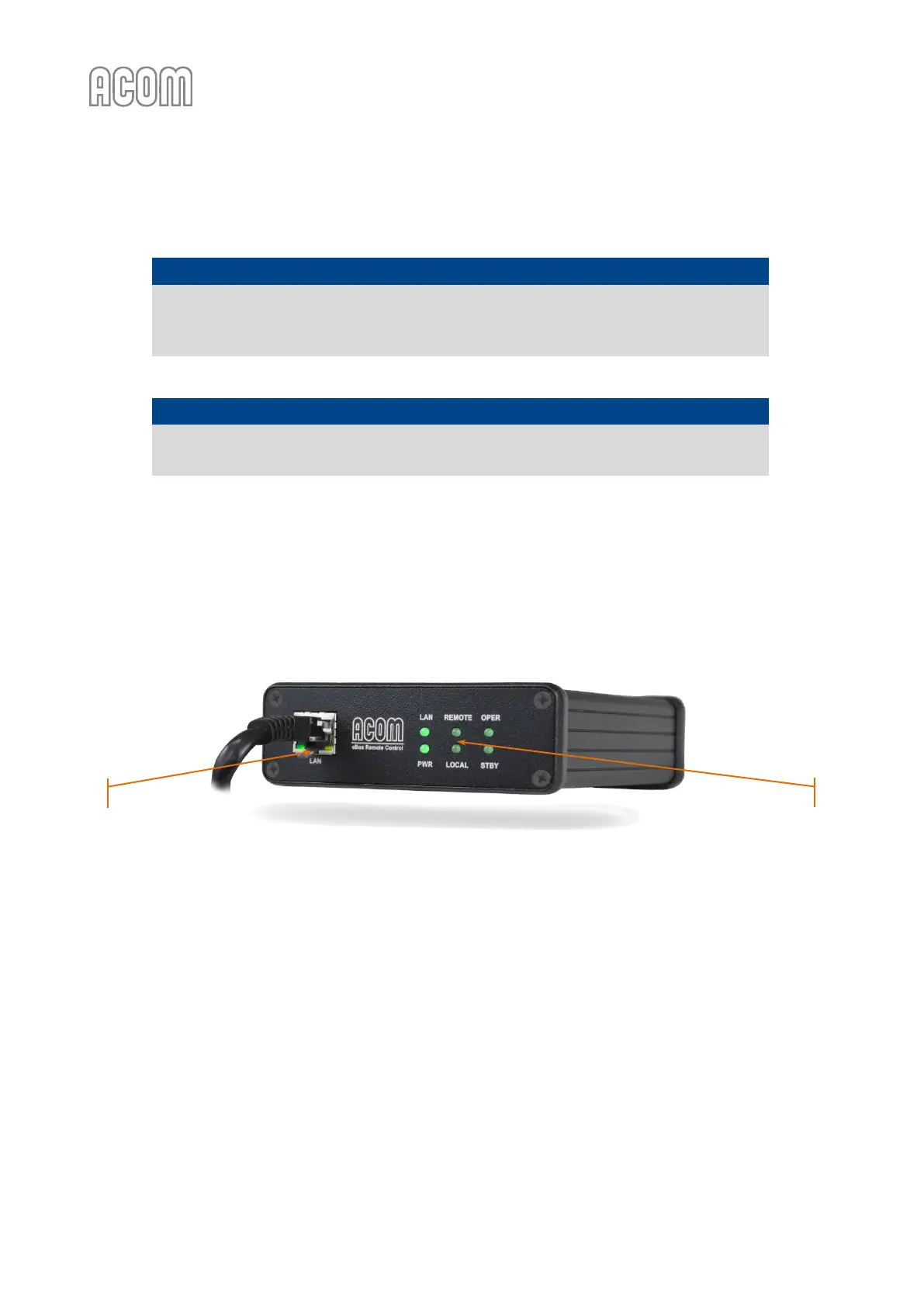
Once the device is powered the LED indicators (located on the eBox front panel) will blink a few times and
5-10 seconds later the LAN and PWR indicators will remain green lit (see Figure 3-1 Front panel - Connection
and indicators with power on).
Figure 3-1 Front panel - Connection and indicators with power on
Figure 3-1 Front panel - Connection and indicators with power on
The meanings of six LED indicators (see Figure 3-1 Front panel - Connection and indicators with power on,
Pos. (1)) on the front panel are as follow:
• LAN indicator
Lights on: The device is connected to the LAN network;
Lights blinking: A user is logged-in (see Section 4.2 Login and Authentication);
Lights off: The device is NOT connected to the LAN network;
• PWR indicator
Lights on: The device is powered;
Lights off: The device is NOT powered;
• REMOTE indicator
Lights on: The ACOM amplifier is being controlled via eBox device;
Lights off: The ACOM amplifier is NOT controlled via eBox device;



 To Next Page