4. ON-LINE CONNECTION
4.1. Connecting eBox to Your LAN Network
When the eBox is connected to your LAN network as described in Section 2.4 Connections, its IP address
must be used to access its web-interface in an any web browser, running on a device (PC, smart phone, or
tablet) connected to the same LAN network.
Most of the pictures and operating descriptions in this User's Manual are based on the
PC with Windows 10, Firefox Internet browser, and ACOM 2000A and 700S amplifiers.
Consult the specific technical glossary TERMS and ABBREVIATIONS at the end of this
manual.
To access the eBox web-interface you need the following default data (factory settings):
• IP address 192.168.1.2
• Subnet mask 255.255.255.0
• Gateway 192.168.1.1
• DNS 192.168.1.1
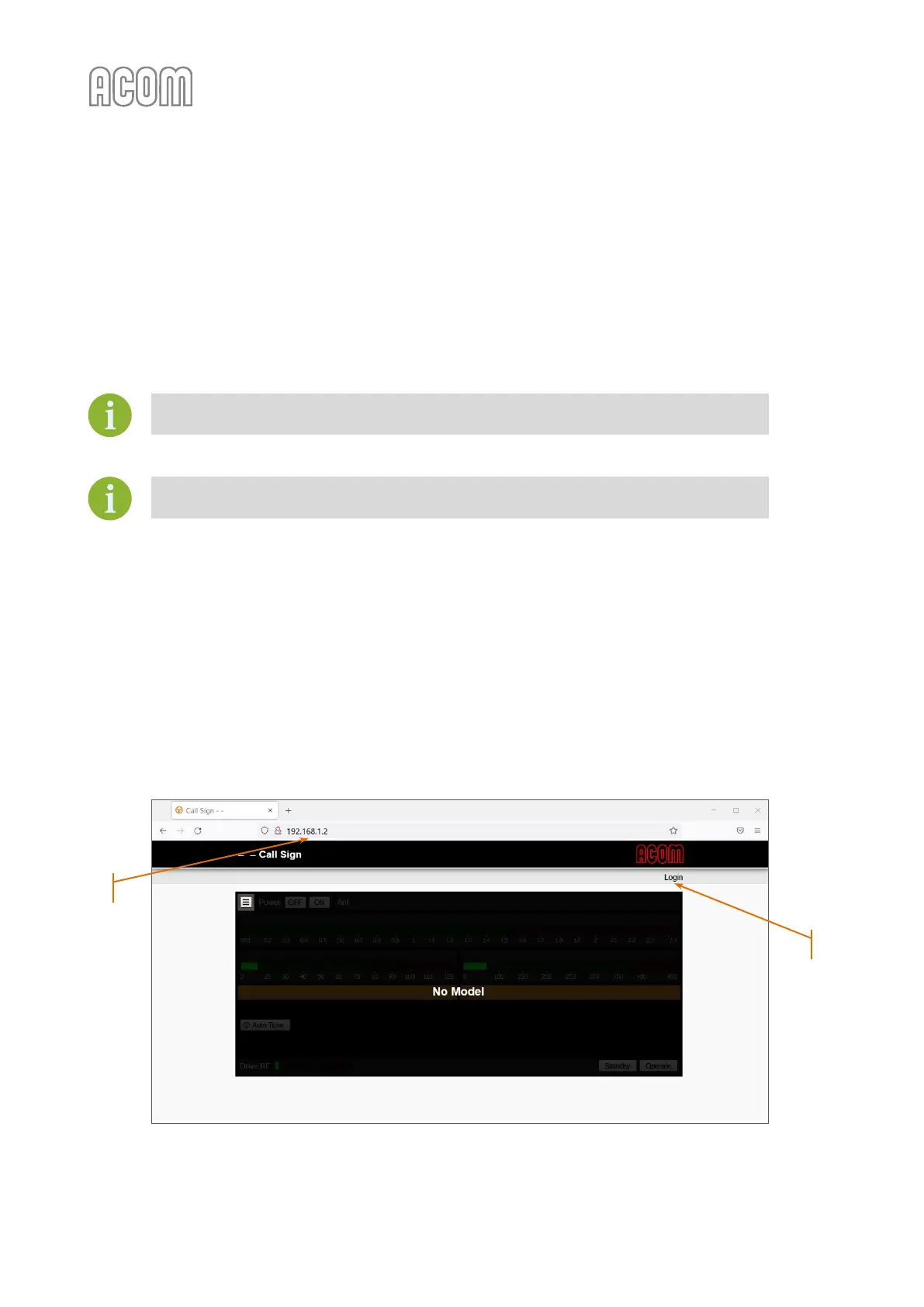
Start your preferred web-browser and enter in the address bar the IP address of the device (see Figure 4-1
eBox web-interface access, Pos. (1)) and press ENTER. If the IP address was changed in the
Settings
Device
Network menu, the new IP address needs to be used.
Figure 4-1 eBox web-interface access
Figure 4-1 eBox web-interface access



 To Next Page