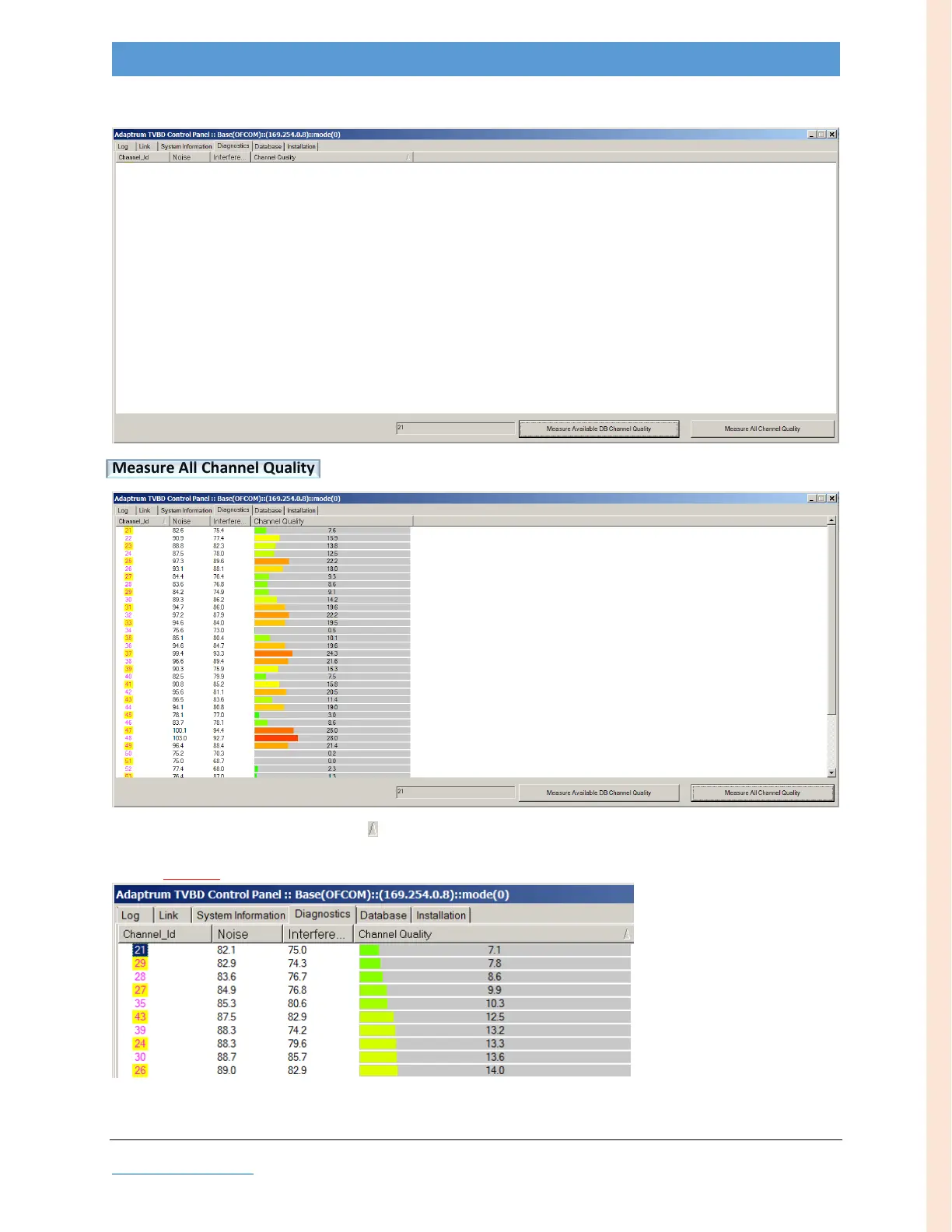
Change to the Diagnostics tab to run a spectrum scan on all channels.
Measure All Channel Quality
Sort results by Channel Quality column ( )
green = good, yellow = marginal, orange = avoid (not recommended), red = bad (do not use)
Note: If nearly all channels show good (green) quality, ensure that the antenna cable is properly connected.
Note the Channel_Id with highest quality (lowest Channel Quality number); in this example, channel 21



 To Next Page