Disabling WiFi
It is recommended to disable your wifi, as it may interfere with the Adaptrum setup process. Because
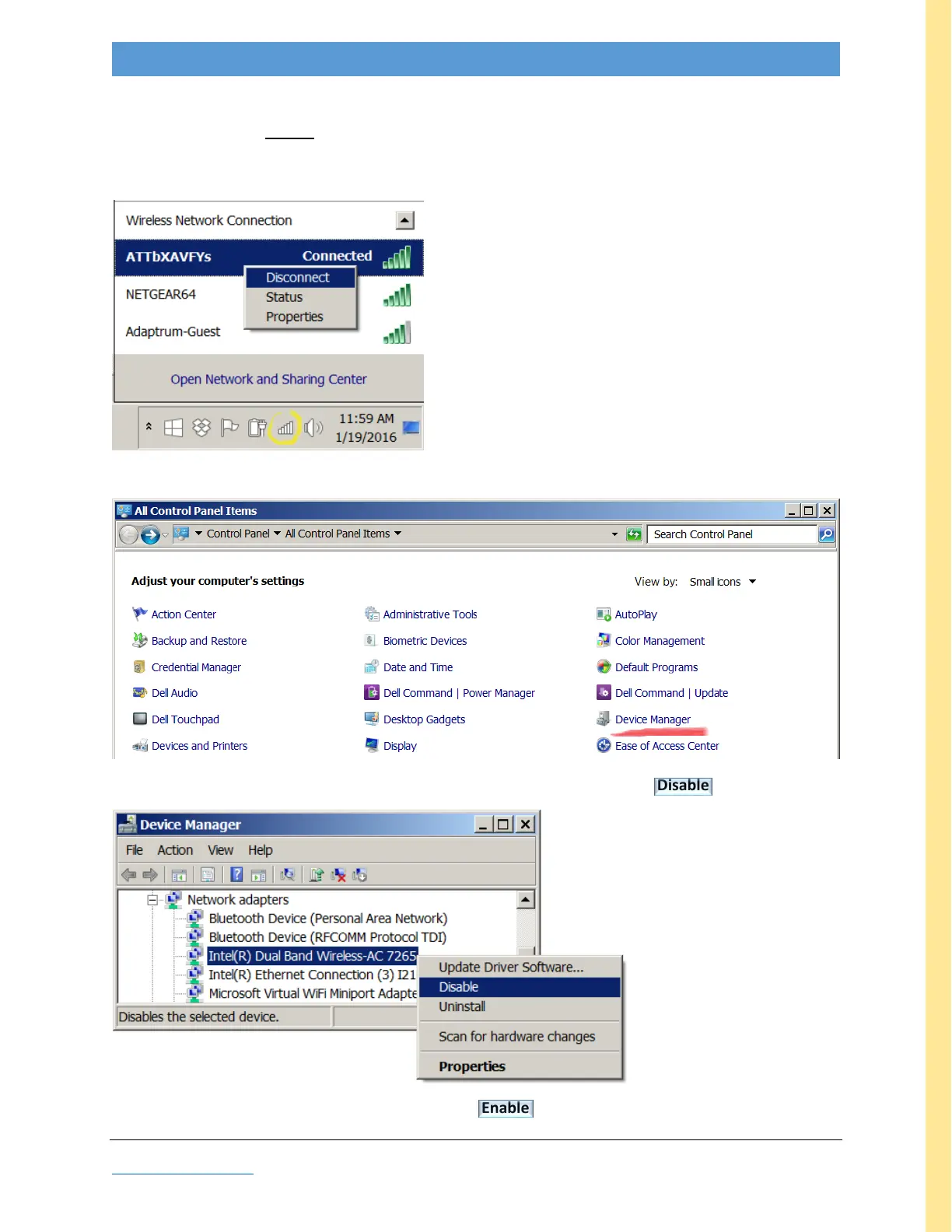
many laptops may be set to auto-re-enable wifi, it may be insufficient to simply “Disconnect,” using the
pop-up shown below:
(Disconnect is insufficient)
To disable your wifi adapter, use the Control panel, Device Manager (red highlight).
Locate your wireless network adapter, right click to display pop-up, and select Disable
To re-enable wifi, repeat the steps above, but select Enable (which will appear on the last pop-up).



 To Next Page