Updating Firmware (Local)
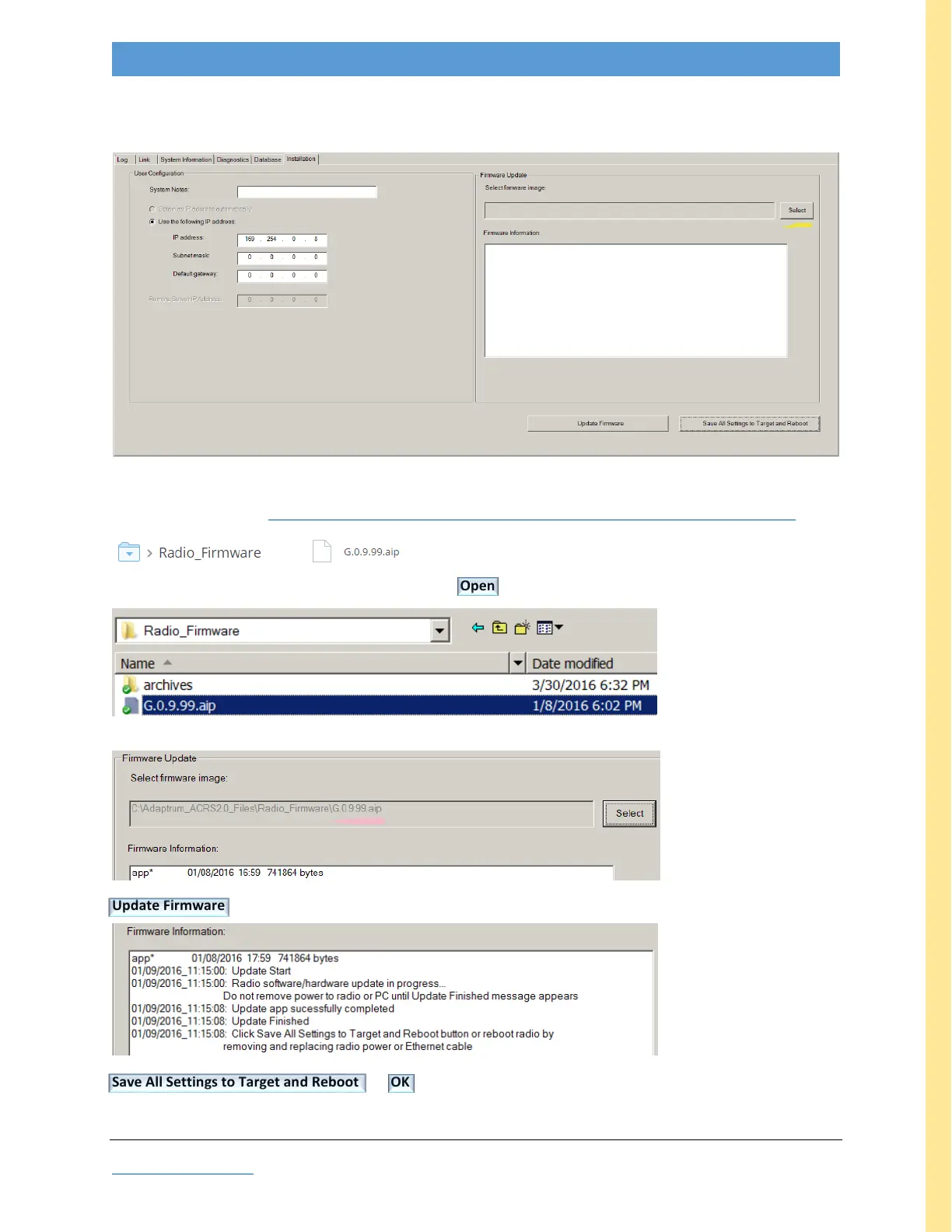
After connecting to the device and launching the AdaptrumTVBD GUI, change to the System Information tab
Record IP Address when not using the default (169.254.0.8 for BASE, 169.254.0.9 for CLIENT)
Retrieve latest firmware https://www.dropbox.com/sh/acggl6kgbdlgfk2/AAAkvGFZf_5rGlXpfbk2X_eqa?dl=0
e.g
Select to navigate to the desired aip file in the pop-up, Open
GUI acknowledges valid aip file:
Update Firmware Wait for progress bar (~5 seconds); GUI acknowledges update:
…wait for “Save & Reboot” msg
Save All Settings to Target and Reboot OK (to close AdaptrumTVBD and reboot unit)
The unit firmware is now updated. (Restore IP address if necessary.)



 To Next Page