AdaptrumTVBD GUI
Format
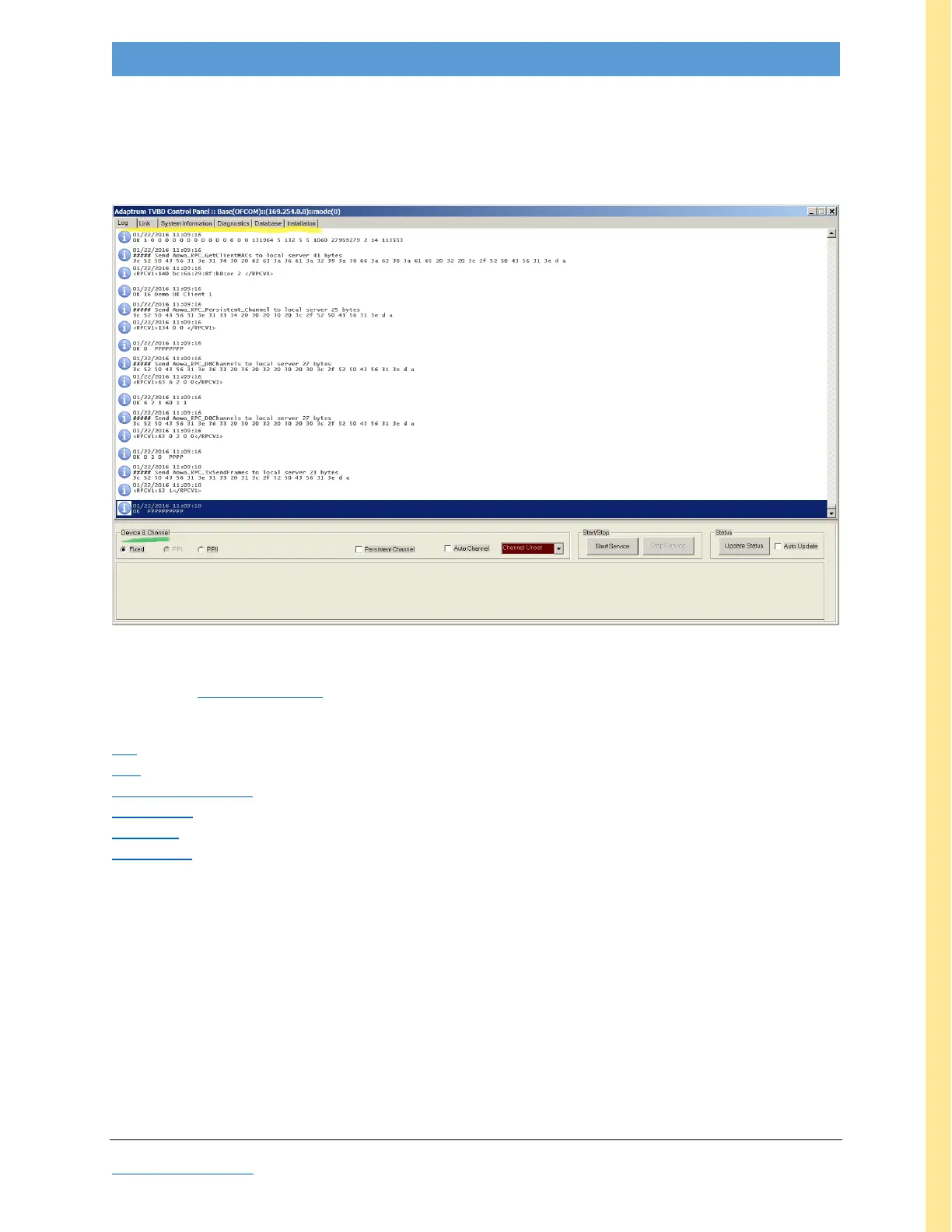
The GUI has two panes—the ‘working pane’ (yellow highlight) and the “Devices & Channel” pane (green
highlight), as shown below:
Figure 20: Default GUI screenshot, Link tab and Device & Channel pane
The bottom Device & Channel pane remains fixed regardless of which working tab is selected. The
working pane has six tabs, as follows:
Log: default opening screen; shows boot-up and diagnostic messages (shown above)
Link: dynamic graphic view of link error rates with text listing of link parameters
System Information: general software & hardware versions, station & database info, channel list
Diagnostics: interactive channel quality measurement table
Database: device information (ID, SN); registration & contact info
Installation: System Notes, IP address
These tabs are explained in greater detail in the following sections. All the available GUI functions are
tabulated on the next page.



 To Next Page