2016.05.16 Adaptrum© P a g e 42 | 64
support@adaptrum.com All Rights Reserved Worldwide
Adaptrum ACRS2.0 Quick Start Guide (International)
List
This tab is only available for the BASE.
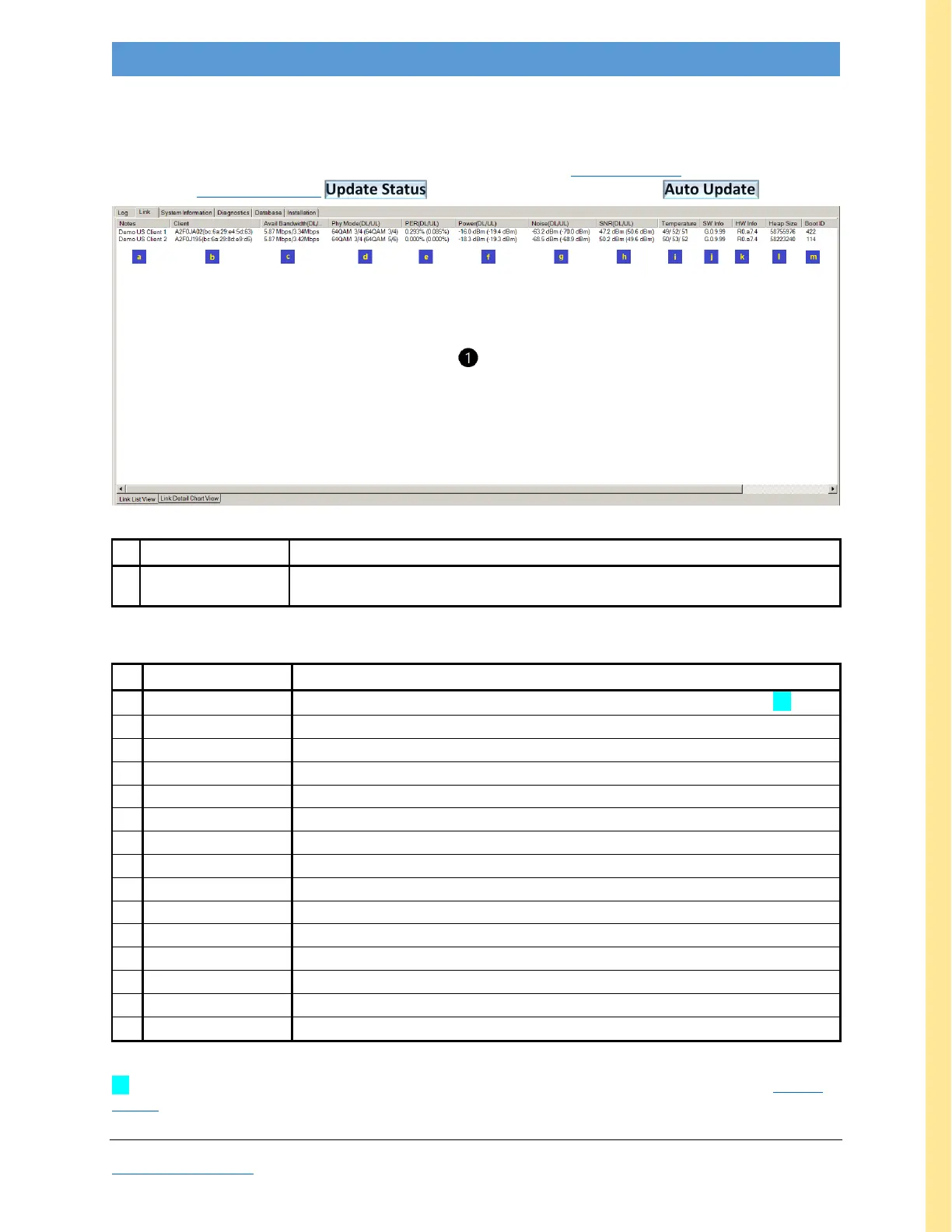
The Link List tabulates CLIENT channel parameters and is used for Remote Update. The list display is not
valid unless Device & Channel Update Status has been clicked at least once (or Auto Update is on).
Figure 23: GUI screenshot: Link List View
dynamic metrics specific to each CLIENT (the example above shows two CLIENTs);
the available metrics are listed in the table below
Table 4: Link List View Description
Note: Fields in gray font are reserved for Adaptrum diagnostic use.
CLIENT System Notes from Installation tab (field #1); remote configuration [1]
CLIENT unit Serial Number (MAC Address)
Available Bandwidth (Downlink/Uplink) in Mbps
PHY Mode (Downlink/Uplink) e.g. QAM, QPSK
Packet Error Rate (Downlink/Uplink) in percent
Power (Downlink/Uplink) in dBm
Noise (Downlink/Uplink) in dBm
Signal-to-Noise ratio (Downlink/Uplink) in dBm (> 30dB indicates a good link)
CLIENT Temperature (3 points on the PCB) in degrees C
CLIENT Radio Software Version (System Information field #1)
CLIENT Radio Hardware Version (System Information field #6)
CLIENT software heap size (System Information field #3)
CLIENT boot sequence number (System Information field #4)
reserved parameter for Adaptrum use only
reserved parameter for Adaptrum use only
Table 5: Link List View Field Descriptions
[1] Once a link is established, CLIENTs may be remotely updated by right-clicking on the Notes field. See Remote
Update Appendix.



 To Next Page