Configuration
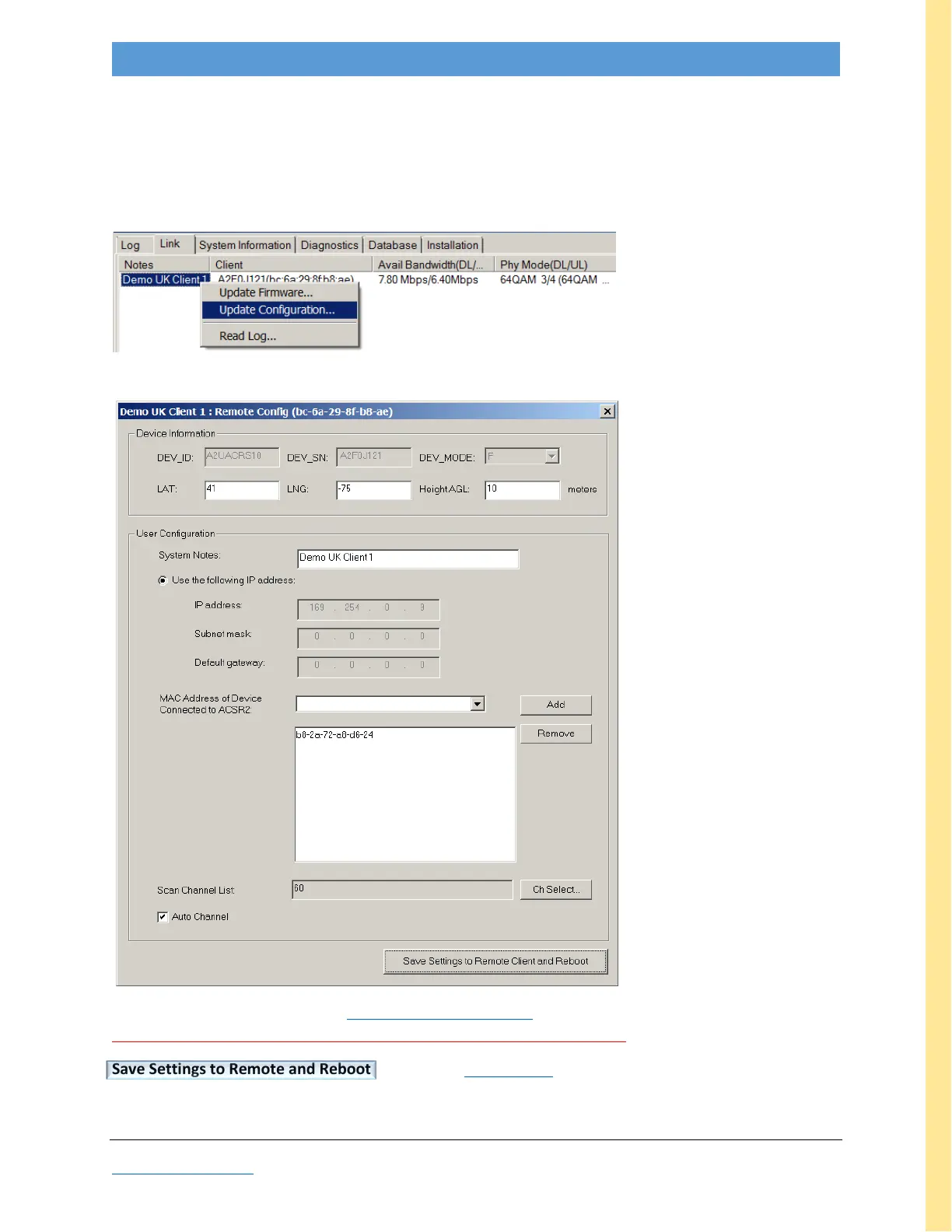
To remote update CLIENT configuration, in the BASE GUI, go to the Link tab, Link List View sub-tab.
Right-click on desired target name in Notes column; if there’s no name under Notes, right-click in the
empty space (and add System Notes when the Remote Config window opens). Right-click opens a pop-up;
select the desired operation, e.g. Update Configuration.
This opens the Remote Config window
Edit any/all fields as desired. See MAC Address Specification discussion to modify MAC Filter Table.
Make sure Auto Channel is checked so unit will auto-connect after reboot.
Save Settings to Remote and Reboot Make sure Auto Update is not enabled when you do this.
Note: If the AdaptrumTVBD GUI is running on the target CLIENT, it will need to be restarted.



 To Next Page