EasyManua.ls Logo

Advanced Energy Thyro-PX Series - User Manual

Advanced Energy Thyro-PX Series
109 pages
Print Icon
To Next Page IconTo Next Page
Loading...
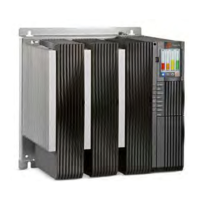
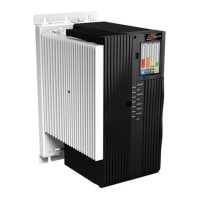
Thyro-PX
®
Power Controller
User Manual
April 2020 57010148-00G

Table of Contents

Questions and Answers

  • E
    Elizabeth SmithAug 5, 2025
    What to do if my Advanced Energy Thyro-PX has no load current?
    • S
      sarahadamsAug 5, 2025
      If your Advanced Energy Controller shows no load current, verify the following: * The supply voltage of the A70 control device is within the range of 90 VAC to 265 VAC, or X3.1 and X3.2 are at 24 VDC. * The setpoint is available and active. Check the total setpoint (effective total) using the display or software, or measure the setpoint on X52.2 and X52.5. * Parameters of the control characteristic of the respective analog input are correct. * For 1PX and 2PX units, verify that the reference phase is connected. Also, check if parameters Iemax, Uemax, and Pmax are set too small, or if controller parameters Ti or Kp are set too large. For type 1PX, check if the load is broken or disconnected.
  • M
    Michael BautistaAug 13, 2025
    Why are no LEDs lit on my Advanced Energy Controller?
    • S
      Samuel DavisAug 13, 2025
      If no LEDs are lit on your Advanced Energy Controller, it could be due to several reasons. First, check for a missing customer-supplied power supply for the A70 control device. Then, ensure that the voltage at terminal X1.1 and X1.2 of the A70 control device is within the range of 90 VAC to 265 VAC, or that X3.1 and X3.2 are at 24 VDC. Also, verify that fuses F2 and F3 on the A1, A3, and A5 controller cards are not open and that the semiconductor load fuses are not open. For transformer loads, the phase angle of the first half-wave might need to be optimized. Begin with a phase angle (phase angle 1) = 60 degrees, and slowly increase until the inrush current is minimized. Check for missing power supply.
  • C
    chandlerstevenAug 20, 2025
    What causes the thyristors to be set to full scale on my Advanced Energy Thyro-PX Controller?
    • R
      Richard BrownAug 20, 2025
      If the thyristors on your Advanced Energy Controller are set to full scale, check the control characteristic of the respective analog inputs. Also, controller parameters Ti and Kp might be set too small, or parameters Iemax, Uemax, and Pmax may be set too large, or the load current may be too small. If no load is connected, the voltage will be higher than 0 V. A load must be connected to troubleshoot this condition. Additionally, check the thyristor resistance between L1 and T1, L2 and T2, L3 and T3. If the resistance is greater than 100 ?, the thyristor is not damaged.
  • T
    Tyler LeeAug 27, 2025
    How to troubleshoot other malfunctions in Advanced Energy Thyro-PX Controller?
    • H
      hbrownAug 27, 2025
      To troubleshoot other malfunctions in your Advanced Energy Controller: * Evaluate the fault log entries using the Thyro?Touch display or the Thyro-Tool Pro software. * Check the parameters. * Check the wiring of the unit. * Check the number of controlled phases (parameters). * Eliminate the fault indicated by the fault relay. * Visually verify correct operation by replacing the loads with appropriately rated incandescent lamps.

Summary

Safety and Product Compliance Guidelines

IMPORTANT SAFETY INFORMATION

Essential safety information for safe installation and operation.

DANGER, WARNING, AND CAUTION BOXES

Explains hazard symbols and their meanings.

SAFETY GUIDELINES

General safety rules for product installation and operation.

Product Overview

GENERAL DESCRIPTION

Overview of the Thyro-PX power controller's capabilities.

UNIT FEATURES

Highlights key features for improved handling and operation.

Specifications

PHYSICAL SPECIFICATIONS

Details physical dimensions, weight, and connectors.

ELECTRICAL SPECIFICATIONS

Technical specifications regarding electrical requirements and performance.

Communication Controls

THYRO-TOUCH DISPLAY

Overview of the optional touch display for configuration and monitoring.

SOFTWARE USER INTERFACE

Introduction to the Thyro-Tool Pro software for commissioning.

Installation, Setup, and Operation

PREPARING TO INSTALL THE UNIT

Initial steps and considerations before installing the unit.

Spacing Requirements

Specifies minimum clearance for adequate ventilation.

Dimensional Drawings

Provides visual representations of unit dimensions.

Installation Requirements

Lists the essential requirements for installing the unit.

Configuring as a Multi-Zone Controller

How to configure the unit for multi-zone control.

Connecting Load and Auxiliary Power

Detailed steps for connecting load and auxiliary power sources.

FIRST TIME OPERATION

Procedures for initial startup and verification.

Troubleshooting and Global Services

TROUBLESHOOTING CHECKLIST

A checklist to help diagnose and resolve issues.

TROUBLESHOOTING UNIT OUTPUT

Guidance on troubleshooting unit output issues.

Advanced Energy Thyro-PX Series Specifications

General IconGeneral
BrandAdvanced Energy
ModelThyro-PX Series
CategoryController
LanguageEnglish

Related product manuals