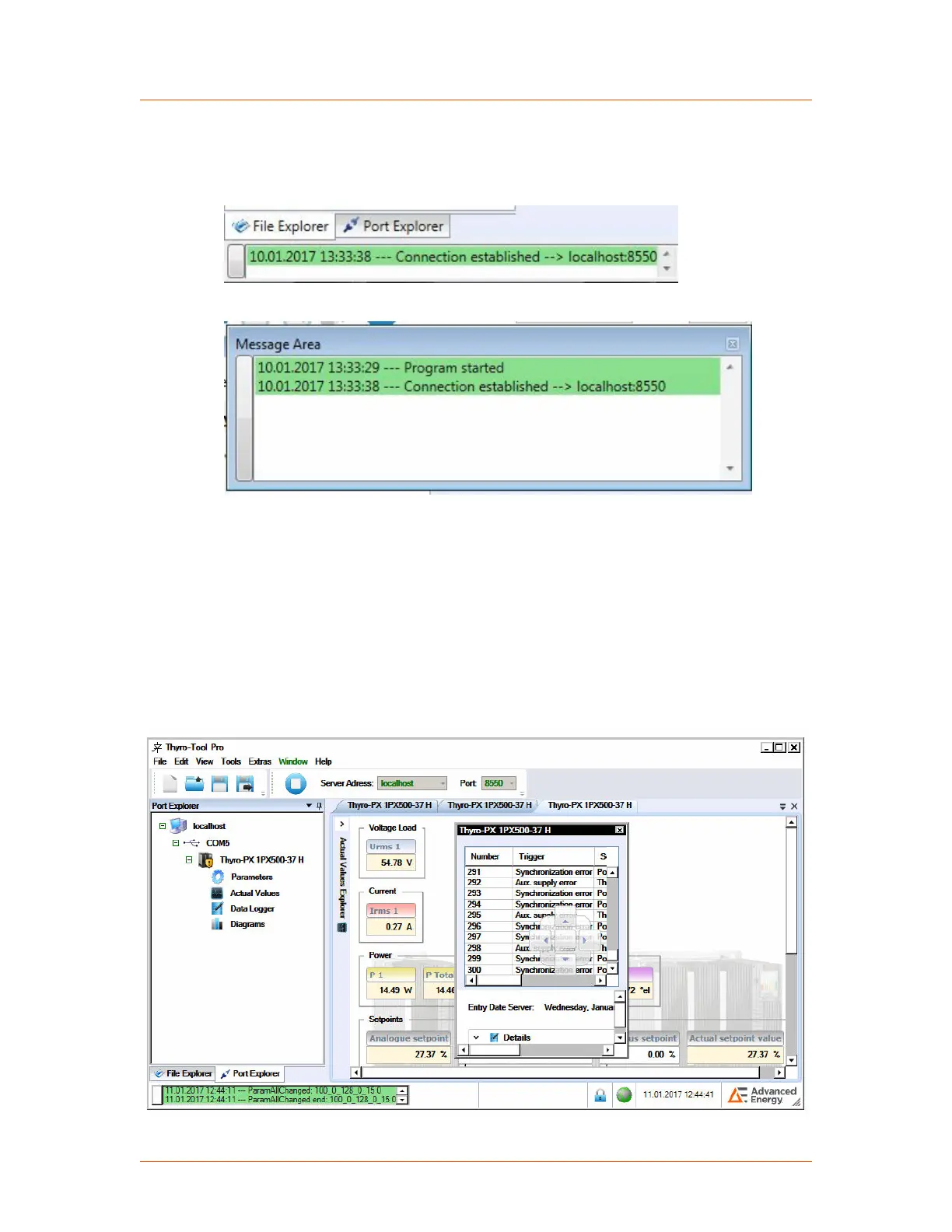
The field with status messages at the bottom left corner of the screen can be opened
as a separate window for an improved overview. Click the button on the left side of
the status field to open a separate status message window.
Figure 4‑10. Status message
Figure 4‑11. Separate status message window
You can rearrange the tabs within the window to appear as a:
• Horizontal tab group
• Vertical tab group
• Separate window
To change to a horizontal or vertical tab group, right-click on a tab and make the
choice. To open a tab in a separate window, click and drag the tab to the desired
location.
Figure 4‑12. Separate tab
Advanced Energy
®
Thyro-PX
®
Power Controller
57010148-00G Communication Controls 4‑15


 To Next Page
 Loading...