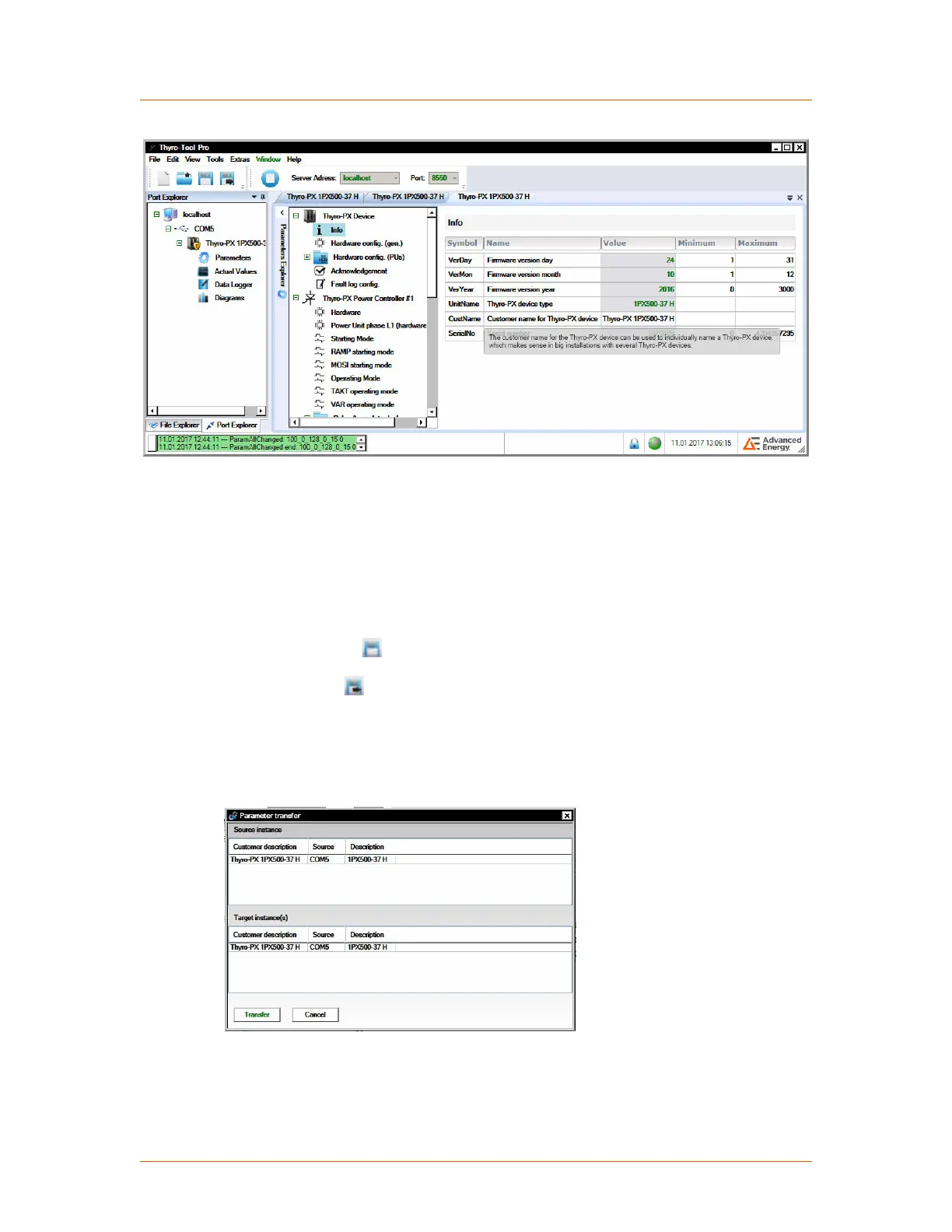
Figure 4‑15. Change name of device
The features are sorted by groups and are changeable via one click on each heading
on the right side. A tooltip for each feature describes the effect of the feature and, if
appropriate, the default value and valid value range. If you change a value and then
select another field, the changed value displays as red.
• A changed value is effective immediately when the device is connected; by
default, a changed value reverts to the last saved value on system startup.
•
Click the save icon to save the changed value.
Click the save-as icon to save parameters to your computer as a .thyro file.
To transfer a local file to the device, the device must be connected and the
relevant .thyro file must be open (file will appear in the lower window of the file
explorer). A drop-down menu opens with a list of all open files and connections
under Tools→ Transfer parameter set.
Figure 4‑16. Parameter transfer
The source file displays under Source instance and the describe device is displays
under Target instance. Click the Transfer button to start the file transfer.
Subsequently the values have to be saved.
Advanced Energy
®
Thyro-PX
®
Power Controller
57010148-00G Communication Controls 4‑18


 To Next Page
 Loading...