AIMB-286 User Manual 68
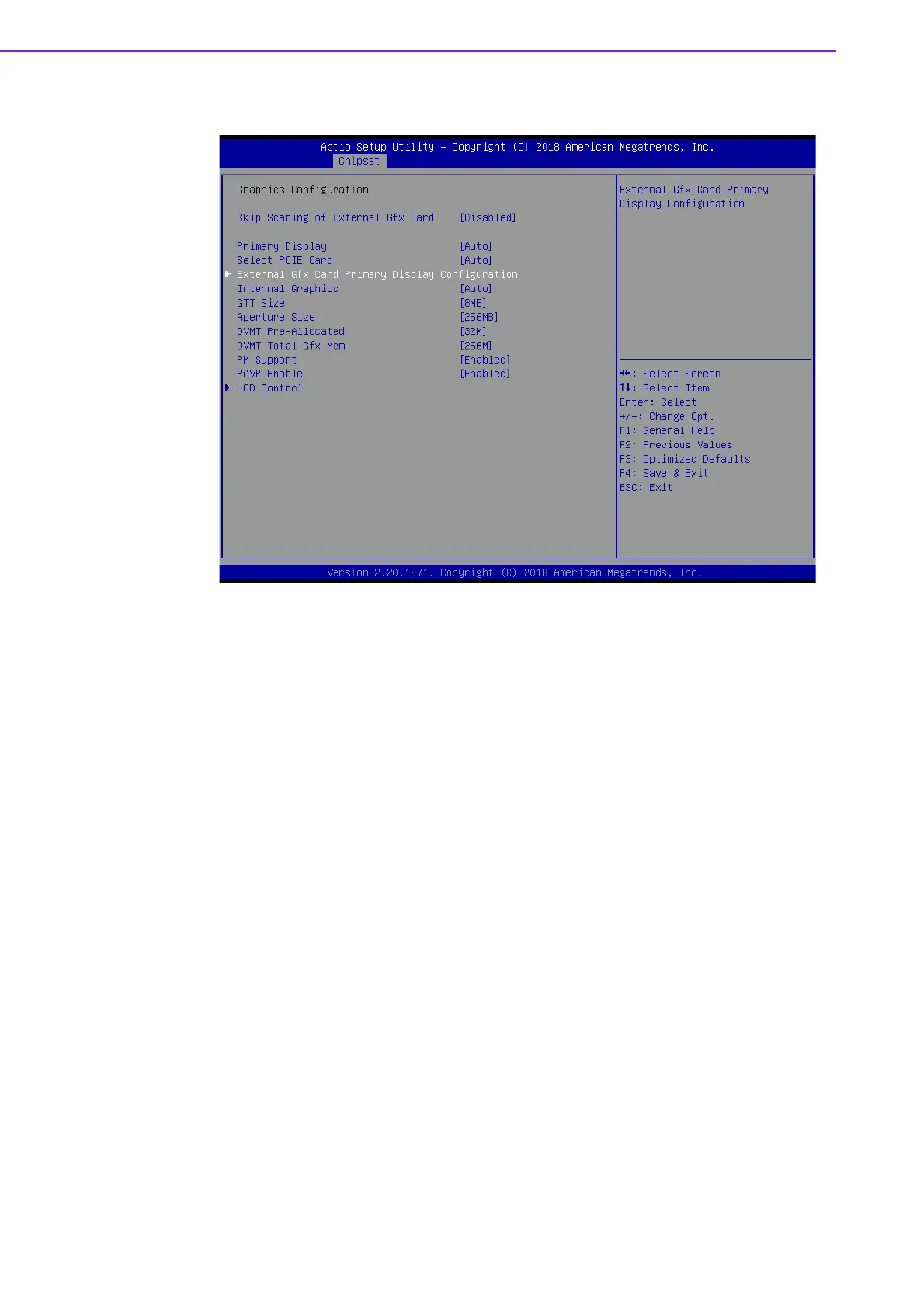
Graphics Configuration
Skip Scaning of External Gfx Card [disabled]
Primary Display [ Auto ]
Select which of IGFX/PEG/PCI Graphics device should be Primary Display
Select PCIE Card [ Auto ]
Internal Graphics [ Auto ]
Keep IGD enabled based on the setup options.
GTT size [8MB]
Aperture Size [ 256MB ]
DVMT Pre-Allocated [ 32M ]
Select DVMT 5.0 Pre-Allocated (Fixed) Graphics Memory size used by the
Internal Graphics Device.
DVMT Total Gfx Mem [ 256M ]
Select DVMT5.0 Total Graphic Memory size used by the Internal Graphics
Device.
PM Support [ Enabled ]
PAVP [ Enabled ]














 To Next Page