FWA-3260 User Manual v02_20160302.docx Copyright 2014 Advantech Co. Ltd. All rights reserved. Page 22
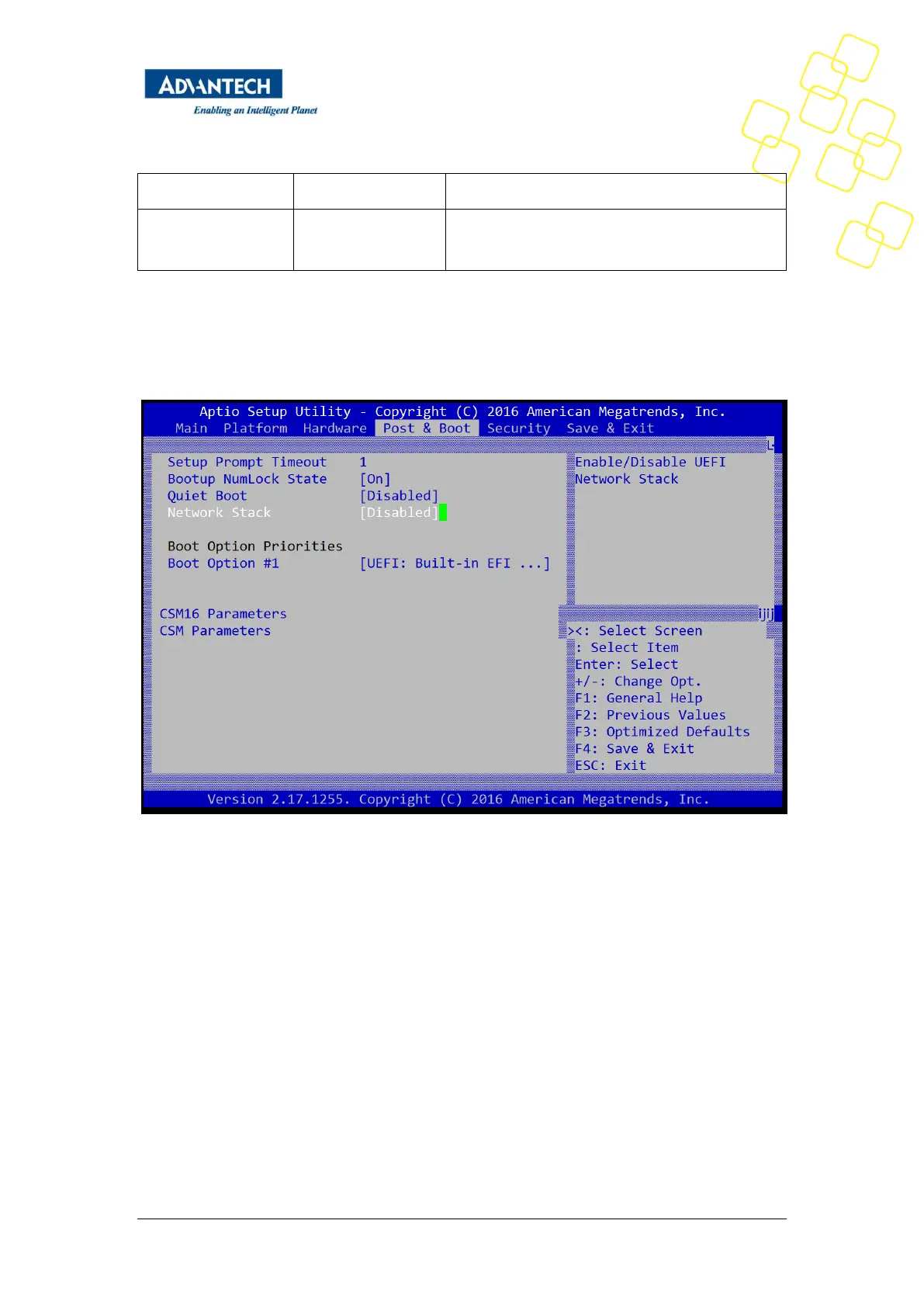
Enables the UEFI Network Stack.
Enabled if PXE booting in an IPv4 network;
disabled otherwise
Table 2: PXE BIOS Options
Below are the steps to enable PXE boot.
1. It needs to set BIOS/ Advanced-> Network Stack Configuration-> Network Stack as enabled
(default setting is disabled)
2. When set Network Stack is enabled, and then go to item of “ BIOS/ Advanced-> CSM
Parameters -> Network” to enable PXE ROM function, set it as “Legacy” (IPV4 PXE) function .



 To Next Page