FWA-3260 User Manual v02_20160302.docx Copyright 2014 Advantech Co. Ltd. All rights reserved. Page 87
Figure 60: m.2 SSD key alignment
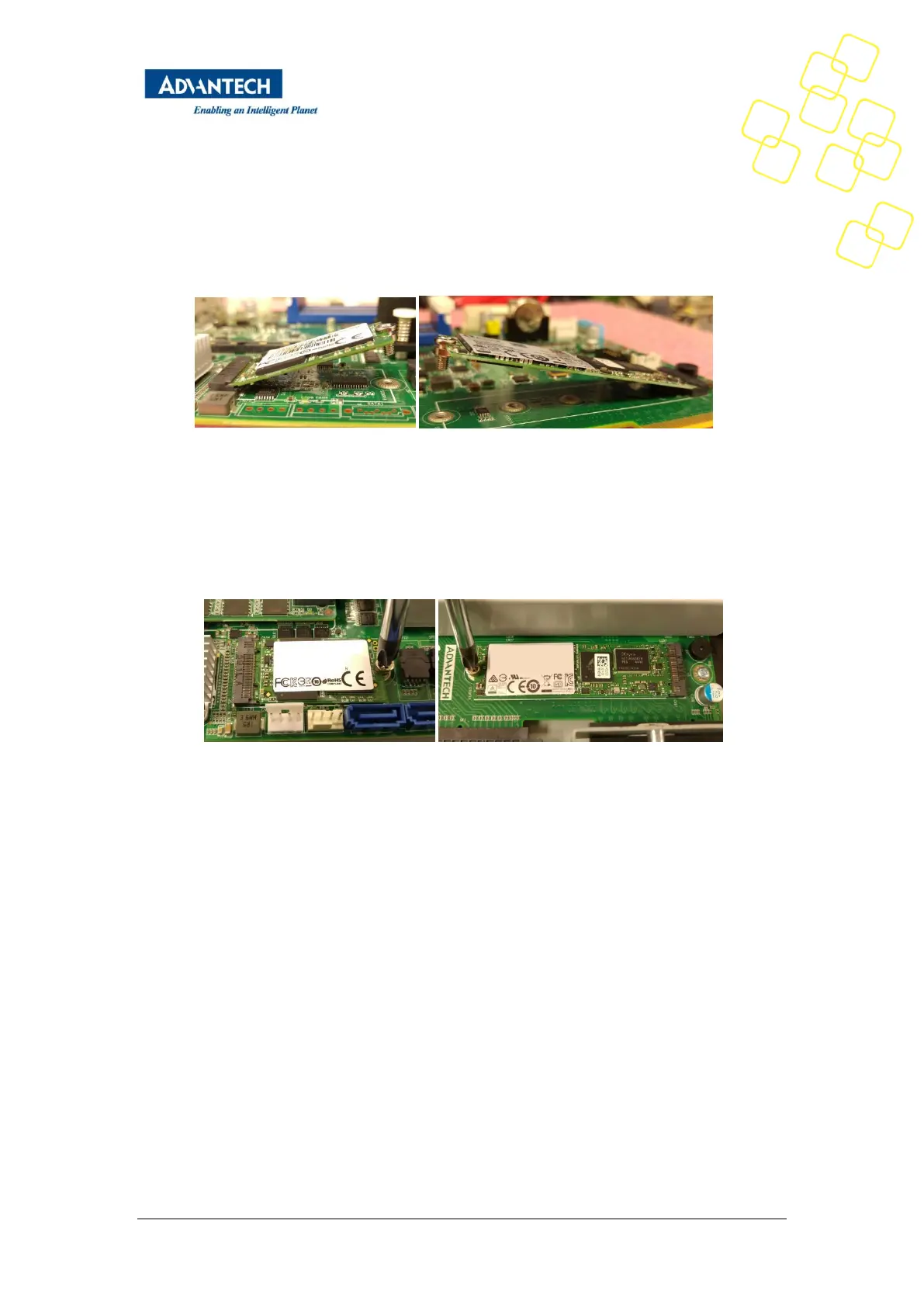
2) Insert the M.2 SSD module in the connector under an angle of around 45°. The gold
contacts of the module will almost disappear in the connector when the module is
fully seated.
Figure 61: M.2 SSD angled insertion
3) Push down the module softly until it is in horizontal position. If the module is
correctly seated, the module’s right hand mount hole will align with the threaded
standoff in the FWA-3260 motherboard. Insert the M.2 SSD mounting screw and
tighten it.
Figure 62: M.2 SSD mounting
3.3.4 Memory Installation
After removing the top cover, follow the instructions below for DIMM installation:
1) Double check that the DIMMs to be installed match the requirements of section
2.4.5.
2) Open the white latches on the left and right sides of the DIMMs by turning it
outwards as indicated by the arrows below.



 To Next Page