FWA-3260 User Manual v02_20160302.docx Copyright 2014 Advantech Co. Ltd. All rights reserved. Page 80
Saves the Current BIOS Settings as User Defaults.
Restores the User defaults to all the setup options.
This option allows you to override the specified boot order
and use a different boot device for the next boot.
Table 44: Save & Exit Menu Options
3.3 Installing Components
Please make sure you follow the safety guidelines presented in section1.1 when making
changes to the hardware.
3.3.1 Removing the top cover
You need:
- a PH2 screw driver
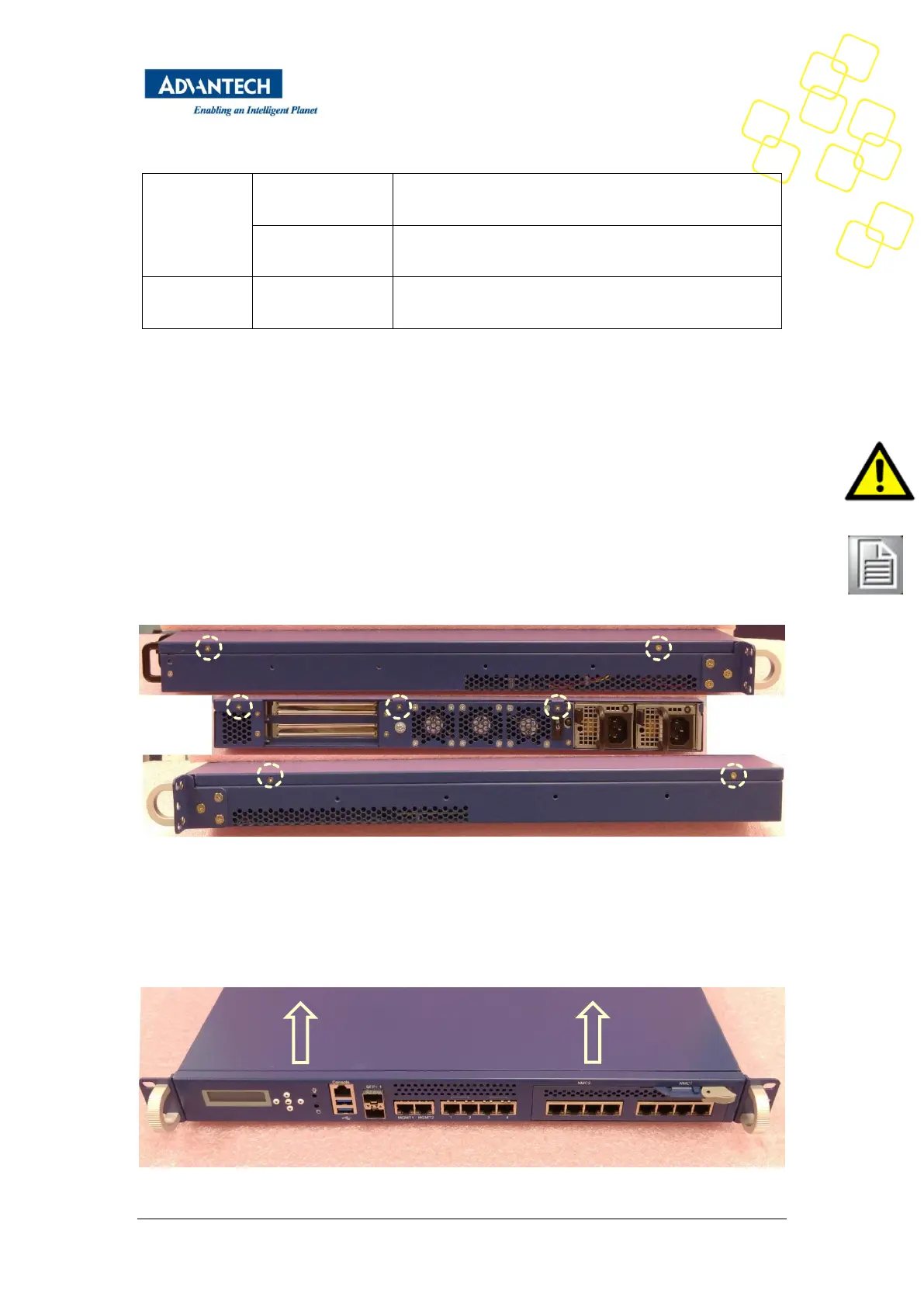
The top cover is secured by a total of 7 screws, 2 each on the left, rear and right side:
Figure 47: Top cover screw locations ( left/rear/right)
To remove the top cover, remove these screws using a PH1 screw driver. Be sure to keep the
screws in a safe place for top cover re-installation.
After that, slide the top cover backwards until the front flange of the top cover disengages
with the unit’s face plate:



 To Next Page