FWA-3260 User Manual v02_20160302.docx Copyright 2014 Advantech Co. Ltd. All rights reserved. Page 52
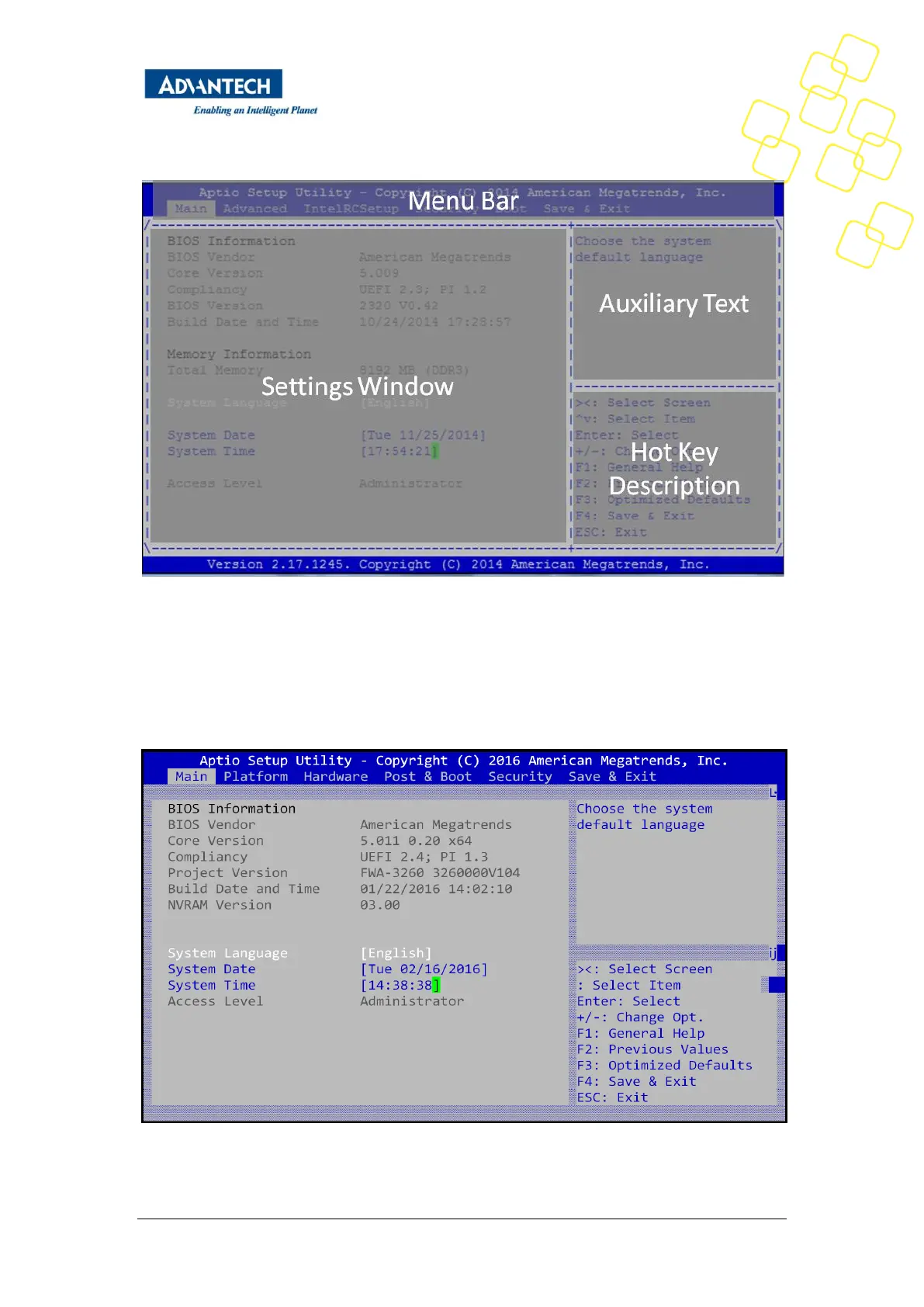
Figure 23: BIOS Setup Screen Organization
3.2.1 Main Setup Menu
If security protection has been enabled previously ( see chapter 3.2.4), you will be prompted
for the BIOS password upon entering the BIOS Setup. After a successful check or if password
protection has not been enabled, users will see the Main Setup screen shown below. Users
can always return to the Main setup screen by selecting the Main tab.
Figure 24: BIOS Setup Main screen



 To Next Page