FWA-3260 User Manual v02_20160302.docx Copyright 2014 Advantech Co. Ltd. All rights reserved. Page 67
Select to enable / disable Patrol Scrub
Support
Select to enable / disable Demand Scrub
Support
Select to auto to enable the Scrambler
Table 33: Northbridge Configuration Menu
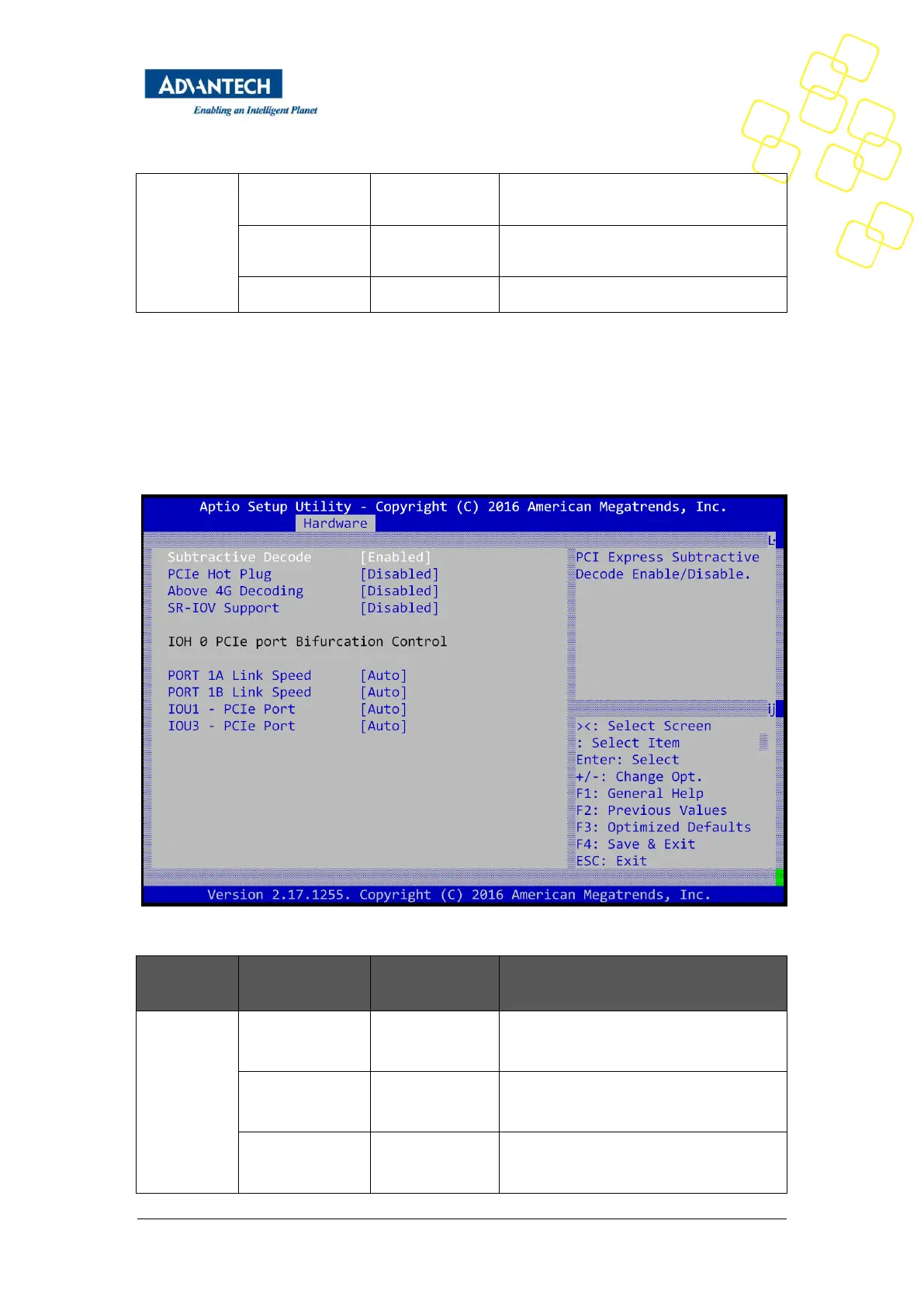
3.2.3.3 PCI Express Port Configuration
This sub-menu contains settings for the PCIe subsystem. Some menu items are referred to as
“PCI” settings. Although the FWA-3260 does not implement a PCI bus, these settings still
apply to the platform as PCIe is using the same configuration mechanism as PCI.
Figure 36: Hardware Setup: PCI Subsystem
PCI Express Subtractive Decode
Enable/disable
Enables or Disables 64bit capable Devices
to be Mapped above 4GB in the Address



 To Next Page