VP-8-V2 and VP-16-V2 Series Encoder
·
User Manual
14
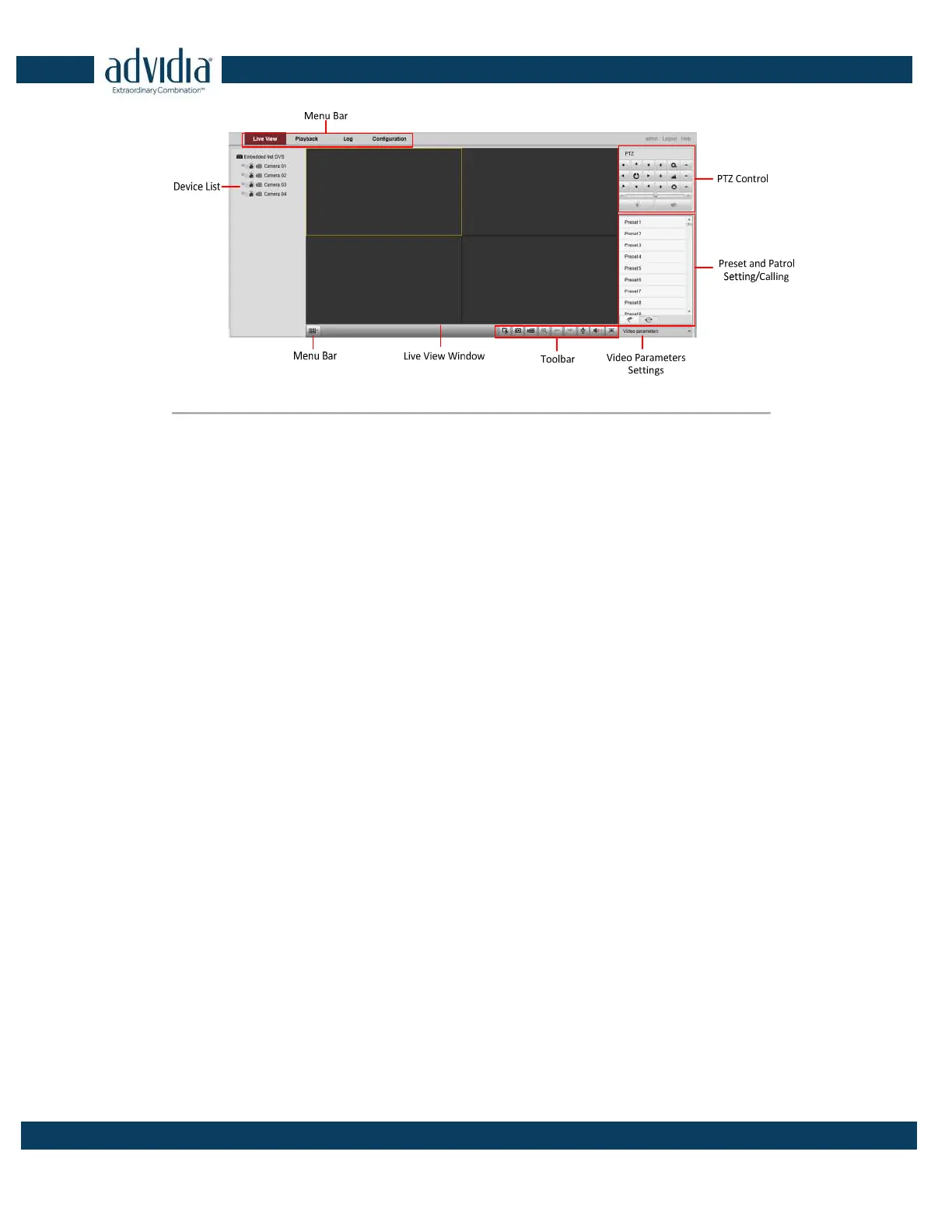
Figure 2. 6 Main Page
Description of the live view page:
Menu Bar: Enter the Live View, Playback, Log and Configuration page respectively.
Device List: Display the connected encoder and its channels.
Window-division: 1/4/9/16split screen modes.
Live Video Window: Display the live video of the current camera.
Toolbar: Realize functions in live view mode, e.g., live view, capture, recording, audio on/off, two-way audio, etc.
PTZ Control: Realize PTZ control of the camera (supports PTZ function), and the lighter and wiper control.
Preset Setting/Calling: Set and call the preset for the camera (supports PTZ function).
Video Parameters Settings: Configure the brightness, contrast, hue and saturation of the live video.



 To Next Page