VP-8-V2 and VP-16-V2 Series Encoder
·
User Manual
20
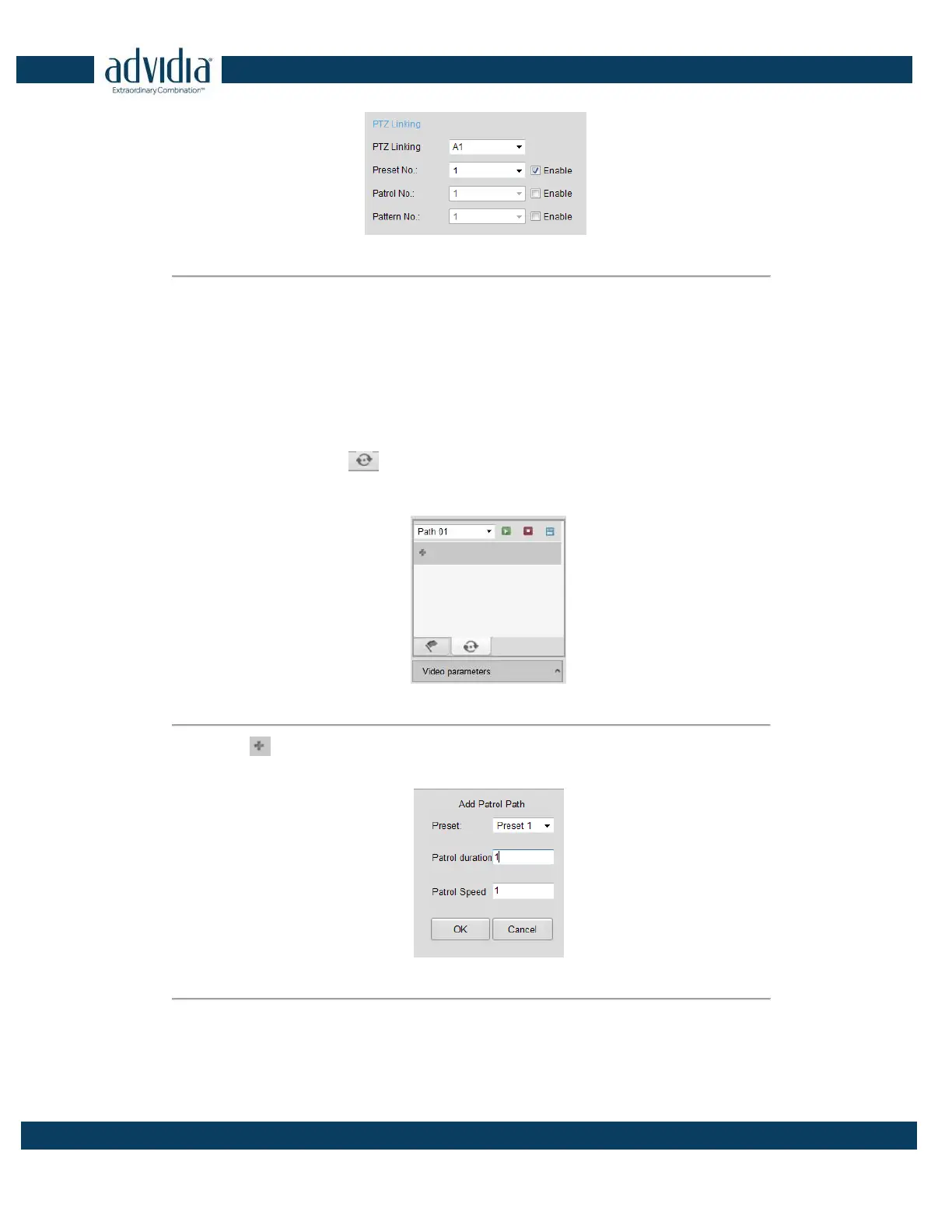
Figure 3. 8 PTZ Linking
Please refer to Chapter Configuring and Handling Alarms for the PTZ Linking settings (Remote
Configuration>Alarm Settings>Alarm Input>Linkage Method).
3.3.5 Setting/Calling a Patrol
Setting a Patrol:
1. In live view mode, click the
from the PTZ control area to enter the patrol settings interface.
2. Select a patrol number from the patrol list for setting.
Figure 3. 9 Patrol Setting
3. Click the button to enter the Add Patrol Path interface.
Figure 3. 10 Add Patrol Path
4. Configure patrol parameters, including the preset No., duration of staying for one preset and speed of patrol.
Preset: determines the order at which the PTZ will follow while cycling through the patrol.
Patrol Duration: refers to the time span to stay at the corresponding key point. The duration can be set



 To Next Page