VP-8-V2 and VP-16-V2 Series Encoder
·
User Manual
49
Figure 5. 18 Alarm Input Settings-Arming Time
3. Check the checkbox of Enable to enable the alarm input.
4. Set the arming schedule for the alarm input. Refer to Step 2 Set the Arming Schedule for Motion Detection
in Section Configuring Motion Detection.
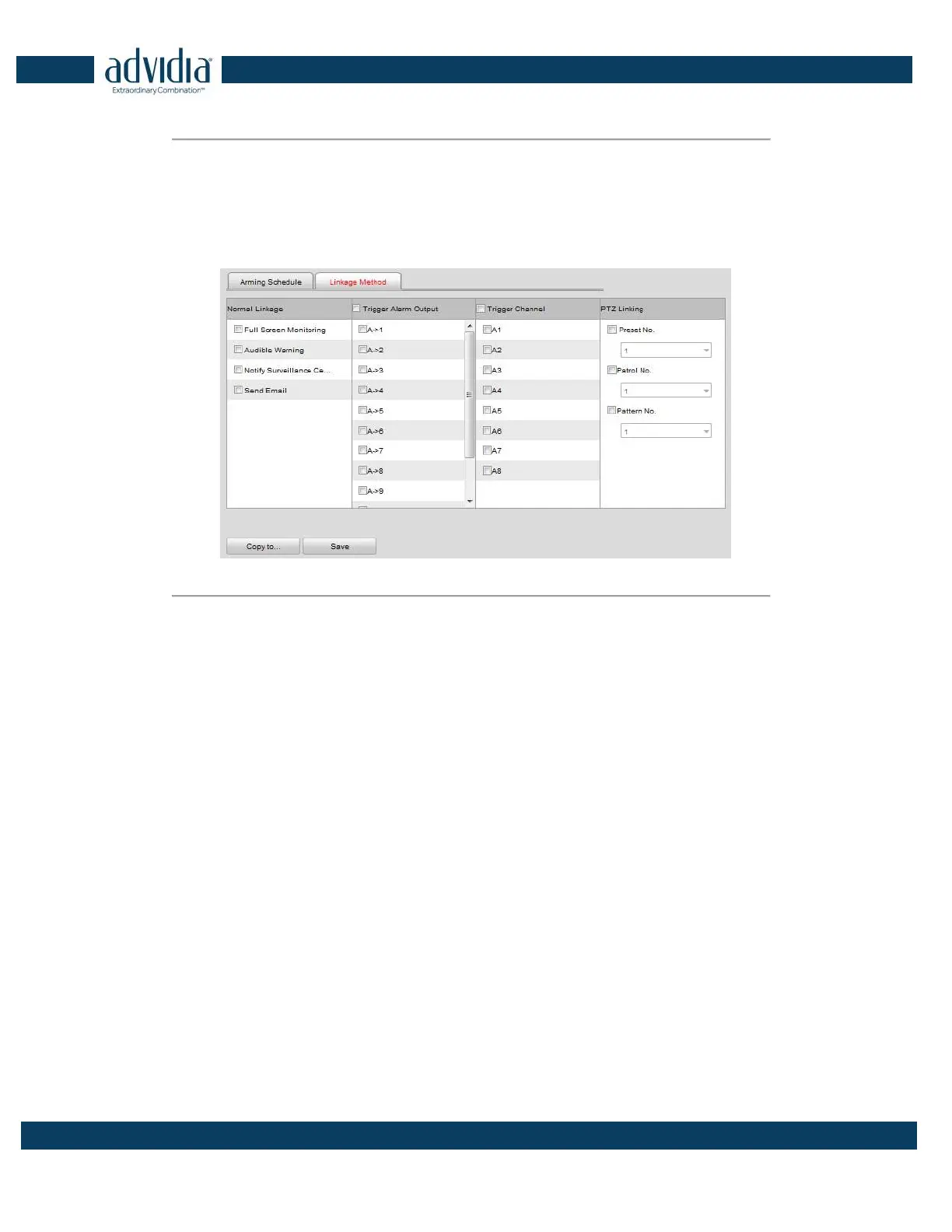
5. Click the Linkage Method tab to set the actions taken for the alarm input. Refer to Step 3 Set the Alarm
Actions Taken for Motion Detection in Section Configuring Motion Detection.
Figure 5. 19 Alarm Input Settings-Linking Method
6. You can also choose the PTZ linking for the alarm input if your camera is installed with a pan/tilt unit.
(1) Choose the PTZ Linking channel.
(2) Check the relative checkbox to enable Preset Calling, Patrol Calling or Pattern Calling.
7. You can copy your settings to other alarm inputs.
8. Click Save to save the settings.
5.3.5 Configuring Video Loss Alarm
Steps:
1. Click Remote Configuration> Camera Settings> Video Loss to enter the video loss alarm setting interface.



 To Next Page