VP-8-V2 and VP-16-V2 Series Encoder
·
User Manual
26
4.2.2 Configuring Packet Time of Recording
The recorded file is packed in 1G by default. You can also customize the packet time in the advanced settings
page.
Steps:
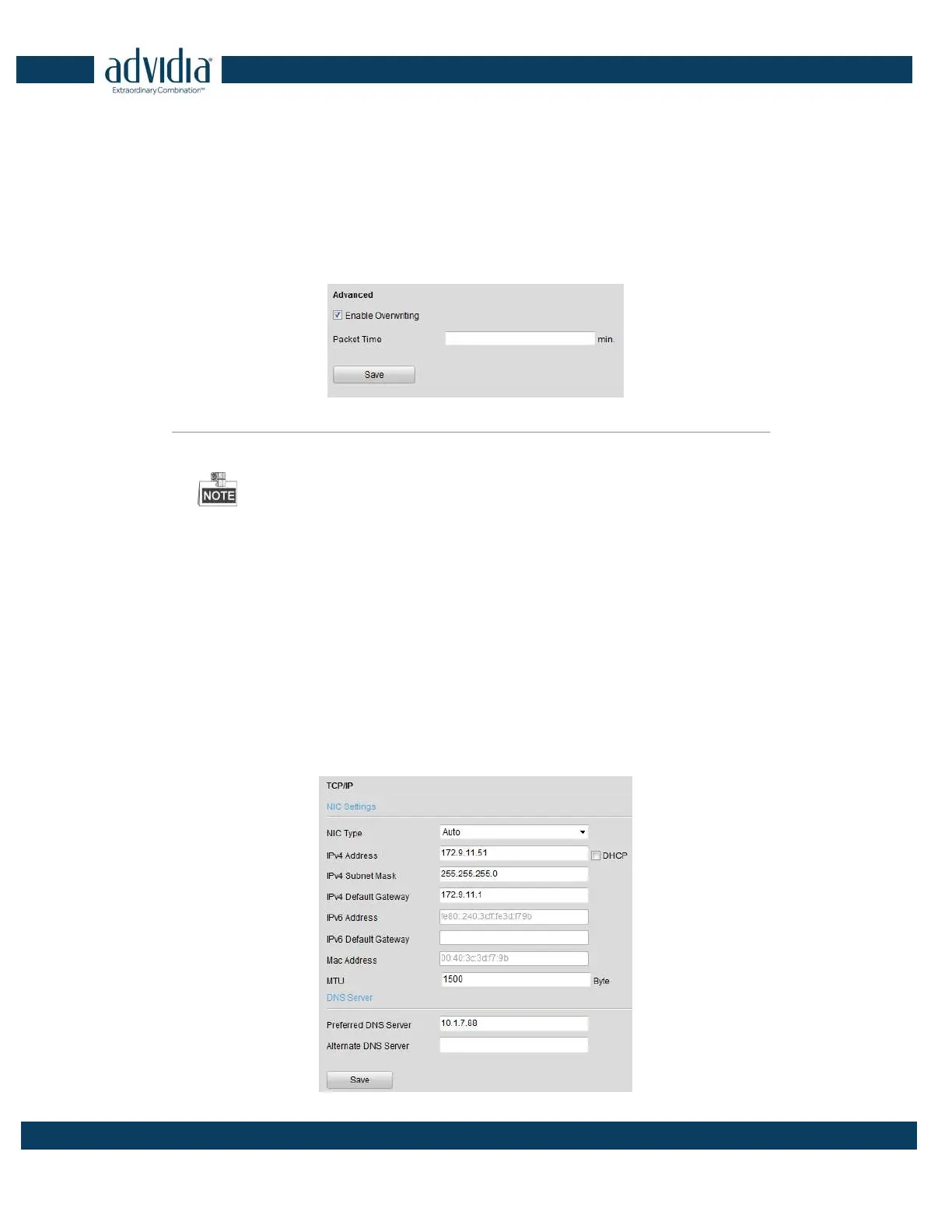
1. Click Remote Configuration> Device Parameters> Advanced to enter the advanced settings interface.
Figure 4. 7 Packet Time of Recording
2. Set the packet time of the recorded file.
The packet time can be set from 1to 300 minutes.
3. Click Save to save the settings.
4.3 Network Settings
4.3.1 Configuring TCP/IP Settings
Network settings must be properly configured before operating device over network.
Steps:
1.
Click
Remote Configuration > Network Settings > TCP/IP to enter the TCP/IP Settings interface:



 To Next Page